 Dedupely Intelligence

Protected Fields
Keep records from matching when a field that should never change is different.


Protected fields keep two records from matching in Dedupely Intelligence when a certain field value differs between them. Use them for values that should never be overwritten by a merge, like external IDs from your ERP or billing system. You can protect up to 5 fields, and choose how blank values are treated.
When to use Protected fields
- External IDs: two contacts with different ERP Customer Numbers are different customers, even if their names and emails look alike.
- Values that should never be overwritten: like a billing account number or a contract ID.
- Separate entities with similar data: two branches of the same company, each with its own ID.
How to set up Protected fields
- Go to Duplicate Searches and open Dedupely Intelligence under Contacts, Companies or Leads.
- Click Protected fields at the top right.
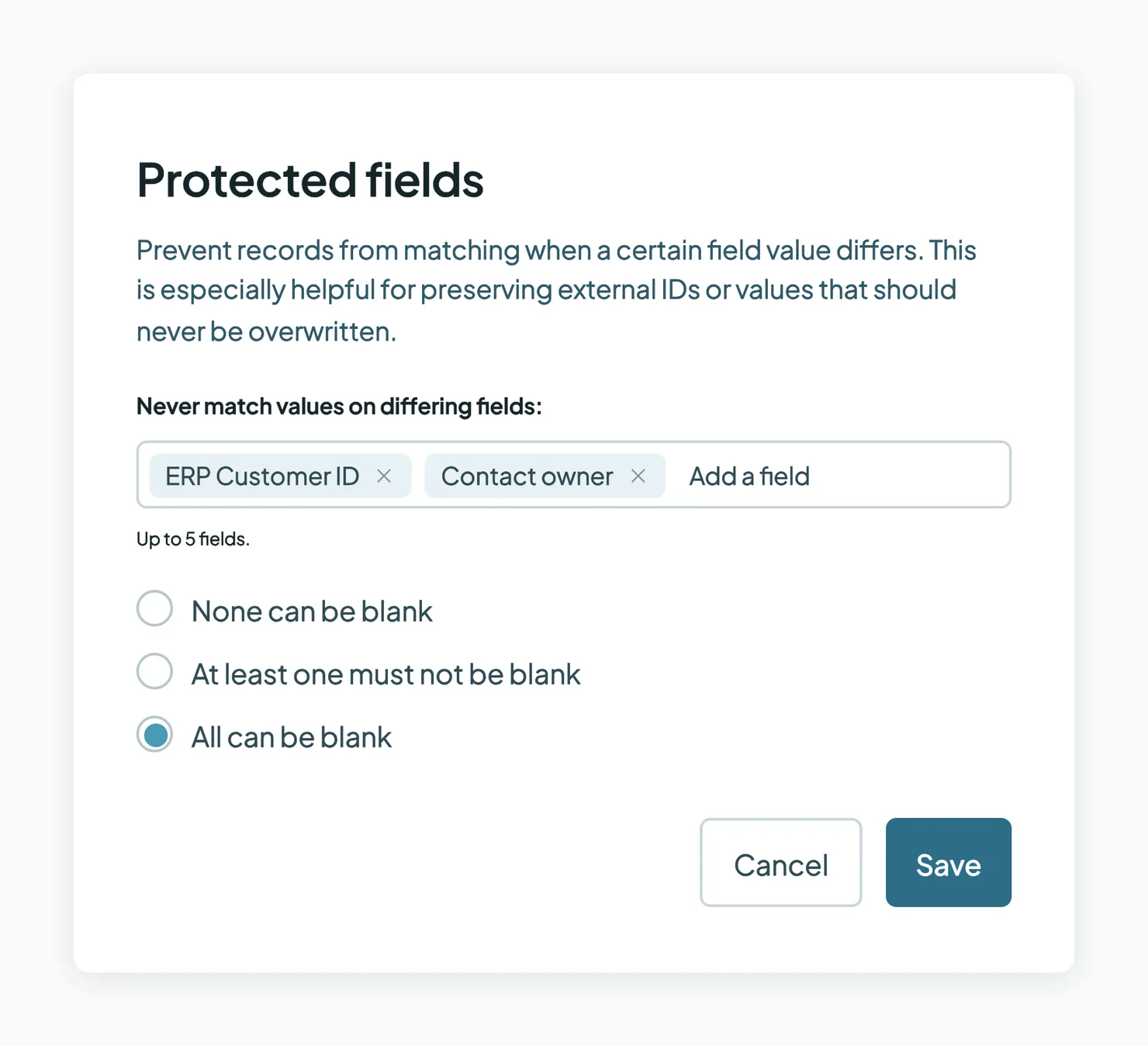
- Under Never match values on differing fields, click Add a field and choose the field. Add up to 5 fields.
- Choose how blank values are treated:
- None can be blank: records match only if every record has a value in the field, and the values are the same.
- At least one must not be blank: records with a blank value can still match, as long as at least one record has a value.
- All can be blank: blank values never keep records from matching. Only different values do.
- Click Save.
What happens next
- Records with different values in a Protected field stop matching after the next background scan.
- Your Protected fields are saved, so they apply to every scan.
- Nothing changes in your CRM. Protected fields only change which records Dedupely Intelligence matches.
Troubleshooting
A match I expected is missing. One of your Protected fields might differ between the records. Check the field values, or remove the field from Protected fields.
I can't add another field. You can protect up to 5 fields.
My Protected fields weren't saved. They're saved on every paid plan, not in the free trial. See Dedupely Pricing.
FAQs about Protected fields
- How many fields can I protect? Up to 5.
- Do Protected fields work in my own Duplicate Searches? No. They're for Dedupely Intelligence. In your own searches, use Match Settings and Filters.
- Do Protected fields change my CRM? No. They only change which records match.
- What's a good field to protect? An external ID, like an ERP Customer Number or a billing account number.
Next up
Still stuck?
Our team helps on every plan and during the free trial, by chat, email or Zoom.
- Need help? Talk to support
- Questions about plans? Book a Zoom with sales
- Reading this with a model? Read this page as Markdown
- Feeding it the whole site? Read llms.txt




 Or sign up with Google
 HubSpot Marketplace