No formulas, no vibe-coding, no manual reviews.

Find & merge duplicates in CSV

Clean your old exports or legacy data without formulas, vibe coding, or row-by-row reviews.

CSVCSV
Summarize Dedupely +
CSV
with AI

Clean CSV data without all the manual work.

Duplicate-free CSV files shouldn't mean hours of formulas, filters, vibe-coding, or checking rows one by one.

Manually cleaning old exports, legacy databases, lists form different systems, or data before your time takes time, leaves more room for mistakes, and often means figuring out processes someone else set up years ago.

Upload all your CSV files to Dedupely, find and merge every duplicate and export clean data, ready for whatever comes next.

CRM not needed.

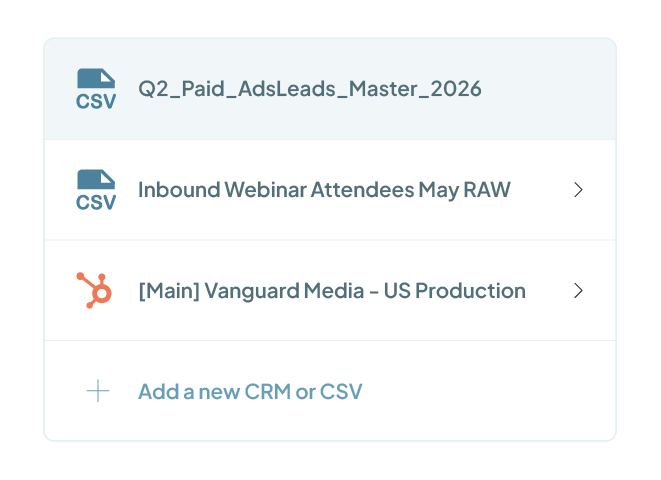
Not every data set lives in a CRM. Dedupely works directly with CSV files, so a CRM connection isn't required. Upload as many files as you need, keep each dataset completely separate, and export the clean version when you're done.

PS. You can upload multiple CSV files and connect different CRM instances at the same time, in the same account, without any of them mixing together.

Duplicates in CSV?
It's a very solvable problem!

Are you merging records from a file?

We built a two-way, simultaneous integration on multiple CRM's and Excel/CSV. No need to download or upload anything from or to your CRM.

Why does Dedupely need to sync my data?

To apply our match and merge engine our algorithm needs access to your records. Once the sync is ready you will be able to match and merge your duplicates.

Can I choose which records to sync?

The first sync we will sync all of your records to make sure we get all objects, fields and columns. We will always sync all the records in a particular record type.

Easy & fast to set up

You’ll be cleaning your CRM data in the next 5 minutes.

STEP 1

Connect Your CRM

Connect seamlessly with HubSpot, Salesforce, and Pipedrive. You can also dedupe CSV documents.

STEP 2

Match Duplicates

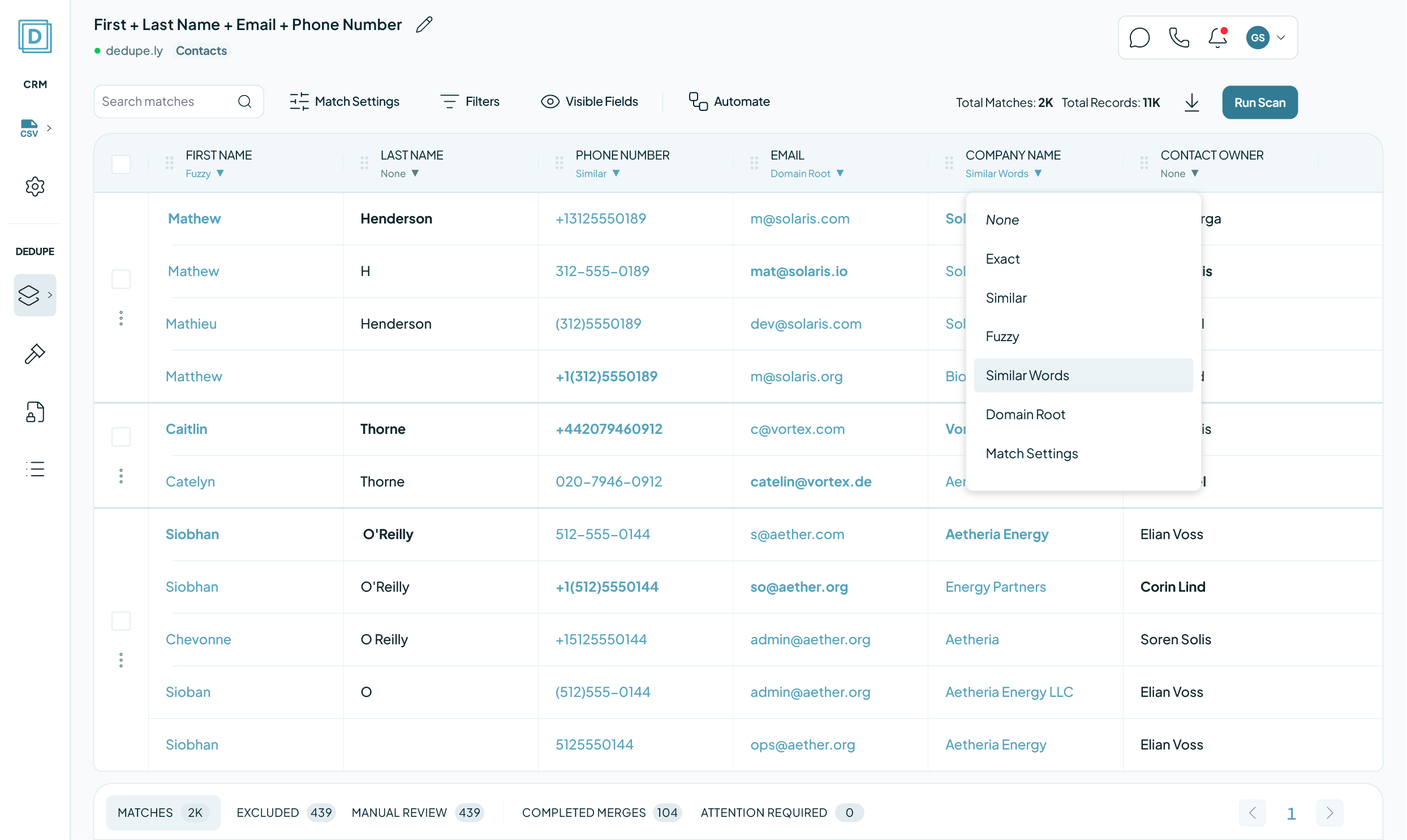
Use the default searches or create your own custom Search Pads to find all your duplicates.

STEP 3

Merge Duplicates

Custom, Manual, Auto, or Bulk. Set up merge rules to define winning data or the winning primary record.

We love to customer service

That's why we offer unlimited support.

Submit a ticket

You can submit a support ticket by emailing us. Our team will respond as soon as possible.

Email copied!
help@dedupe.ly

Human Live Chat

Get instant help with our human live chat.
Mon-Fri, 9-5 CST.

Zoom Support

We offer unlimited video call support. Whether you’re getting started or getting intense.

20,000+ businesses
feel the magic

Mercy Housing logo
Tillhub logo
Efecte logo
David J Anderson - School of Management logo
Taphome logo
Target 3D logo
Fieldbee logo
YCharts logo
Netlify logo
No items found.

FAQs

Find answers to common questions about Dedupely, its features, and integration capabilities.

How does Dedupely find duplicates?

Dedupely uses match options that you define to detect duplicates. You can compare fields like name, email, phone number, company name, or custom fields, using exact or similar matching. Once set, Dedupely scans your CRM and groups duplicates into match sets for you to review before merging. You have full control over the criteria used to detect duplicates, ensuring that only the right records are flagged for merging.

Explore all the ways to find duplicates

Can I control which duplicates get merged?

Yes! With Dedupely, you decide which records are considered duplicates by setting match options and merge rules. Match options define what counts as a duplicate, while merge rules control how individual fields are merged. Dedupely follows your CRM’s native merge structure, which means merging happens on a field-by-field basis—not by selecting a single “winning” record. You have full control over the logic, ensuring your most important data is kept.

Check out how merge rules work

Does Dedupely work automatically?

Yes! You can create a search pad with your preferences and match options, to run and merge automatically, based on a schedule of your choice.

More about Dedupely's search pads

Let’s talk about auto-merge safety

How do I make sure the right data is kept when merging?

Dedupely gives you full control over what data is kept by letting you define merge rules for each field. You can choose to keep the most recently updated value, prioritize data over blanks, or apply custom logic, like selecting a specific owner or the highest score. Since merging happens field by field, you can preview results before confirming, and winning values are highlighted so you know exactly what will be kept.

Customize how your duplicates merge

Can I review merges before they happen?

Yes! You can manually review every merge before confirming, or use auto-merge with pre-set safety rules to streamline the process.

Here’s what happens when you merge

Does Dedupely replace my CRM’s built-in duplicate management?

No. Dedupely enhances your CRM’s duplicate management with more flexibility, automation, and advanced matching options.

Setting up Dedupely with your CRM

Can I filter which duplicates are shown?

Yes! Dedupely allows you to use filters to refine duplicate searches and focus only on the records that matter to you.

See how filters make things easier

What if I need help setting up Dedupely?

Our team is here to assist! You can access step-by-step guides in our Knowledge Base or reach out via chat, email, or Zoom for personalized support.

(We love Zooming, so feel free to book a call—we’re happy to walk through everything with you  )

Book a Zoom call with our team

Find step-by-step guides in the Knowledge Base

Can I try Dedupely before committing?

Yes! Our free trial gives you full access to all features and unlimited customer service. We help you set Dedupely up for your needs, so by the time your trial ends, you’ll have everything running smoothly.

Start your 7-day free trial today!

Get started for free

No commitment or credit card needed.

All our plans Include all our features + unlimited deduplication, unlimited customer service, unlimited integrations, and no per-user fees.

"Dedupely was incredibly easy to set up, and the support team replied almost instantly each time I reached out. In just a few
Yuliya

Yuliya

Pipedrive User

"Worked as expected and Nestor at Customer support was extremely helpful walking me through some nightmare duplicate issues."
DiBlasio S

DiBlasio S

HubSpot User

"Dedupely helped us to quickly de-duplicate hundreds of records, with a level of transparency that gives you confidence..."
Grattan H

Grattan H

Pipedrive User

"Superior deduping logic with excellent support - highly recommend for cleaning up messy HubSpot records."
M Weppner

M Weppner

"The app worked great and helped me a lot with hundreds of duplicates in Pipedrive."
Samo J

Samo J

TapHome

"The data in our CRM is much cleaner thanks to this App. Easy to use and relatively inexpensive."
H Chitty

H Chitty

HubSpot User

"It prioritizes merging while keeping key data. Highly recommended for anyone using Pipedrive integration."
John K

John K

David J Anderson School of Management

"Great tool that works as promised. Great customer support - Nestor was super helpful onboarding."
R McNaught

R McNaught

HubSpot User

"The application works great and [...] their customer support was responsive and helped me get on the right track!"
Shawnee K

Shawnee K

Salesforce User

"It helped us clean up a giant mess of duplicates after migrating to HubSpot from our old CRM."
J Eddie

J Eddie

HubSpot User

"I do recommend! A++ Pretty easy to use. Adequate reporting. SUPERB CUSTOMER SUCCESS!"
Alina T

Alina T

FieldBee

"Most of all, our team has been impressed by the way the Dedupely Customer Success team consistently goes above and beyond."
Isaac J

Isaac J

Salesforce User

"Incredibly effective at tackling massive duplicate data cleanup - exactly what we needed."
D Wright

D Wright

HubSpot User

"In a matter of maybe 30 minutes [...] Dedupely automatically took care of my dupes and merge needs. So happy I found it."
Wasmer D

Wasmer D

HubSpot User

"This tool made a week long project take a few hours. Definitely a go-to for deduplication processes."
Burchard J

Burchard J

HubSpot User

"We had 300k records in our CRM. Despite the large amount, Dedupely was perfect. The support was especially outstanding."
Simon W

Simon W

Tillhub

"I was really pleased with Dedupely. It's highly configurable and works well when used manually or for automated deduping."
Laura R

Laura R

Salesforce User

"Great support. They are on top of things, and answer questions very quickly."
Larry D

Larry D

Pipedrive User

"It couldn't have been much easier to connect to HubSpot and run my first dedupe."
Emily K

Emily K

Mercy Housing

"It did more than I expected. Support is great!"
Paweł S

Paweł S

Pipedrive User

"Works really well, support is A++++++"
Andy G

Andy G

Pipedrive User

"Fantastic time saver with great filters - auto and bulk merging made so much easier!"
A Team

A Team

HubSpot User

"Dedupely was huge in improving the quality of my CRM database. It saved me hours of manual merging."
Marco S

Marco S

Efecte

"Worked very simply and effectively and suited my budget [...] Very happy to recommend a good app and integration."
Allan R

Allan R

Target3D

"Perfect solution that delivers exactly as promised. Does exactly what we need it to. Great tool."
A Grogan-Crane

A Grogan-Crane

HubSpot User

"Our customers want to achieve great results fast. Everybody at HubSpot already knows what Dedupely can do..."
Scott B

Scott B

VP of Platform at HubSpot

"It took away the huge headache we had of merging over 27,000 duplicate contacts."
Sean B

Sean B

Legal CPD