Manual Review
Updated
Isolate duplicate sets you're unsure about into a dedicated queue, keeping bulk deduplication moving without interruption.


Manual Review is included in all Dedupely plans, and the 7-day free trial.
Bulk deduplication often stalls when you find cases where it isn't immediately obvious whether two or more records belong to the same person or company. Manual Review removes these uncertain duplicates, so bulk merging continues smoothly for clear matches.
Treat Manual Review as a review stage during large deduplication projects. Flag unclear record sets immediately, finish bulk merging the clear duplicates, and schedule a separate session later to review flagged items with record owners or team leads.
Manual Review does not run automatically. Duplicate sets only move to the Manual Review queue when explicitly selected and sent there during a review session.
How to send duplicate sets to manual review
- In your Duplicate Search, click the checkbox on the left of any duplicate set requiring further review.
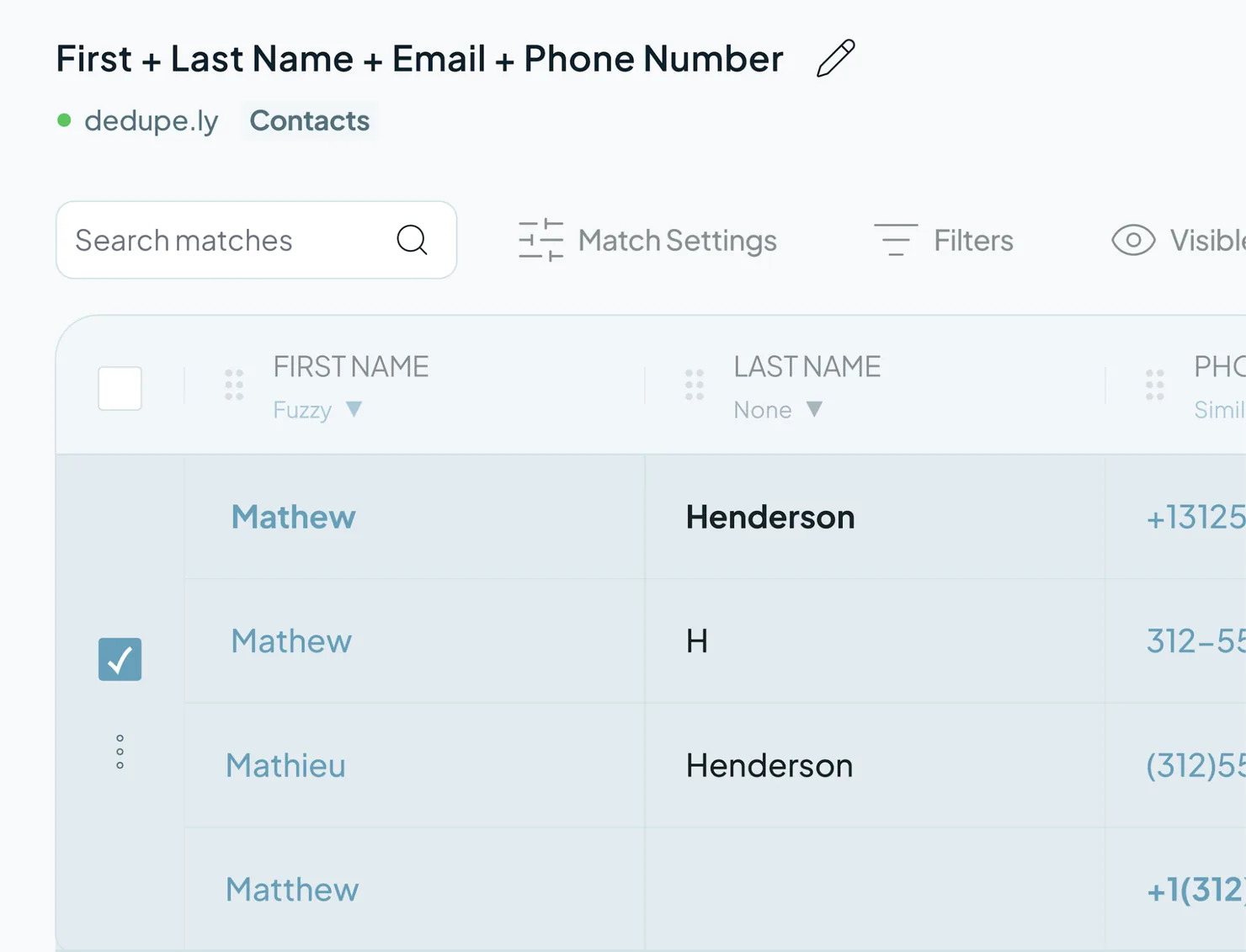
- In the action menu at the bottom of the screen, select "Send to Manual Review."

- The selected sets are immediately removed from your active search results and transferred to the "Manual Review" tab inside that search.

- Continue bulk merging the remaining clear duplicate sets.
Accessing and resolving saved Manual Reviews
Flagged duplicate sets remain in Manual Review until merged or removed. You can view all Manual Reviews by following any of these paths:

From an active Duplicate Search: Open the search and click the "Manual Review" tab at the bottom.

From the main navigation: Go to the "Duplicate Searches" menu, select the object (e.g., Contacts, Companies, Leads), and select the "Manual Review" tab.
Mentioned in this article: Duplicate Searches, Rejected Matches, and Merging duplicates.
Still stuck?
- Need help? Talk to support
- Questions about plans? Book a Zoom with sales
- Reading this with a model? Read this page as Markdown
- Feeding it the whole site? Read llms.txt


 Or sign up with Google
 Pipedrive Marketplace











