Everyday Activity
Merge Form-Fill Duplicates Soon After They Arrive
Forms keep creating duplicates when people sign up twice or use a second email. Find them by email, name and phone, decide which answers survive, and merge new ones on a schedule.
What we hear from teams whose forms create duplicates
17%
16%
34%
Why form fills create duplicates
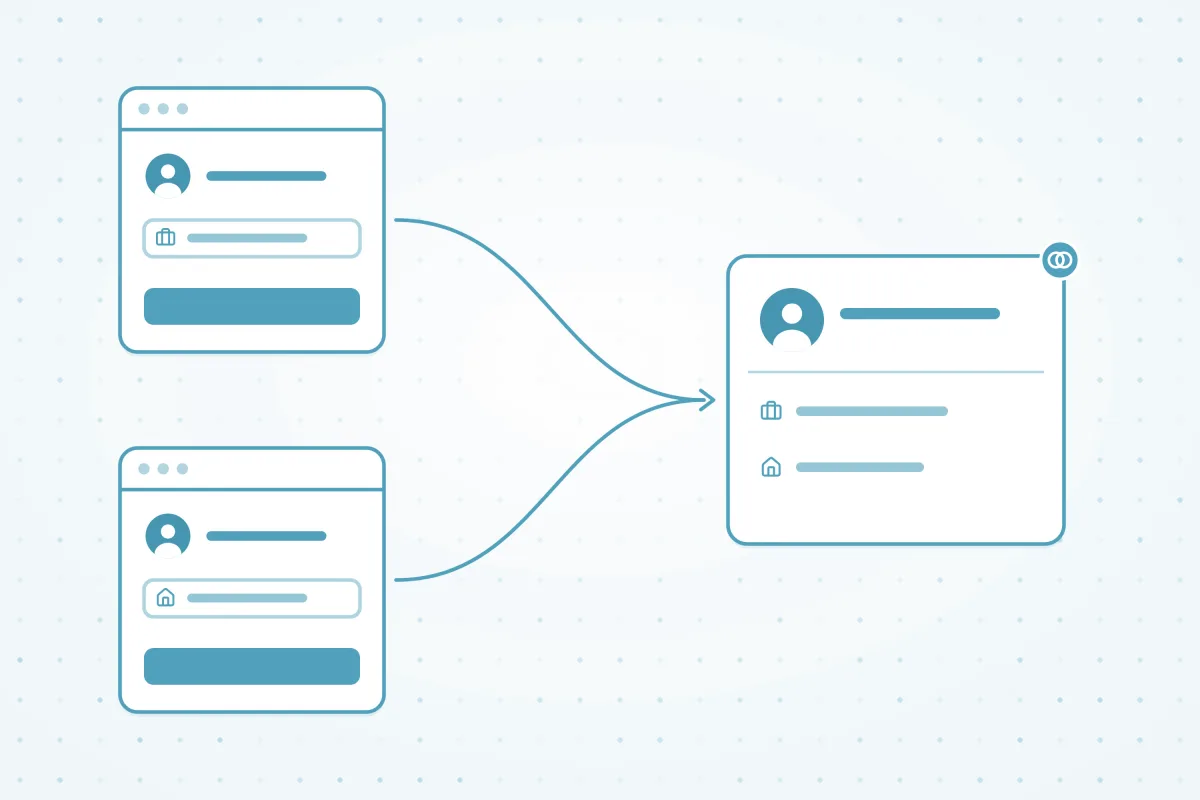
A form only knows what the person types into it. When someone signs up for a webinar with a work email and downloads a guide with a personal one, most CRMs see two different people.
- A second email: forms usually match on email, so a new address means a new record.
- Typos and nicknames: "Jon" on one form and "Jonathan" on the next, or a mistyped domain.
- Several tools at once: landing pages, chat widgets and event sign-ups each create records their own way.
- Thin records: a short form that only asks for a name and phone number has nothing to match on.
How Dedupely compares for form-fill duplicates
| Criterion | Native CRM tools | Other dedupe tools | Custom scripts | Dedupely |
|---|---|---|---|---|
| Matching repeat submitters | Most match form submissions on one key, usually email. A new email often means a new record. | Most offer fuzzy matching, with varying options. | Possible, if someone maintains the matching logic. | Match on email, then on name with phone, with nickname and Similar matching for typos. |
| Submissions that match an existing record | In some CRMs, a form that matches a duplicate rule is blocked, and the lead never arrives. | Some check records as they're created. | Depends on how the form is built. | Never blocks a submission. Every lead lands, and the duplicate is merged soon after. |
| Choosing which answers survive | Most keep the primary record's values, or let the latest submission overwrite them. | Most offer merge rules, with varying detail. | Whatever the script is written to do. | Merge Rules decide field by field: the newest answer, the original source, or the non-blank value. |
| Merging new duplicates as they come in | Most leave new duplicates for someone to find and merge by hand. | Some merge on a schedule. | Possible, with a scheduled job someone maintains. | Auto Merge runs as soon as possible, in a continuous loop, or on any schedule you set. |
Native CRM tools as of October 2026, from the help documentation of HubSpot, Salesforce, Pipedrive, Close, Nimble and Google Contacts.
How to clean up form-fill duplicates in four steps
-
Step 1Find
How do you find people who filled in a form more than once?
Start with an exact email search for the obvious repeats. Then search on name with phone number to catch the people who used a second email or a nickname.
- Use Similar Words with Match nicknames on first names, so "Bob" matches "Robert", and Similar on phone numbers to ignore formatting.
- Add a source field, like Original Source or Lead Source, to Visible Fields to see which form creates the most duplicates.
- Dedupely Intelligence finds near matches that field rules miss.
-
Step 2Decide
Which values should survive when form duplicates merge?
Keep the record with the longest history as the primary, so the original source stays, and let the newest answer win on fields people update, like job title or phone.
- In Merge Rules, set the Primary Record to Oldest Record, then add a Win Rule with Create Date "is newest" on the fields that change.
- Add a Lose Rule with "is blank" on fields short forms leave empty, so a blank answer never wins.
- Check the Merge Preview column in View Match Details before you merge.
-
Step 3Merge
How do you merge the form duplicates you already have?
Merge one or two matches and check them in your CRM, then bulk merge the rest of the exact-email search. Review the name-and-phone matches before merging them.
- Safety Settings set aside test submissions and placeholder data like "test@test.com" in the Excluded tab.
- Send unclear matches, like two people sharing a phone number, to Manual Review.
-
Step 4Automate
How do you merge new form duplicates automatically?
Turn on Auto Merge with the "As soon as possible" schedule on your tested exact-email search. It runs in a loop, so new form duplicates are merged soon after they reach Dedupely.
- Put the name-and-phone search on Auto Match, so you get an email when its matches build up.
- See Merge incoming duplicates automatically and Review new duplicates before they merge.


What makes Dedupely different
-
All features included in yearly subscriptions.
Merge Rules, Auto Merge and Auto Match come with every plan. Yearly subscriptions add Dedupely Intelligence in full.
-
Priced by records, not seats.
Unlimited users, with no per-user fees.
-
Every merge on record.
Preview each merge first. Merge History keeps the original records, so you can see exactly what changed.


See how many of your form leads are already duplicates.
Connect your CRMSee how Dedupely works

Frequently asked questions
Why do form submissions create duplicate contacts?
Most CRMs match a form submission on email. When someone fills in a form with a different email, a typo or a nickname, the CRM can't tell it's the same person and creates a new record. Short forms with only a name and phone number have even less to match on.
Can Dedupely stop a form from creating a duplicate?
No. Dedupely doesn't block submissions, so every lead reaches your CRM. With Auto Merge on the "As soon as possible" schedule, new duplicates are merged soon after they arrive. Keep your CRM's own duplicate checks on too, and make email a required field on your forms.
How quickly are new form duplicates merged?
New records usually reach Dedupely within 1–5 minutes, and data refreshes every 10–30 minutes. Auto Merge on "As soon as possible" runs in a continuous loop: it scans, merges and starts again, so new duplicates are merged soon after they reach Dedupely, though not instantly.
What happens to the form answers when two contacts merge?
Your Merge Rules decide, field by field. For example, keep the oldest record as the primary so the original source stays, and let the newest value win on job title or phone. A Lose Rule on blank values keeps empty answers from winning. Check the Merge Preview before you merge.
Someone used a work and a personal email. Will they still match?
Not on an email search. Build a second search on name with phone number, or name with company, and turn on Match nicknames. Review those matches before merging, because two people can share a name. After the merge, every associated item moves to the winning record, and in HubSpot the second email is kept as a secondary address.












