
Imports
Clean a CSV before you import it into your CRM
Dedupely finds and merges the duplicates in your spreadsheet, so the file you import holds one row per person and company. Work on one file, or combine up to 10 into one clean list.
7-day free trial with 20 free merges · Unlimited spreadsheet uploads · No credit card
What one bad import costs
-
Two reps chase the same lead.
The same person lands twice with two owners, and both expect the commission.
-
Customers get prospecting emails.
A paying customer comes back in as a new lead and lands in a cold sequence.
-
Your CRM bill goes up.
If your CRM or email tool charges by contacts, you pay for every duplicate you import.
-
Revenue gets credited twice.
The same customer on two records splits their deals, so reports show two customers instead of one.


How to clean a CSV before importing
To clean a CSV before importing, upload it to Dedupely, match its duplicates, merge them into one row, and export one clean file to import into your CRM.
-
Step 1
Upload your lists
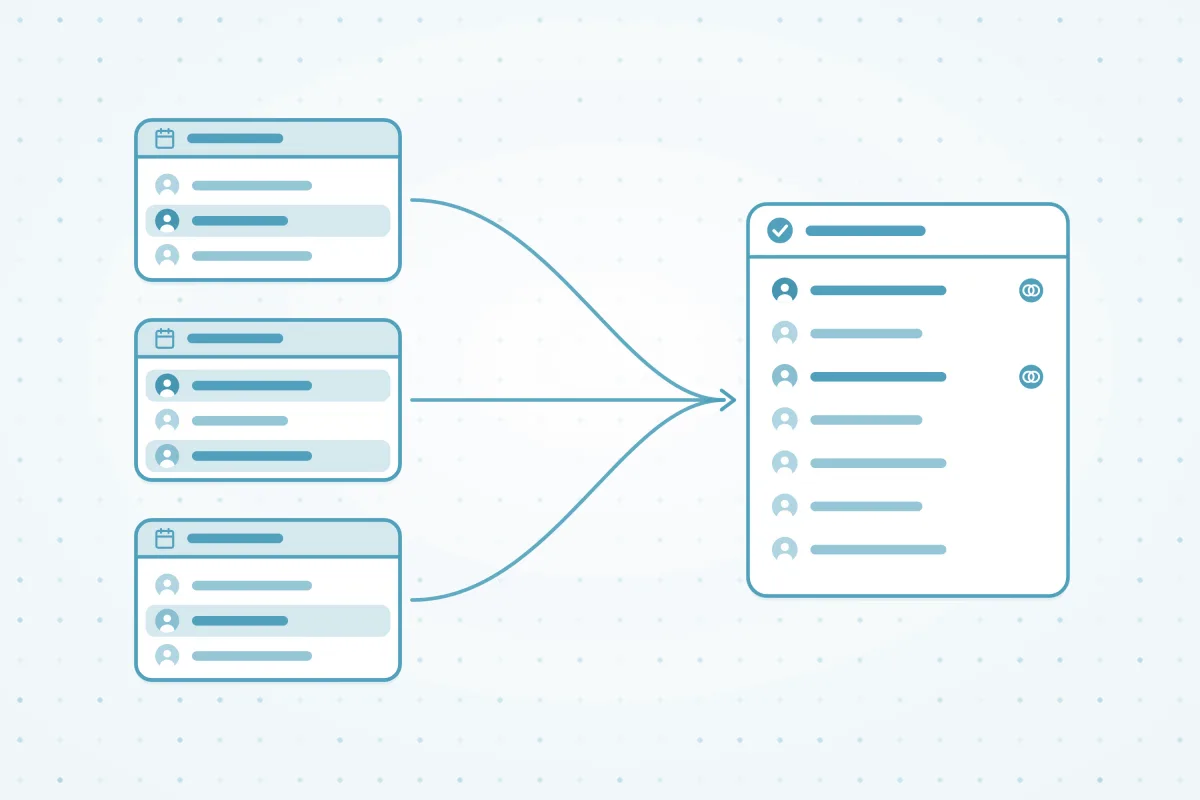
Upload one file to Dedupely, or up to 10 to combine them into one list.
Tidy emails, phones and names first with our free CSV tools.
Example Webinar, trade show and booth scan lists, combined into one list.
-
Step 2
Match the duplicates
Match on any column, or several at once. Five match types catch typos and different spellings, and Match nicknames pairs Bob with Robert.
Dedupely Intelligence finds the duplicates your searches miss.
Example Bob Smith and Robert Smith, or Acme Labs Inc and Labs Acme Inc, found as the same record.
-
Step 3
Merge the duplicates
Merge Rules decide which row you keep and what stays in each column. Merge Preview shows every merge before anything changes.
Multi-value columns keep every email and phone number.
Example A personal email and a work email for the same person, kept together in one row.
-
Step 4
Export one clean file
Download one clean file and import it into your CRM. Your original file stays exactly as it was.
Import the clean file with your CRM's own import tool, as you do today.
Example One row per person and company.


Import your clean file into any CRM
The clean file imports into HubSpot, Salesforce, Pipedrive, Close, Nimble, Google Contacts, or any CRM with a file import.
After the import
Connect your CRM to Dedupely and run a Duplicate Search filtered to the import date. It finds the records that match ones you already had.

Free
Our free CSV tools
Dedupe a small list (up to 2,000 rows), format emails and phone numbers, split full names, tidy company names, and turn Excel sheets into CSVs.
Spreadsheet apps and scripts vs Dedupely
| Criterion | Spreadsheet apps | Custom scripts | Dedupely |
|---|---|---|---|
| Which fields decide a match | The columns you pick, exact only | Whatever you code | Any column, several at once, five match types |
| Catches typos and different spellings | No | If you build it | Yes |
| What happens to duplicates | Extra rows are deleted | Whatever you code | Merged into one row |
| Which values stay | The first row wins | Whatever you code | Merge Rules, column by column |
| Keeps every email and phone | No | If you build it | Yes, with multi-value columns |
| Several files into one | One range at a time | If you build it | Up to 10 files per upload |
| See the result first | No | No | Merge Preview |
| Undo a merge | Only with Ctrl+Z, before you close | No | Most merges, within 30 days |
Frequently asked questions
How do I remove duplicates from a CSV without losing data?
Merge them instead of deleting them. Dedupely combines duplicate rows into one, Merge Rules decide which value stays in each column, and multi-value columns keep every email and phone number.
How do I find duplicates that are spelled differently?
Use a match type that allows for it. Fuzzy and Similar catch typos, and Similar Words catches the same words in a different order, like “Acme Labs Inc” and “Labs Acme”.
Can I combine several lists into one without duplicates?
Yes. Upload up to 10 files at once. Their columns are mapped, so the headers don't need to match. Duplicates across files are merged into one row.
Which row is kept when two or more rows match?
You decide. Merge Rules pick the row you keep and what stays in each column.
Is there a free way to dedupe a CSV?
Yes. The free CSV dedupe tool works on files up to 2,000 rows. For bigger files, several files at once, or typos and spelling differences, use Dedupely.
How big can my file be?
Each upload can hold up to 10 files, with 100 MB across all of them, up to 1,000,000 rows and 50 columns. Each cell holds up to 350 characters. The file you export has no size limit.
How do several emails or phone numbers look in the exported file?
They stay in one cell, separated by commas, like a@acme.com,b@acme.com. If you upload that file to Dedupely again, the cell splits back into separate values. Before you import it, check how your CRM's import handles a cell with several values.
Can I compare my list with my CRM before importing it?
Not with your CRM directly. You can export your CRM to a CSV and upload it with your list. Dedupely matches the two files, so you see which people on your list are already in your CRM export.
Do I need to connect my CRM to clean a spreadsheet?
No. You can clean a spreadsheet without connecting a CRM. To check the records once they're in your CRM, connect it to Dedupely.
How much does it cost to clean spreadsheets?
Unlimited spreadsheets are included in every plan. If you only work with spreadsheets, the first plan is all you need. If you also connect a CRM, your plan is based on the records synced from the objects you choose to work on, and spreadsheet records don't count toward it.
What happens to my file after I upload it?
It stays in your Dedupely account until you remove it. Your data is encrypted in transit and at rest, Dedupely is ISO 27001 certified, and your data is never used to train AI models.
Which CRMs can I import the clean file into?
Any CRM with a file import, including HubSpot, Salesforce, Pipedrive, Close, Nimble and Google Contacts. The clean file keeps your column headers, so you map the fields in your CRM's import as usual.
Can I clean an Excel file?
Yes, as a CSV. The free Excel to CSV tool turns every sheet into its own CSV.
