Objects You Can Sync
See which objects Dedupely dedupes in each CRM, and what happens to their data when records merge.


Dedupely syncs and merges the main objects of HubSpot, Salesforce, Pipedrive, Close, Nimble and Google Contacts, on every plan of each CRM, including free versions. Records are matched and merged within one object, and activities and associations move to the surviving record, except where a CRM's API doesn't allow it. The table below shows every object, and what each CRM does on a merge.
Objects by CRM
| CRM | Objects | What moves to the surviving record | What doesn't move, or changes |
|---|---|---|---|
| HubSpot | Contacts, Companies, Deals, Leads, Tickets, Custom Objects | Associated records and timeline history. Leads: associations are copied to the surviving lead. | HubSpot usually gives the merged record a new Record ID. Duplicate leads are archived. |
| Salesforce | Accounts, Contacts, Leads, Opportunities, Individuals (when your org uses them), Custom Objects | Accounts, Contacts, Leads and Individuals: related records (Opportunities, Tasks, Cases, Notes, custom related lists) are reparented. Opportunities and custom objects: child records are re-pointed to the surviving record. | Accounts, Contacts, Leads and Individuals go to the Recycle Bin for 15 days. On Opportunities and custom objects, emails, files, notes, opportunity contact roles and product lines on the other records don't move. |
| Pipedrive | People, Organizations, Deals, Leads, Products | Activities, notes, deals and linked organizations. All unique emails and phone numbers are combined. | People, organizations and deals keep the surviving record's ID. Archived deals and leads can't be merged. |
| Close | Leads (companies), Contacts, Opportunities | Leads: the other Lead's history. Contacts: field values, Opportunities, Notes, Calls and Emails. Opportunities: field values. | Contacts: tasks and meetings can't be moved, and contacts under different Leads can't be merged. Opportunities: attachments don't move. |
| Nimble | People, Companies | Field values (multi-value fields combined, blanks filled), tags and notes | Tasks, deals, events and message history can't be moved, and are lost with the duplicate. |
| Google Contacts | Contacts | Field values, following your Merge Rules, and every label | "Other contacts" aren't synced. Merged-away contacts stay in Google's Trash for 30 days. |
Which record survives a merge?
The Primary Record rule in Merge Rules decides which record survives: Oldest Record by default (Most Field Data in Google Contacts), or Newest Record, Last Updated Record, Most Field Data or Custom.
- HubSpot: HubSpot usually gives the merged record a new Record ID.
- Salesforce: the master record keeps its ID.
Blank values never overwrite existing data, whichever record survives.
How to choose which objects sync
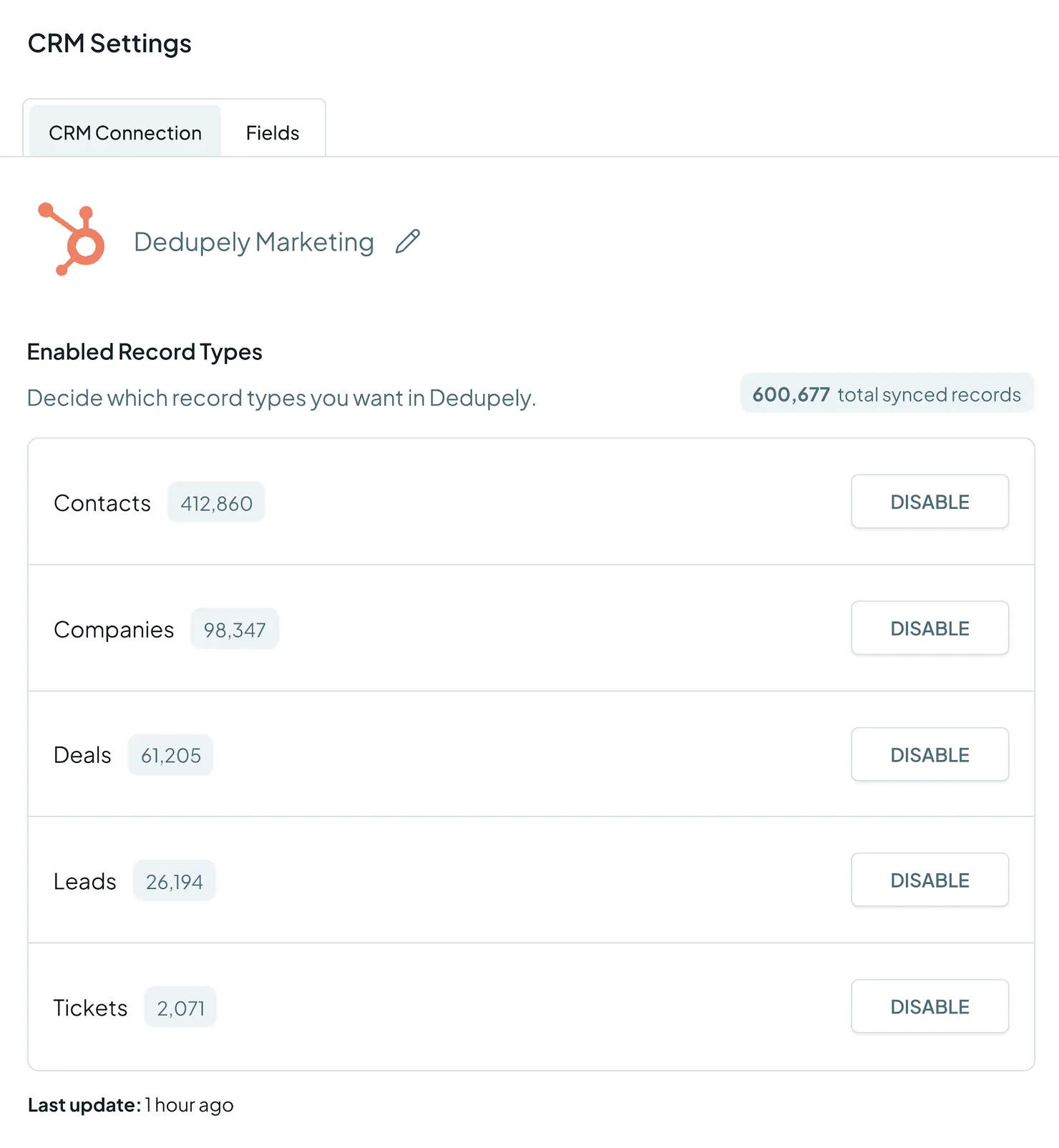
- Open CRM Settings.
- Turn on the objects you want to dedupe, and turn off the ones you don't.
A whole object syncs: you can't sync part of one. Every record in an object you turn on counts toward your plan's record limit, across all your connected CRMs. See Billing & Usage.
What Dedupely can't do with objects
- Merge across objects. A Lead can't be merged into a Contact, in any CRM.
- Merge across CRMs. Each connected CRM is deduped on its own. The one exception is a synced HubSpot-Salesforce pair, which Dedupely merges in both CRMs at once: see Merging duplicates with an active HubSpot-Salesforce Integration. See also Several CRMs in One Dedupely Account.
- Sync part of an object. Use Filters to focus a search on part of an object instead. See Filters.
FAQs about objects
- Can I dedupe Salesforce Opportunities? Yes. Dedupely updates the surviving Opportunity, re-points its child records and deletes the others. Emails, files, notes, contact roles and product lines on the others don't move. Deals can be deduped in HubSpot and Pipedrive, and Opportunities in Close.
- Can I dedupe custom objects? Yes, in HubSpot and Salesforce.
- Can I merge a Lead into a Contact? No. Records are matched and merged within one object.
- Do I have to sync every object? No. Turn on only the objects you want to dedupe; the others don't count toward your record limit.
- Does Dedupely work with free CRM plans? Yes. Dedupely works with every plan of every supported CRM, including free versions.
- Can I choose which record survives? Yes. Set the Primary Record and field-level rules in Merge Rules.
Next up
Connect your CRM Connect your CRM and turn on the objects you want to dedupe.Still stuck?
Our team helps on every plan and during the free trial, by chat, email or Zoom.
- Need help? Talk to support
- Questions about plans? Book a Zoom with sales
- Reading this with a model? Read this page as Markdown
- Feeding it the whole site? Read llms.txt




 Or sign up with Google
 Pipedrive Marketplace











