Customer story
How an Executive Search Firm Cut Its Pipedrive People List by a Third After an Import Duplicated Nearly Everyone, with Dedupely
- Pipedrive
- After a list import
- Manual entry by the team
- Recruiting

- 9,092 people matches merged
- 5,667 organization matches merged
- 31% fewer people records after merging
A match is one set of duplicate records merged into a single record. These matches held about two records each, so the number of records merged is roughly double the number of matches.
Where duplicates came from
A cleanup that duplicated everyone
The firm's managing partner does nearly all the work in Pipedrive. Over a couple of years, people joined and left, everyone entered their own data, and the CRM got messy.
To fix it, he followed the advice he'd been given: export the people, clean them in a spreadsheet and an email validation service, then import them back. The import added new records next to the existing ones. As he understood it, people came in without a matching organization, so Pipedrive created new people and new organizations to go with them.
- People: about 29,000 records, where he expected about 11,000 of his own and 18,000 across the firm.
- Organizations: about 21,000, where he estimated the real number at 8,000 to 10,000. About 8,800 of them had no address at all.

What duplicates broke
Record counts nobody could trust
With thousands more records than he should have had, the counts in Pipedrive meant nothing. Pipedrive's own duplicate check only found a few hundred people and organizations, a small slice of the thousands of extra records, which worried him even more. Linking people to the right organization was hard too, because the companies he works with have offices in several cities.
Why deleting or merging by hand wasn't an option
He couldn't just delete one record from each pair, because records carry their activity history, and deleting the wrong one would lose it. Merging in Pipedrive meant opening a preview and merging pairs one at a time, and he had already spent about two weeks trying to clean things up.
How duplicates were solved
-
1. Merge people on email first
He started from the preset Duplicate Searches that Dedupely creates for every account. The first pass on people matched an exact email, with phone set to Similar so formatting differences didn't matter, and he bulk merged those himself. Dedupely's customer success team recommended starting with exact matches and checking the first pages before merging in bulk.
-
2. Merge organizations on their name
Next he merged organizations that had the same name. After the people pass, Pipedrive's own duplicate check showed 49 people left, and after the organization pass, it showed no duplicate organizations at all. In Pipedrive, a merge moves activities, notes, deals and linked organizations to the surviving record.
-
3. Widen the people search
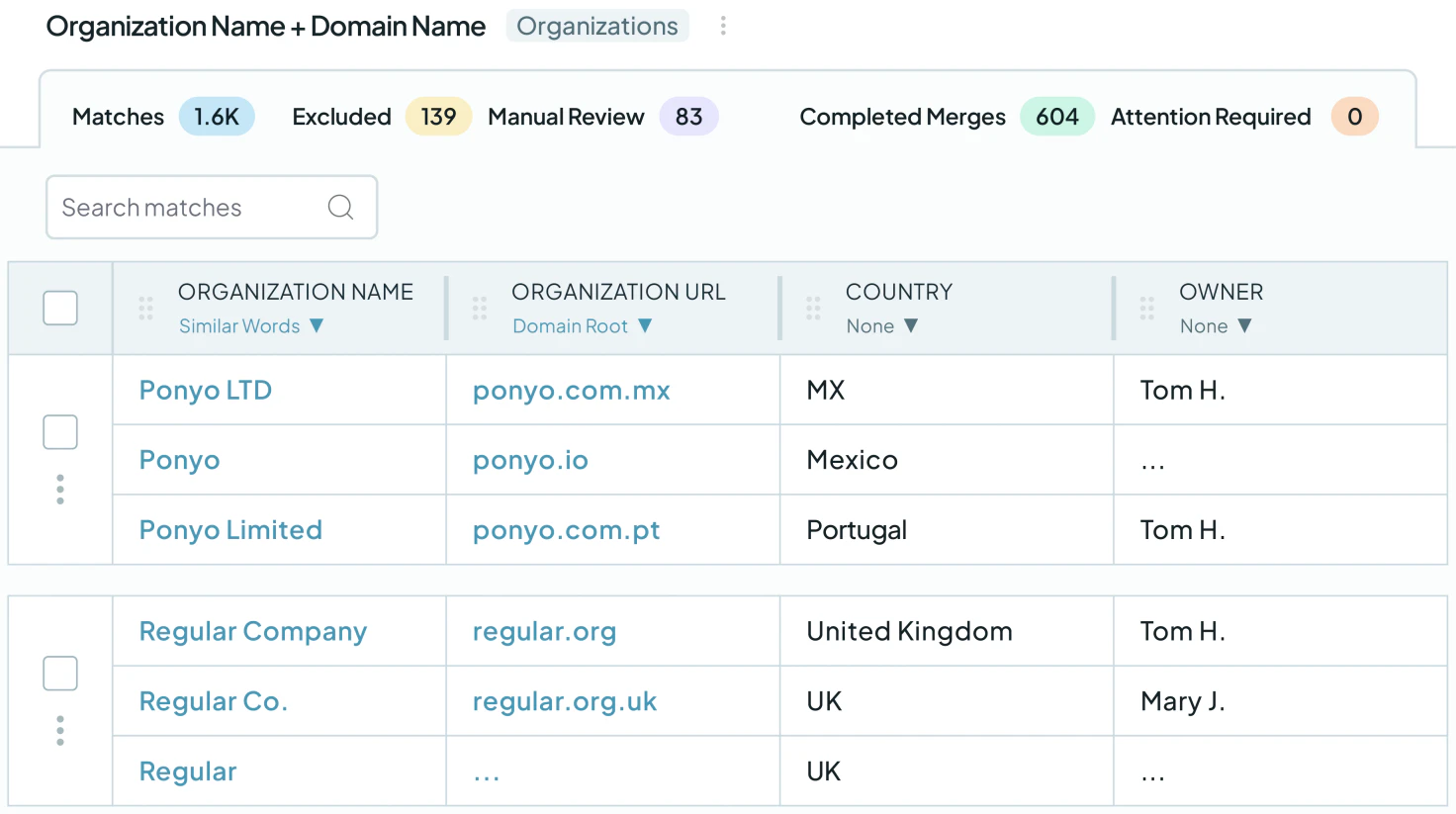
A second people search matched first name, last name, email and a similar organization, and found 1,937 matches. For organizations, two more searches checked what was left: website on Domain Root plus a similar name found nothing, because those had already been merged, and website on Domain Root plus the first three words of the name found 45 possible matches to review. One lesson along the way: after changing a search, click Scan, or the results don't update.
-
4. Handle the tricky ones, then automate
On a follow-up call, Dedupely's customer success team checked the account. The search for obvious duplicates (exact first name, last name, email and owner) found no matches left. Many of the remaining matches were false positives: different people with the same name, or people who shared their office's main phone number. For those, they built a search for people with the same name where one record has no email, and he went through the 14 matches one by one, picking the winning values by hand where needed. Organizations with several locations also stayed out of bulk merges, because each location is a separate record he needs to keep.
Finally, they turned on Auto Merge for the first name, last name and email search, set to run as soon as possible, so new duplicates of that kind merge on their own. It's still running.
What deduplication changed
A clean CRM, kept clean
In total, he merged 9,092 people matches and 5,667 organization matches, about two records each. That took the people list from about 29,000 records to under 20,000, and organizations from about 20,500 to under 15,000. The obvious duplicates are gone, Pipedrive's own duplicate check shows no duplicate organizations, and one search keeps merging new exact duplicates automatically.
New rules at the gate
The experience also changed how data gets into Pipedrive. With too many people adding their own records, he became the gatekeeper: for now, uploads go through him. A weekly Duplicate Report from Dedupely tells him how many possible matches are left to review.
Related

- Customer story 3,000+ duplicate records mergedPipedrive SaaS
How a Wellness App Stopped Sales Reps from Calling the Same Prospect by Merging 3,000+ Duplicate Pipedrive Records with Dedupely
Read the story - Customer story 2,000+ duplicate records mergedPipedrive Real estate
How a Moving Company Stopped Cleaning Up Duplicate Pipedrive Leads by Hand Every Day, with Dedupely
Read the story - Customer story 58,000+ duplicate records mergedPipedrive SaaS
How a SaaS Company Merged 58,000+ Duplicate Pipedrive Records Created by Its Migration from HubSpot, with Dedupely
Read the story












