My Account
Manage your own profile, login, notifications and language in Dedupely.


My Account is where each person manages their own Dedupely profile. Changes here only affect you, not your teammates or your company's settings. My Account is available to Admins and Users on every Dedupely plan and the 7-day free trial.
How to open My Account
Added
- Click your profile icon at the top right.
- Select My Account.
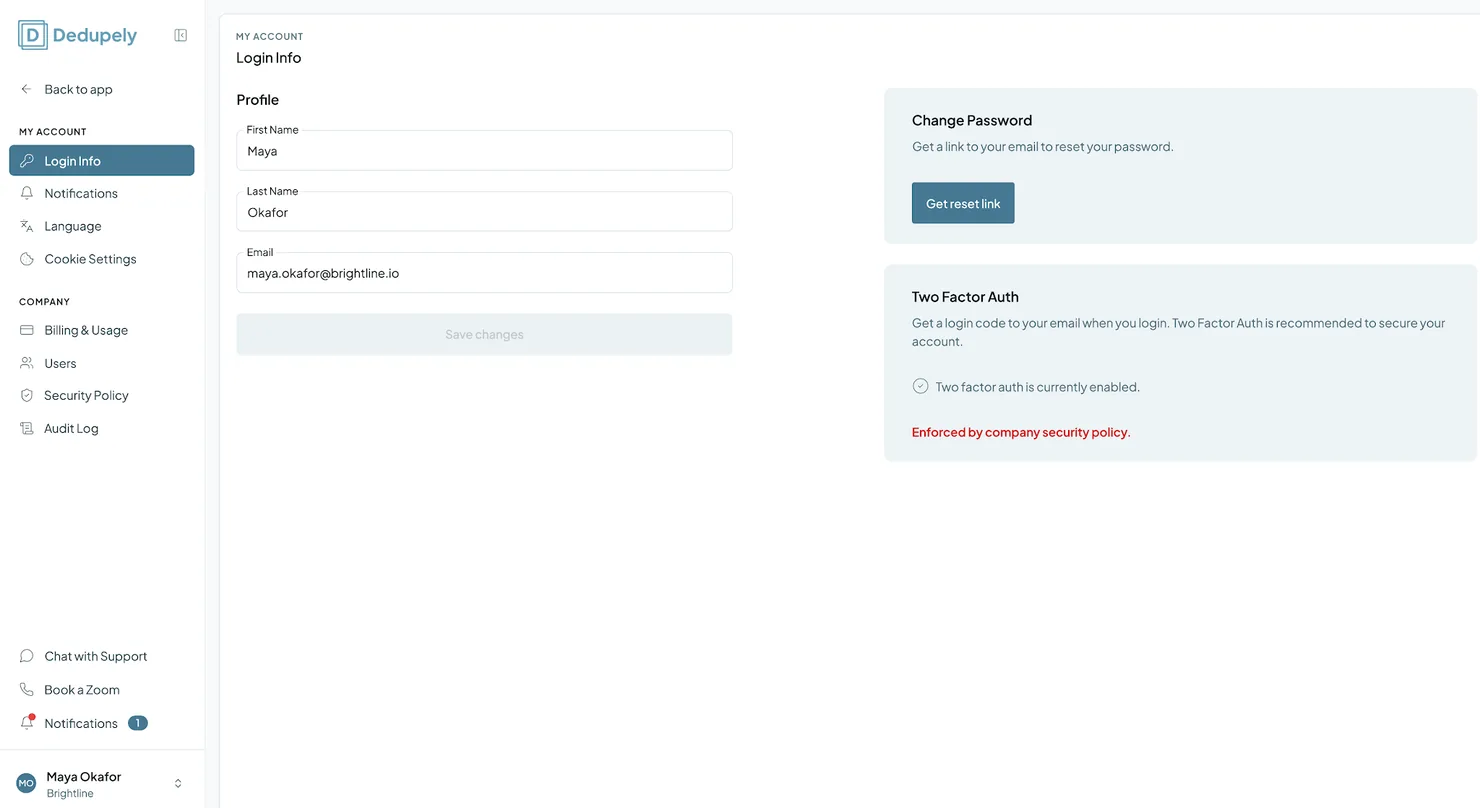
Login Info
- Profile details: update your first name, last name and email.
- Change password: click Get reset link to get a password reset email.
- Two-Factor Auth (2FA): protect your login with a verification code sent to your email.
Notifications
Choose how often you get the Duplicate Report, and subscribe to or unsubscribe from Product Updates. New Duplicate Alerts from Auto Match are on by default. See Notifications.
Language
Choose the language Dedupely displays in: English, Español, Français, Deutsch, Português, Italiano or Svenska. See Change your account language.
Troubleshooting
I didn't get the password reset email. Check your spam folder and that your email in Login Info is correct. If it still doesn't arrive, contact support via email or live chat.
I can't log in because my Admin requires 2FA. Your Admin may have made 2FA mandatory in the Security Policy. Turn on 2FA in Login Info and enter the code sent to your email.
I changed a setting but my teammates don't see it. My Account settings only apply to you. Company-wide settings are in Company Settings, for Admins.
FAQs about My Account
- Do my changes affect my team? No. My Account settings only apply to your own profile.
- Can Users access My Account, or only Admins? Both Admins and Users can manage their own My Account.
- Where do I change company-wide settings? In Company Settings, which only Admins can access.
Next up
Notifications Choose which emails you get from Dedupely, and how often.Changelog
-
One settings area
My Account and Company Settings share one settings area with a sidebar, account sections and company sections side by side. General is now Login Info.
Still stuck?
Our team helps on every plan and during the free trial, by chat, email or Zoom.
- Need help? Talk to support
- Questions about plans? Book a Zoom with sales
- Reading this with a model? Read this page as Markdown
- Feeding it the whole site? Read llms.txt




 Or sign up with Google













