Create an account
Set up your account in less than two minutes, then start customizing your matching and test merging right away.


Every new account starts with a 7-day free trial that includes 20 free merges. No credit card is required to sign up.
How to sign up
Added
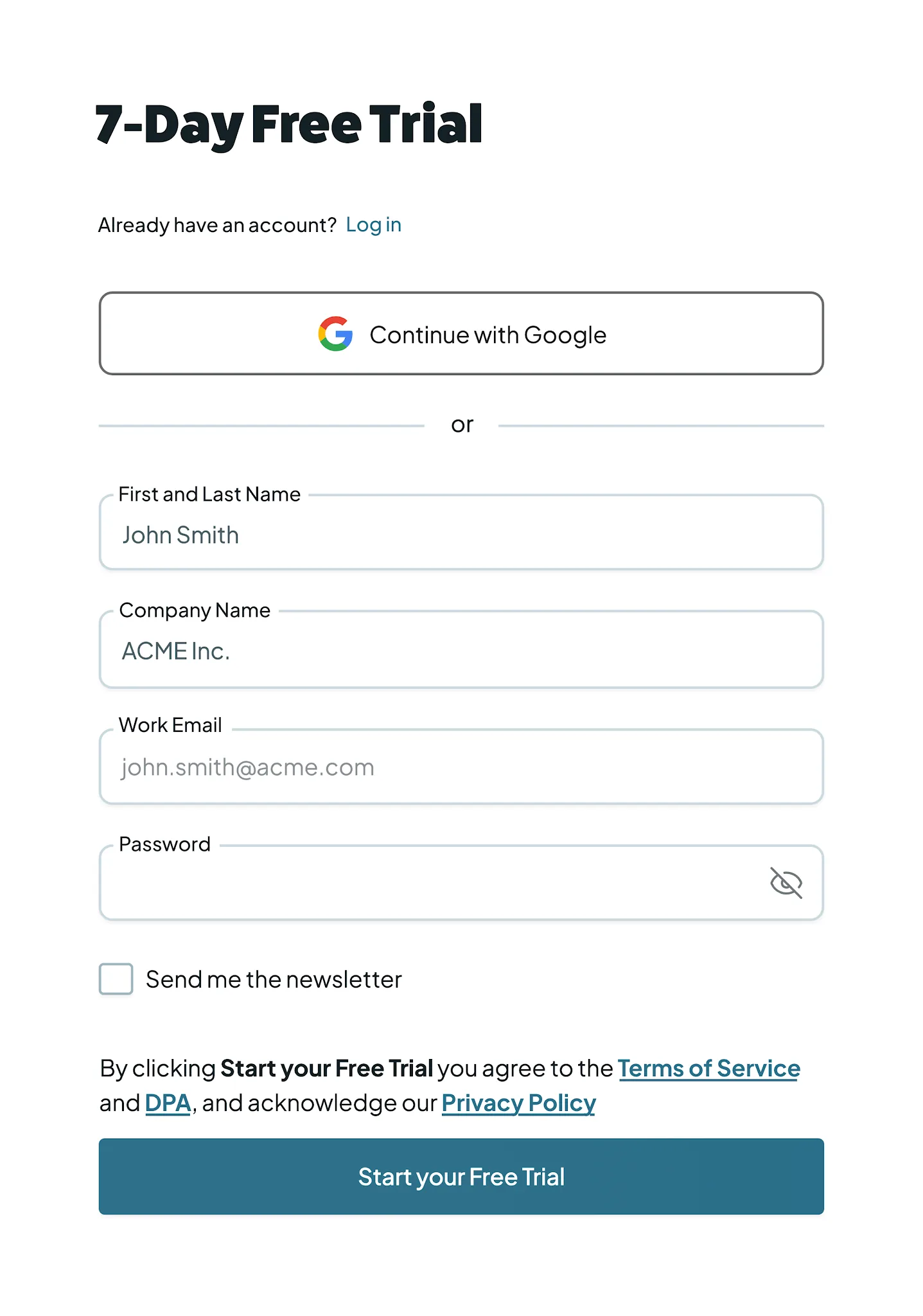
- Go to the Dedupely signup page.
- Choose how you want to sign up: Sign up with email (your name, company, work email and a password) or Continue with Google.
- You're logged in right away. A verification link arrives by email: click it to confirm your address.
Connect your CRM or upload a spreadsheet
The first screen you see after verifying your account asks you to connect your data:
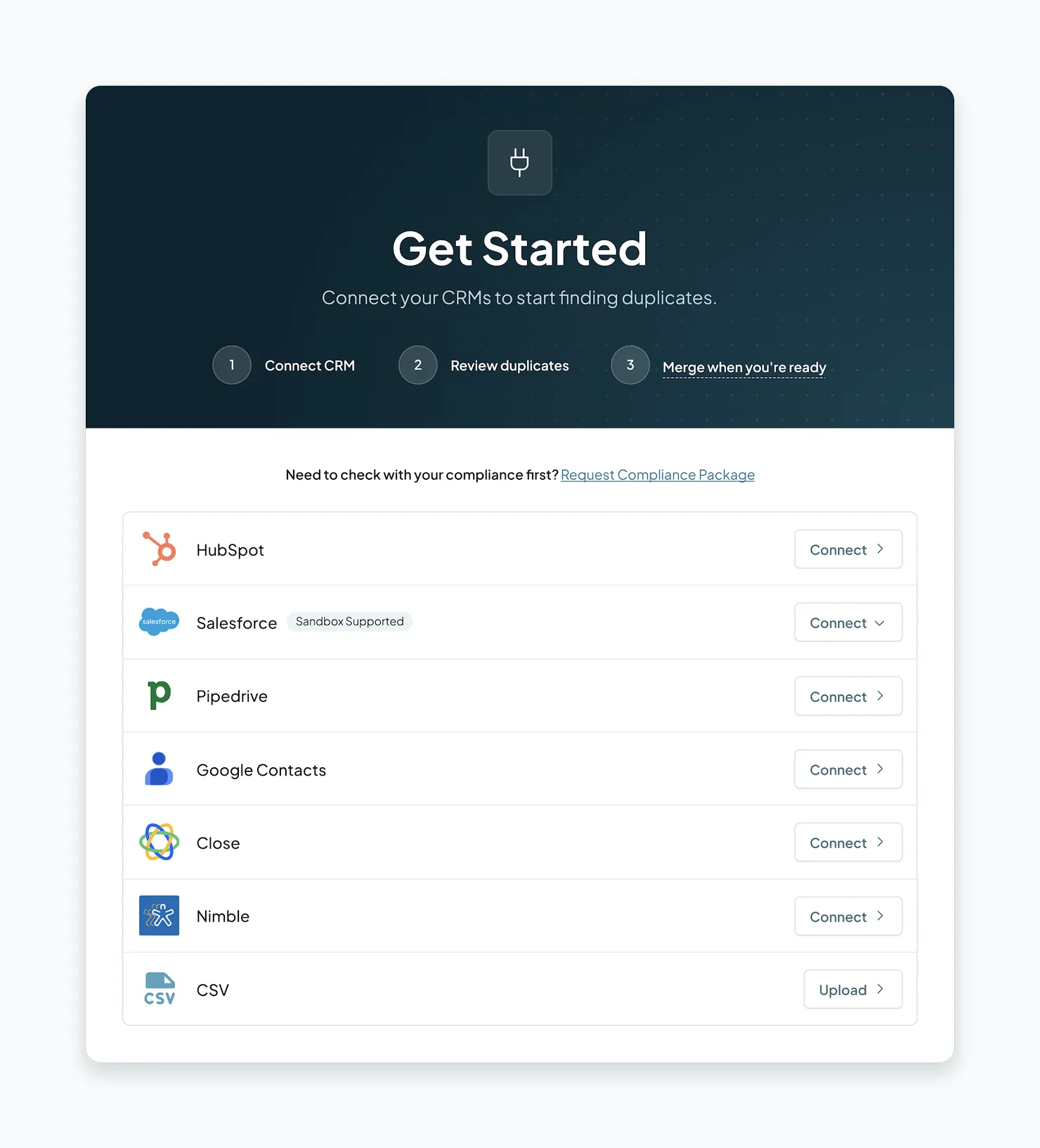
- Connect a CRM: pick your CRM, and you'll be sent to it to approve Dedupely's access. Then choose which objects to sync (Contacts, Companies, Deals, etc.). Full steps: Connect your CRM.
- Upload a CSV: Upload a spreadsheet to start scanning right away.

What happens next
1. Your records sync
As soon as you connect, Dedupely starts pulling in your records. How long the first sync takes depends on the size of your database:
| Records | Typical first sync |
|---|---|
| Up to 50k | 2–15 minutes |
| 50k–300k | 15–90 minutes |
| 300k–1M | 1–10 hours |
| 1M+ | 10–12 hours |
These are estimates. After the first sync, Dedupely refreshes automatically every 10–30 minutes. Learn more in Syncing Records.
2. Book your onboarding
We strongly recommend booking a live Zoom session with our Customer Success team as soon as your data is connected. In that session, you will:
- Walk through Dedupely's features, tools and functionality.
- Customize Dedupely to match your exact use case.
- Confirm Dedupely will solve your duplicates before you commit to a plan.
Connect your CRM before the call. With your live data in place, we can understand your use case and set Dedupely up with you.
Dedupely includes unlimited free Customer Success support. Book as many Zoom calls as you or your team need, during your trial and after you upgrade.
3. Find your first duplicates
Once your records are in, create a Duplicate Search to see how many duplicates you have. You can create and test as many searches as you want during the trial; only merges count toward your 20 free merges. See Finding Duplicates.
Troubleshooting
I didn't get the verification email. Check your spam or promotions folder, and make sure you signed up with the right email address. If it still hasn't arrived after a few minutes, contact support via email or live chat.
I can't connect my CRM. This almost always means the CRM user you logged in with doesn't have admin permissions. Ask your CRM admin to give your user full admin access, or to connect the CRM for you, then try again.
My records aren't showing up. The first sync is probably still running. Check the sync times table above. If it's taking longer than the estimate for your database size, contact support.
It says my email is already in use. Someone may have already created an account with this email, or one of your teammates may have invited you. Try logging in or resetting your password.
FAQs about creating your account
- Do I need a credit card to start my free trial? No. You can create an account, sync your data and use your 20 free merges without entering any payment information.
- What happens if I run out of my 20 free merges during the trial? You can still create, edit and test as many Duplicate Searches as you want. To keep merging, upgrade at any time.
- What happens when my 7-day trial ends? You can still log in and create, edit and test Duplicate Searches. Merging is paused, even if you had free merges left, until you upgrade.
- Can I choose when my trial starts? Yes. If now isn't a good time, contact support to schedule your trial to start on a later date, so your 7 days begin when you're ready.
- Can I invite team members to my account? Yes. Once your account is created, you can invite as many users as you need, at any time. There are no per-user fees. See Users.
Next up
Changelog
-
Email verification no longer blocks a new account
A new account works straight away while the email is verified in the background. Sign up asks for one name field.
Still stuck?
Our team helps on every plan and during the free trial, by chat, email or Zoom.
- Need help? Talk to support
- Questions about plans? Book a Zoom with sales
- Reading this with a model? Read this page as Markdown
- Feeding it the whole site? Read llms.txt




 Or sign up with Google
 HubSpot Marketplace