 Dedupely Intelligence

Partner API
Send records and match settings to Dedupely's matching engine from your own software, and get matches back.


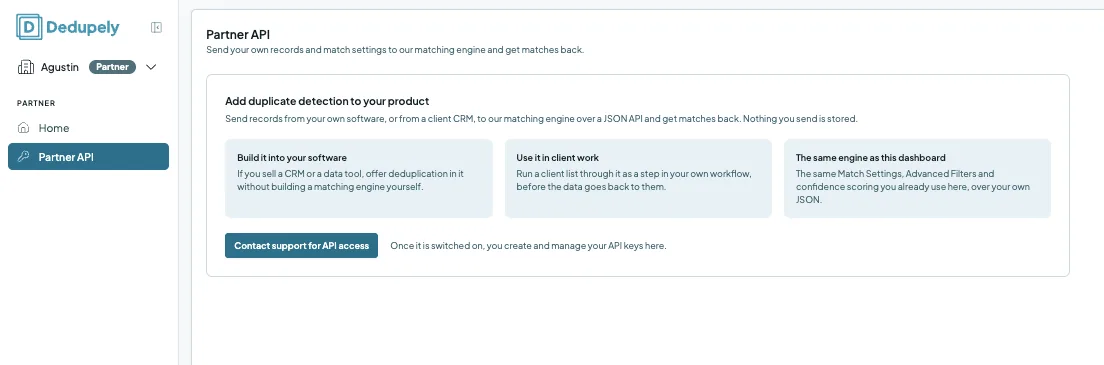
The Partner API lets Dedupely partners add duplicate detection to their own product or workflow. You send records, from your own software or from a client's CRM, to Dedupely's matching engine as JSON, with your match settings, and you get the matches back. It's the same engine as the Dedupely dashboard, and nothing you send is stored. The Partner API is for partner accounts, and you turn it on by contacting support.
What you can do with the Partner API
| Use | What it means |
|---|---|
| Build it into your software | If you sell a CRM or a data tool, offer deduplication in it without building a matching engine yourself. |
| Use it in client work | Run a client list through it as a step in your own workflow, before the data goes back to them. |
| The same engine as the dashboard | The same Match Settings, Advanced Filters and confidence scoring you already use in Dedupely, over your own JSON. |
How to get access
- In your partner account, click Partner API in the left menu.
- Click Contact support for API access.
- Once it's switched on, you create and manage your API keys on the same page.
API keys belong to your partner account, not to each client.
How it works
- Your software sends records to Dedupely's matching engine as JSON, with the match settings you want to use.
- Dedupely compares them with the same Match Settings, Advanced Filters and confidence scoring as the dashboard.
- You get the matches back, and decide what to do with them in your own software.
Nothing you send is stored in Dedupely. The records stay in your software or your client's CRM.
Partner API or the dashboard?
| Use the dashboard when… | Use the Partner API when… |
|---|---|
| You dedupe a client's CRM directly, with Duplicate Searches, Merge Rules, Auto Merge and Merge History | The records live in your own software, or you need matches as a step in your own process |
| You want Dedupely to merge the records in the CRM | You want the matches back and handle the records yourself |
For clients whose CRM Dedupely supports, connecting the CRM and working in the client's account is usually simpler. See Partner Dashboard.
What happens next
- Support switches the API on for your partner account.
- You create your API keys on the Partner API page and share them only with the people who build your integration.
FAQs about the Partner API
- Who can use the Partner API? Partners. Contact support from the Partner API page to turn it on.
- Is the data I send stored? No. Nothing you send is stored.
- Does it use the same matching as the dashboard? Yes. The same Match Settings, Advanced Filters and confidence scoring.
- Are API keys per client? No. They belong to your partner account.
- Is there public API documentation? Not yet. Contact support for API access, and our team will help you get started.
Next up
Still stuck?
Our team helps on every plan and during the free trial, by chat, email or Zoom.
- Need help? Talk to support
- Questions about plans? Book a Zoom with sales
- Reading this with a model? Read this page as Markdown
- Feeding it the whole site? Read llms.txt




 Or sign up with Google
 Pipedrive Marketplace