Merge duplicates in spreadsheets
Updated
Upload external CSV files directly into your Dedupely account to scan for duplicates, merge records, and download clean, consolidated spreadsheets.


A CSV (Comma-Separated Values) file is a standard spreadsheet text format used to export and import tabular data across software like Microsoft Excel, Google Sheets, and CRMs.
Unlimited CSV uploads are included in all Dedupely plans, and the 7-day free trial. CSV records do not count toward your account's subscription record limit, allowing you to upload and clean all your external spreadsheets without incurring extra costs.
All uploaded CSV spreadsheets must contain a header row at the top of the file so Dedupely can identify your columns as selectable fields.
Cleaning CSV spreadsheets before importing them into your CRM prevents duplicate contacts, companies, or leads from entering your CRM. Deduping the file first also gives event marketers and sales teams an easy way to combine, merge, and organize multi-source lead lists.
An uploaded CSV file becomes its own database instance in Dedupely. There are two ways to work with them:
- Independent CSV uploads: Upload each file as a separate instance to keep your lists distinct. Run Duplicate Searches, merge records, and export a clean version of each spreadsheet.
- Combined multi-file uploads: Upload several spreadsheets into a single instance, or append new files later. Dedupely combines them into one instance, so you dedupe the master list and export a single merged CSV.
When combining multiple CSV files into one instance, verify that column header names (such as "First Name", "Email", "Company") are spelled the same across every file so Dedupely maps them into shared fields automatically.
How to upload a spreadsheet
Depending on where you are in Dedupely, you can upload and clean your CSV files in three different ways:
Path 1: Upon initial signup
- Right after creating your Dedupely account, navigate to the bottom of the "Connect a CRM to Get Started" onboarding screen.
- Under "Other Data Sources", click "Upload" under the "CSV" tile.
- Upload your spreadsheet(s), enter a name for your CSV instance, and click to confirm.
Path 2: From an existing account with a connected CRM
Connecting a CRM is not required to upload or deduplicate CSV spreadsheets.

- Click the "CRM" icon in the left navigation panel to open your workspace list.
- Click "+ Add new CRM or CSV" at the bottom of the dropdown menu.
- Under "Other Data Sources", select "CSV" and click "Upload".
- Select your CSV spreadsheet(s) from your computer and enter a name for your CSV instance.
Path 3: From an existing CSV instance
- To create a completely separate CSV instance, click on the CSV icon on the left menu, and select "+Add New CRM or CSV" at the bottom of the list.

- To add more spreadsheets to your current CSV instance, click "Edit CSV Settings" (the gear icon on the left menu), under the General tab, click "Upload More Files".

Managing CSV Settings and Exports
Click "Edit CSV Settings" (the gear icon on the left menu) to manage your CSV instance configuration across three tabs:
General
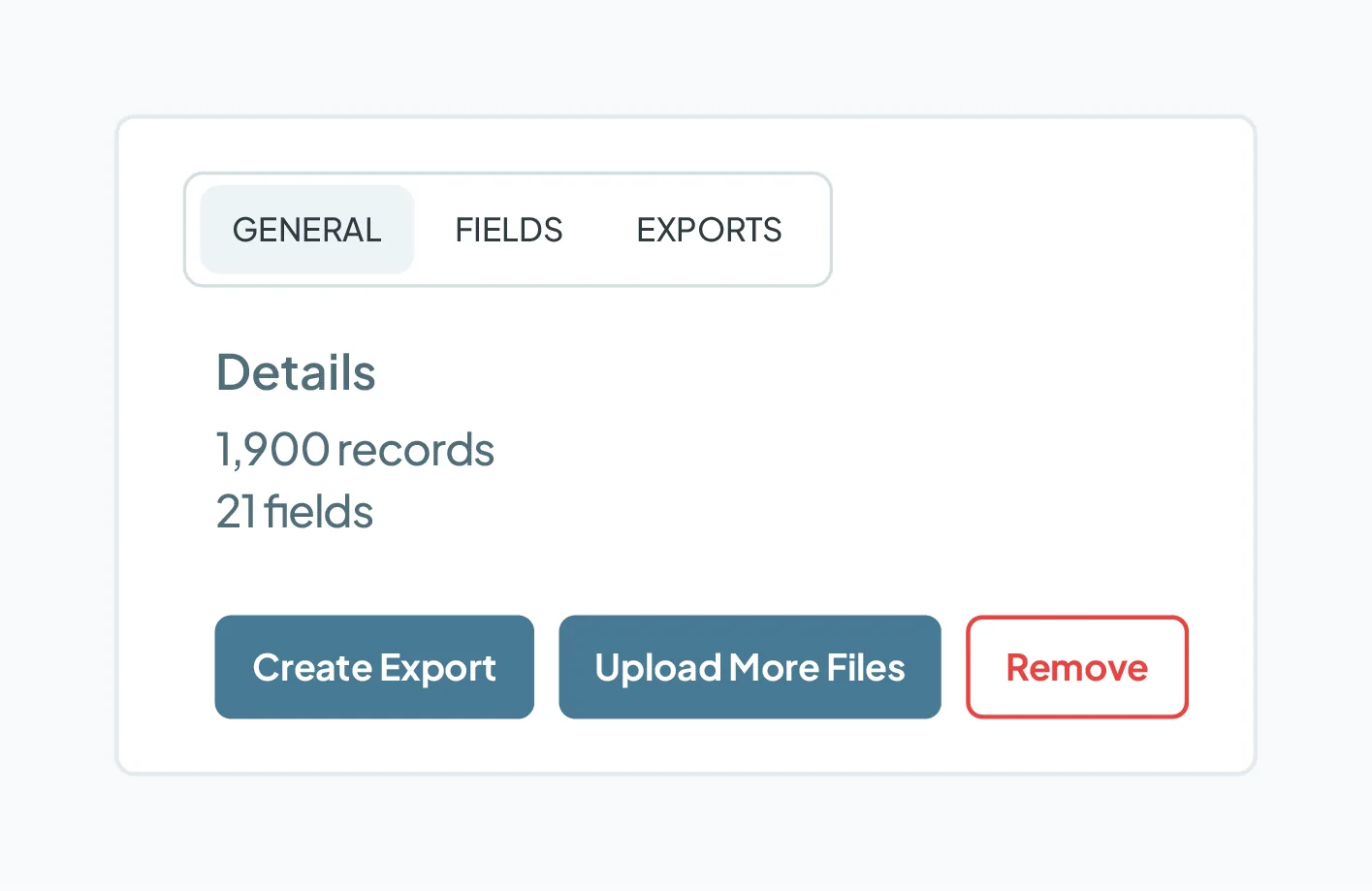
- Details: View your current total record count and total number of fields.
- Create Export: Generate a clean, downloadable CSV file. You can choose exactly which fields to include in the exported file and generate multiple exports, as needed.
- Upload More Files: Add additional spreadsheets to an existing CSV instance at any time (e.g., adding a newly received event list to a previous import).
- Remove: Permanently delete the entire CSV instance and its associated data from Dedupely.
Fields
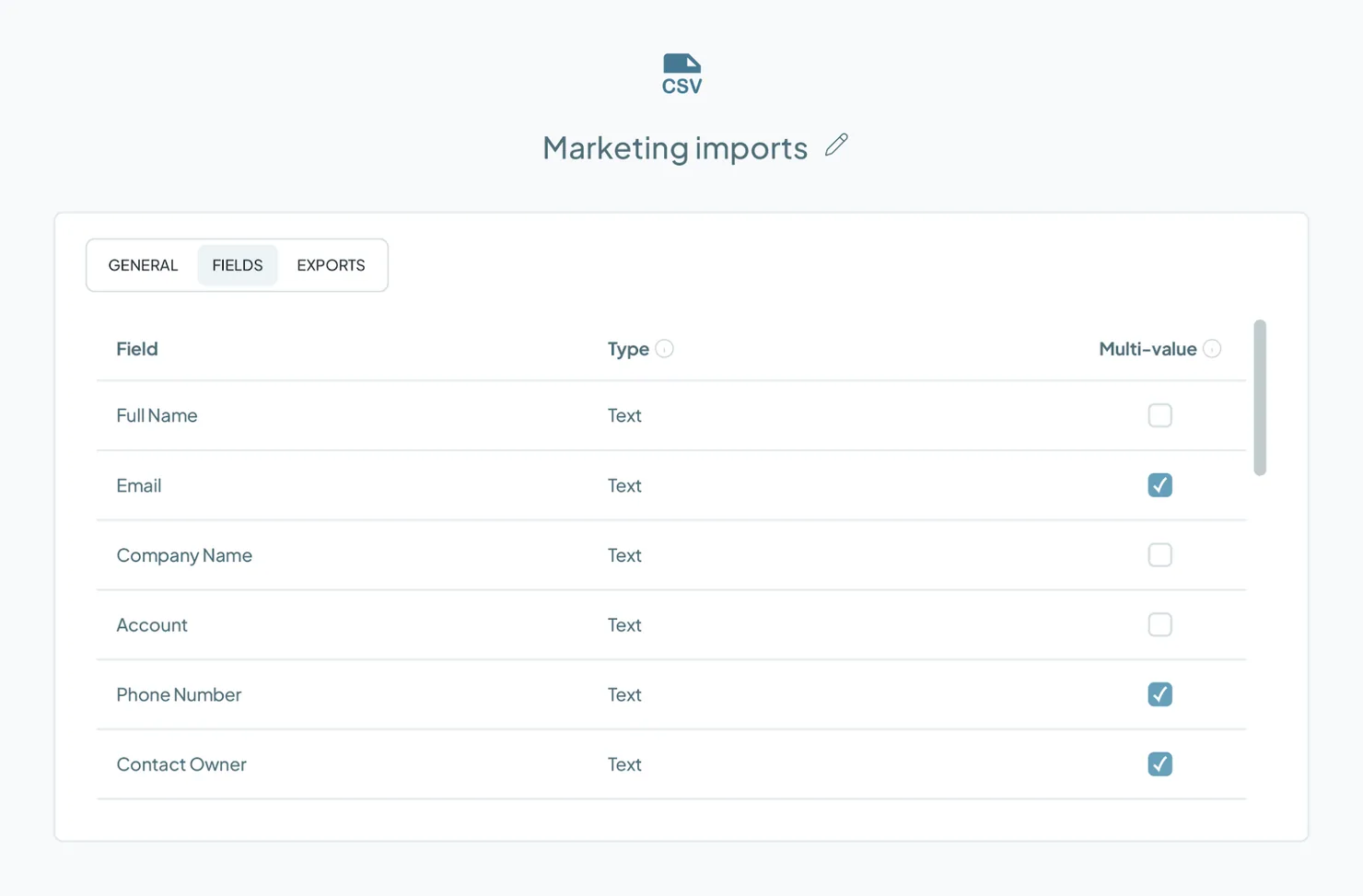
- Type: How Dedupely reads the column. Spreadsheet columns import as text.
- Multi-value: Check the box on a column that holds more than one value, such as a contact with several email addresses. Merge Rules can then Append those values on a merge instead of overwriting them.
Exports
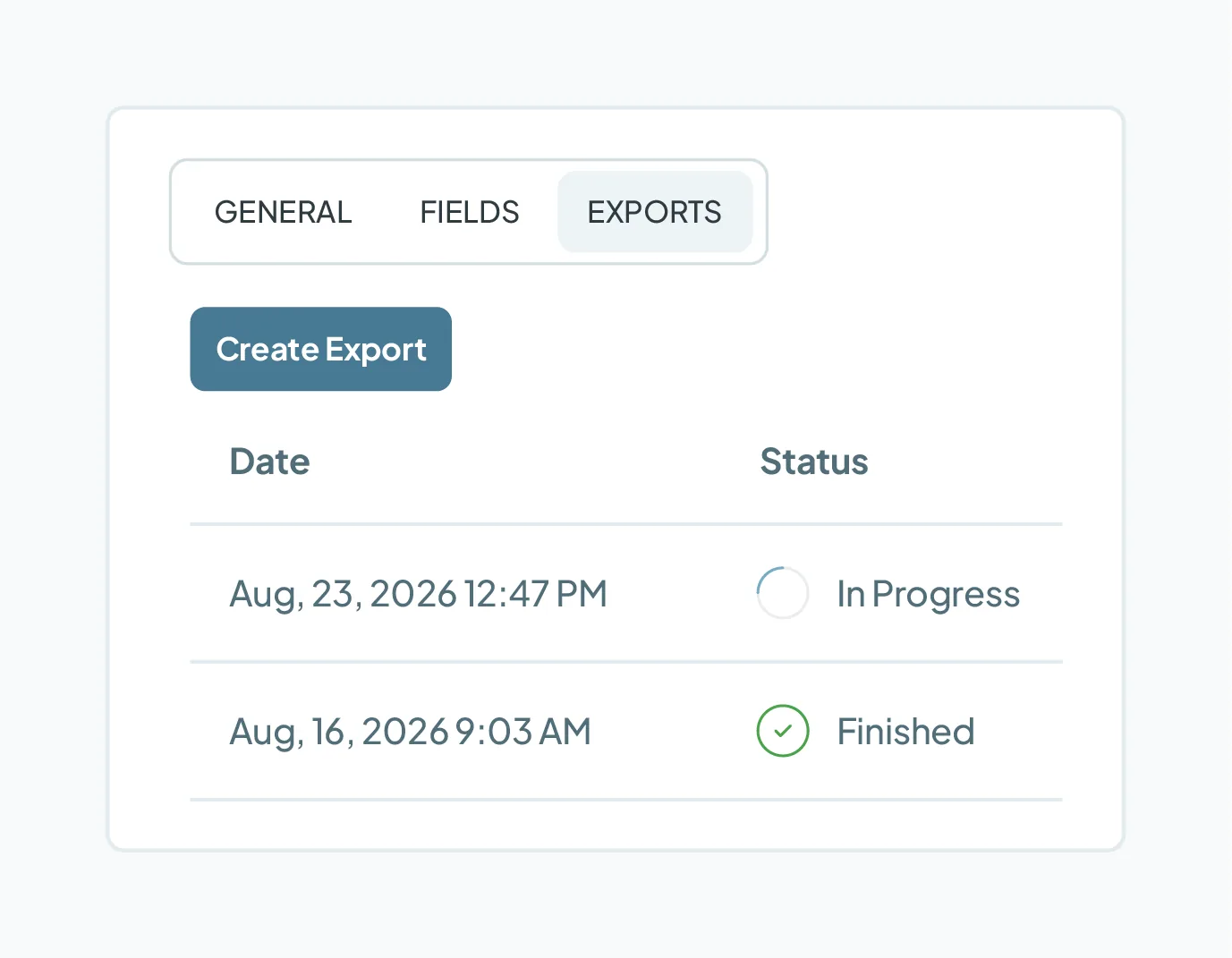
- Export History: View a complete log of all previously generated CSV exports within this instance.
FAQs about deduping spreadsheets
- Why use Dedupely instead of manually cleaning spreadsheets? Instead of spending hours manually cross-referencing rows and risking lost data, Dedupely gives you total control over what qualifies as a duplicate and which information wins during a merge. You can easily filter terms, reject false matches, and automate matching and merging so it runs hands-free in the background.
- Do my CSV files need header rows? Yes. Dedupely requires every CSV file to have column headers in the first row so it can recognize and convert your columns into workable fields.
- What happens if I upload multiple CSV files with different column header names? Dedupely uses column headers to map your data into fields. If you upload multiple files into a single instance and their header names match, Dedupely combines them under the same field. If header names differ across files, Dedupely creates separate fields for each unique header name.
- Will uploading large CSV files increase my monthly subscription cost? No. CSV files do not count toward your account's subscription record limits, regardless of how many files or records you upload.
Mentioned in this article: Finding Duplicates, Merging duplicates, and Merge Rules.
Still stuck?
- Need help? Talk to support
- Questions about plans? Book a Zoom with sales
- Reading this with a model? Read this page as Markdown
- Feeding it the whole site? Read llms.txt


 Or sign up with Google
 HubSpot Marketplace











