



TL;DR
- Build one duplicate search per source of new records, like forms or imports.
- Get alerts on a new search first, and automate merging only once it's tested.
- Give the client's team a review queue for the sets only they can decide.
- Report merges, open review sets and active sources to the client every month.
- Dedupely alerts, merges tested searches on a schedule and records every merge for client reports.
To keep a retainer client's CRM clean, build a search for each source of new duplicates and get alerts first. Merge the tested searches automatically on a schedule, and spend your monthly hours on review, reports and adjustments.
The first cleanup is the visible part of the work. After it, forms, imports and integrations keep adding records, and some teams get 20 to 30 new duplicates a day. Without a routine, the backlog is back within a few months.
In this post, you'll see how to set up searches per source and when to move from alerts to automatic merging. You'll also see how to share review with the client's team, what to report each month and when to revisit your searches.
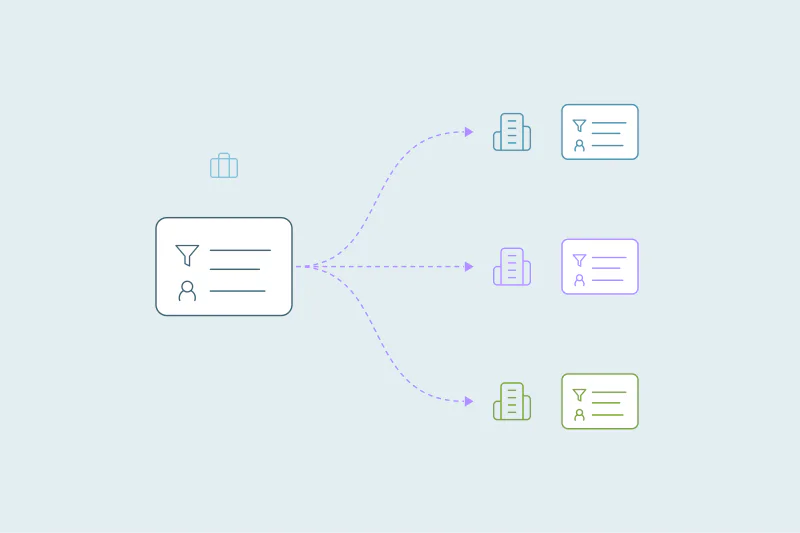
Build one search per source
After the backlog is merged, new duplicates come from a short list of sources. Each source tends to create its own kind of duplicate, so give each one its own search. Our post on why duplicates keep coming back after a cleanup covers how those sources work.
| Source | The duplicate it usually creates | What the search can match on |
|---|---|---|
| Web forms and scheduling links | A new contact for someone who already exists | Email, plus first and last name |
| List imports and events | Many contacts and companies at once, often with small spelling differences | Name and email, with typos allowed on names |
| Prospecting and enrichment tools | Companies with a slightly different name or domain | Root domain and company name |
| Phone and calling apps | A contact with only a phone number | Phone, compared without formatting, plus name |
| Syncs with other systems | A record re-created after a merge, or created twice | The other system's ID, if it's stored in a field |
Filters can narrow a search to one source, like records with a given original source or created after a date. Name each search after its object and source, like "Contacts · Web forms · Exact email." Anyone on your team can then tell them apart.
Because each client has its own searches and rules, nothing carries over from another client automatically. What carries over is how you name and organize them, which is covered in one CRM cleanup process for every client.
Alerts first, then automatic merging
Turn on alerts before you let a new search merge anything. In Dedupely, Auto Match checks a search on a schedule and emails when its matches reach the number you set. It never merges.
Alerts go to every user who has them on, at most once a day. If you work in several clients' companies, you get one email covering all of them, which makes a morning check quick.
Once a search has proven itself, you can merge its duplicates automatically on a schedule with Auto Merge. A search is usually ready when:
- You've merged one or two sets by hand and one or two pages in bulk, and checked them in the CRM.
- You've rejected its false matches, and new ones have stopped appearing.
- Its results stay stable from one scan to the next.
Start with the searches you're most certain of, like exact email matches from web forms. Leave looser searches on alerts, where a person still decides. Our post on how often to deduplicate your CRM covers how to pick a schedule.
Give the client's team a review queue
Some sets need someone who knows the client's business. Two contacts with the same name and phone could be one person or a parent and a child. Two companies with the same domain could be one customer or two branches.
Send those sets to Manual Review. They stay there until someone merges or removes them, and automatic merging never picks them up. Review is always a manual step, so nothing lands there by surprise.
If you want the client involved, you can add them to their company as an Admin or a User. Their login takes them into your partner account, where they see only their own company and can work through the queue. Logins are optional, so some clients prefer that you bring the sets to your call instead.
Agree on a rhythm for the queue, like a weekly or monthly slot. A common setup is three or four tested searches that merge automatically. One or two looser searches get checked by hand once or twice a month. A queue that nobody clears turns back into a backlog.
Use Merge History as your monthly record
Merge History does most of the monthly work for you. It shows what happened, and each search's match count shows the trend.
Every merge is recorded in Merge History, whether you ran it by hand, in bulk or on a schedule. For each one, it shows the original records, the winning values and the final result, with a link to the record in the CRM. You can filter it by object, search term and date.
Export it as a CSV each month. The file keeps the original values and record IDs of every merged record. That answers "where did this phone number go?" long after the merge.
Most merges can be undone for 30 days from Merge History. After that, the CSV is how you restore values if a merge went wrong.
What to report to the client each month
A monthly report should be short and use the same numbers every time, so the client can compare months. It covers what changed, what's waiting on them and what you'll do next.
| Section | What it shows | Where it comes from |
|---|---|---|
| Merged this month | Sets merged and records removed, per object | Merge History, filtered by date |
| Trend | Duplicates found compared with last month | Each search's match count |
| Waiting on the client | Sets in review, with one example each | The review queue |
| Rejected | Sets you decided are separate records, and why | Rejected matches |
| Sources | Which sources still create the most duplicates | Searches per source |
| Changes | New searches, rule changes and anything moved to automatic merging | Your own notes |
Attach the Merge History CSV, or keep it ready for when the client asks. For how to prove the first cleanup and present before-and-after numbers, see CRM deduplication for consultants and agencies.
Let the client get the Duplicate Report
The Duplicate Report keeps the client informed between your monthly reports, with no extra work for you. Partner accounts don't receive it, so it goes to a client user you invite to their company.
That user gets only that company's report, never another client's, weekly or monthly on Mondays. It starts once they've turned it on in their notification settings and logged in at least once. The company also needs a synced CRM with at least one merge.
When to revisit your searches
Searches that worked in month one drift as the client's data and tools change. These signals tell you it's time to look again.
- A new source appears. A new form, integration or list import gets its own search, on alerts for a few weeks before it merges anything.
- You keep rejecting the same kind of match. Tighten the search instead of rejecting sets one by one.
- More sets are held back. A growing number of large or risky matches usually means a search has become too broad.
- The client changes how they work. New fields, teams or owners can change which values should win in a merge.
- The client's situation changes. A migration, an acquisition or fast hiring changes where duplicates come from.
For the last one, our post on handling a client's duplicates at every CRM stage covers what to change for each situation. A quarterly look at Merge Rules and Safety Settings catches the rest.
How Dedupely keeps retainer clients clean between check-ins
In Dedupely, each client keeps its own searches, alerts and rules, and tested searches merge automatically on a schedule. Unclear sets go to review for you or the client's team, and Merge History keeps every merge's original values for your report. The Dedupely partner program explains how every client fits in one account.
A routine the client can see
Ongoing client work is quieter than the first cleanup, and that's the point. Searches per source catch new duplicates early, tested ones merge on a schedule, and the client's team decides only the sets that need them.
The monthly report makes that quiet work visible. When the same numbers show up every month, the client sees a CRM that stays clean. That's a clear reason to keep the retainer going.
Frequently asked questions
How often should I deduplicate a retainer client's CRM?
Check alerts and the review queue weekly, report monthly and review searches and merge rules every quarter. Searches you trust can merge automatically on a schedule in between. The right rhythm depends on how fast the client's sources add records, so watch the trend in the first months.
Should I turn on automatic merging for a client's CRM?
Yes, for searches you've tested. Merge a few sets by hand and a page or two in bulk, check them in the CRM and reject the false matches first. Start with the most certain searches, like exact email matches, and keep looser searches on alerts where a person decides.
What should a monthly CRM cleanup report include?
It should include sets merged and records removed per object, the trend in duplicates found, and the sets waiting on the client. Add the sets you rejected and why, the sources still creating duplicates, and that month's changes to searches, rules or automatic merging.
Does the client need a Dedupely login?
No, a login is optional. If you want the client involved, you can add them as an Admin or a User. Their login takes them into your partner account, where they see only their own company and its review queue. Other clients prefer to see the sets on a call instead.
Why do duplicates come back after a CRM cleanup?
Because the sources keep running. Web forms, scheduling links, list imports, prospecting tools and syncs keep creating records, often for people and companies that already exist. A search for each source, with alerts and then automatic merging once it's tested, catches them before they build up.



 Or sign up with Google

 Salesforce AppExchange












