



TL;DR
- Search criteria and merge rules rarely carry over from one client's CRM to the next.
- A repeatable cleanup process gives every client the same steps in the same order.
- A one-page checklist per client holds the answers each step needs.
- Client check-ins confirm the direction of the cleanup and rarely need formal sign-off.
- Dedupely keeps each client's searches, rules and merge records separate in one partner account.
When you clean CRMs for clients, every new client feels like starting over. One runs HubSpot with three web forms, and another runs Salesforce after an old migration. A third keeps half its contacts in spreadsheets.
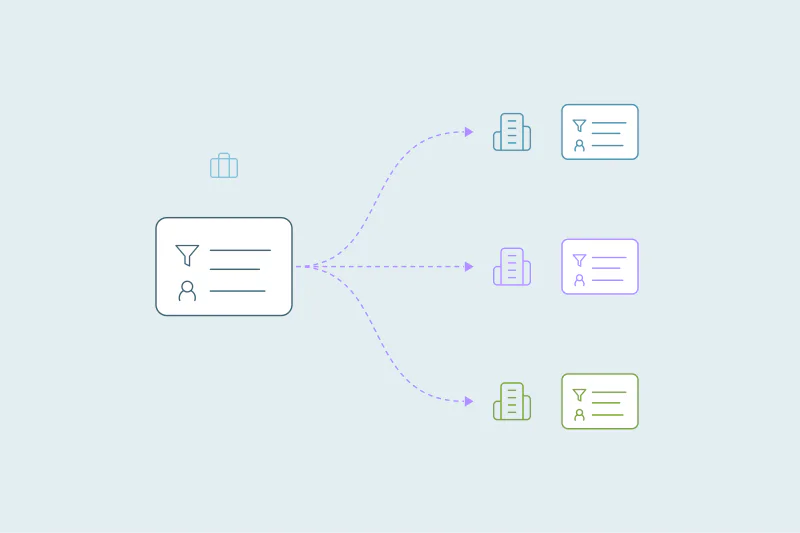
It's tempting to look for a set of searches and merge rules you can copy from client to client. That rarely works, because each client's data, fields and idea of a duplicate are different. What does carry over is the way you work.
In this post, you'll see why the process matters more than any template and which steps belong in it. You'll also see what a per-client checklist holds and how to keep clients involved without slowing the work.
Why settings don't travel between client CRMs
Search criteria depend on the fields a client fills in. One client stores every company's domain, while another leaves the website field blank on half its accounts. A search built on domain finds duplicates in the first CRM and misses them in the second.
Merge rules depend on how each client works. One client wants the newest owner to win, another wants the account owner from billing to stay. Even the same CRM can behave differently from one client to the next, depending on its integrations and custom fields.
What counts as a duplicate is case by case too. What one team considers a duplicate, another may not. So each client needs its own criteria and rules, built from its own data.
What a repeatable process gives you instead
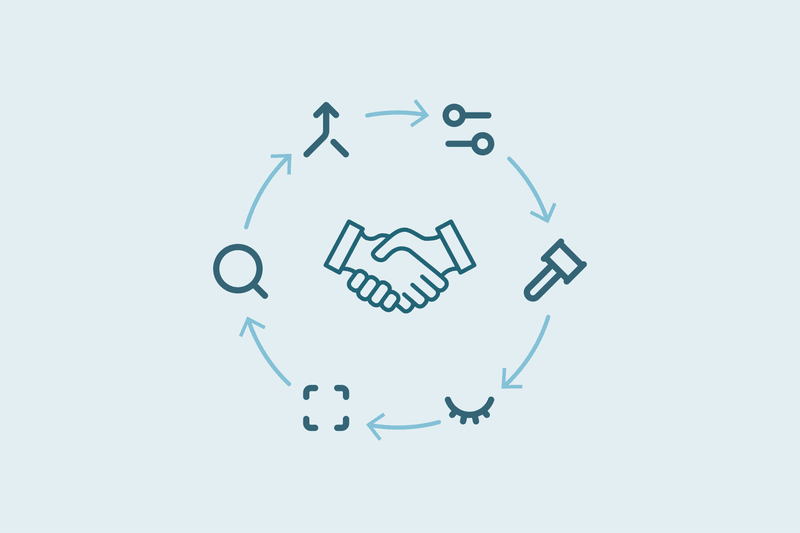
If the settings can't be reused, the questions can. A process is a fixed list of questions you answer for every client, in the same order, before anything merges.
- Faster starts: you know what to ask on the first call, so the client's answers arrive early.
- Fewer surprises: a step you never skip, like checking which tools store record IDs, catches problems before they cost you.
- Easier handoffs: anyone on your team can pick up a client, because every project looks the same.
- Better quotes: after a few clients, you know how long each step of a cleanup takes.
The steps, in the order that holds up
The order matters as much as the steps. Each step answers a question the next one depends on.
| Step | What you do | What it protects |
|---|---|---|
| 1. Map the CRM | List the CRMs, objects, record counts, sources of new records and every tool that syncs with them | You know where duplicates come from and what a merge could affect |
| 2. Size the backlog | Run searches that change nothing and count the matches and records in them, per object | Your quote and timeline rest on real counts |
| 3. Agree on definitions | Write down what counts as a duplicate for each object, with a few known examples | Everyone tests against the same answer |
| 4. Decide the outcome | Choose which record survives and which values win for owner, stage, email and phone | The client's team still finds what it expects after the merge |
| 5. Test on known sets | Check that the searches find the known duplicates and skip the known non-duplicates | Errors show up on ten sets instead of ten thousand |
| 6. Merge in stages | Merge the obvious duplicates first, then the likely ones, and send unclear sets to the client | Each stage is checked before the next one starts |
| 7. Record and report | Keep every merge's original values and report counts before and after | You can answer "where did this go?" months later |
| 8. Keep it clean | Decide what runs on a schedule and when you check in | New duplicates don't rebuild the backlog |
Step 7 is where many client questions land. Our post on CRM deduplication for consultants and agencies covers how to prove the work and report results.
A one-page checklist for each client
The process is the same for every client. The answers aren't. Keep them on one page per client, in the same layout, so you always know where to look.
| Section | What it holds |
|---|---|
| Setup | CRMs, objects in scope, record counts and the client's main contact |
| Sources | Forms, imports, enrichment tools and integrations that create records |
| Linked systems | Tools that store CRM record IDs, like billing, support or a data warehouse |
| Definitions | What counts as a duplicate per object, plus known examples of each |
| Outcome | Which record survives and which value wins in key fields |
| Never merge | Records to leave alone, like partners, key accounts or records synced to billing |
| Close calls | Who on the client side decides unclear sets |
| Ongoing | What runs automatically and how often you check in |
Fill it in during the first two steps, then update it whenever a decision changes. It also makes the handover easier when the project ends.
Keep the client involved without slowing down
Clients know their data better than you do. They know which two offices are one customer and which accounts must never change. You need their answers, and you need them without waiting weeks for a formal approval.
In practice, client check-ins tend to be short. You show where the cleanup is heading, and the client confirms it's the right direction. Big decisions rarely come up, because the definitions and the outcome were agreed at the start.
- Bring real examples: five real sets with one question each get faster answers than a list of match options.
- Send only the close calls: the client decides unclear sets, while obvious duplicates follow the agreed rules.
- Check in at the same points: after sizing the backlog, after the first stage and before anything runs on a schedule.
Where the process changes from client to client
A fixed process doesn't mean every project looks identical. Three things change the weight of each step.
- One-off or ongoing: a one-off project ends with a handover, while ongoing work adds step 8 and regular check-ins.
- Size: a large CRM spends more time in steps 5 and 6, merging in more stages with more checks between them.
- Where the client is: a client in the middle of a migration needs a different first move than a client with a brand-new CRM.
The steps stay the same. Only the time you spend on each one moves.
How Dedupely supports one process across client CRMs
With a Dedupely partner account, you manage every client from one login. Each client keeps its own duplicate searches, rules for which value wins and safety settings, so your process is what carries over. Our page for agencies and consultants shows how the partner account works, including the record of every merge for your client report.
The process is the part you can reuse
No two client CRMs need the same searches or the same rules. They do need the same questions, asked in the same order, with the answers written down in the same place.
Once that process is fixed, each new client starts faster and ends with fewer surprises. The work that changes from client to client is the work that should change: the client's own data and decisions.
Frequently asked questions
Can I reuse the same duplicate searches for every client?
Rarely as they are, because each client fills in different fields and has its own idea of what a duplicate is. A search that works for one may miss duplicates or pair the wrong records for another. Reuse the questions behind the searches, then build each client's searches from its own data.
What should a client CRM cleanup checklist include?
It should include the CRMs and objects in scope, the sources of new records and the tools that store record IDs. Add what counts as a duplicate per object, which values win, which records never merge, who decides unclear sets and what runs automatically afterward.
Do clients need to sign off on every merge?
Usually not. Clients agree on the definitions and the outcome at the start, and check-ins later confirm the cleanup is heading the right way. Only unclear sets, like two offices of one company, go to someone on the client side to decide before they merge.
How do I quote a CRM cleanup for a new client?
Size the backlog first: run searches that change nothing and count the matches and records in each object. Then note the sources still creating duplicates and the tools that store record IDs. Those numbers, plus how many unclear sets need the client, show how long each step will take.
What changes between a one-off cleanup and ongoing client work?
A one-off cleanup ends with a handover of the merge records and the client's checklist. Ongoing work adds a keep-clean step, with tested searches merging new duplicates automatically on a schedule and regular check-ins. The steps before that stay the same in both cases.



 Or sign up with Google


 HubSpot Marketplace












