



TL;DR
- A CRM cleanup starts with legacy data, beginning with exact matches on email or domain.
- Recurring duplicates you're certain of can be merged automatically on a schedule.
- Teams with steady sources of new records check for duplicates continuously or weekly.
- With little new data and few new tools, checks every few months or yearly can work.
- Dedupely previews each merge in a cleanup and sends a weekly duplicate report by default.
"How often should we deduplicate?" usually comes up after a first cleanup. The backlog is gone, and a few weeks later new duplicates start showing up again.
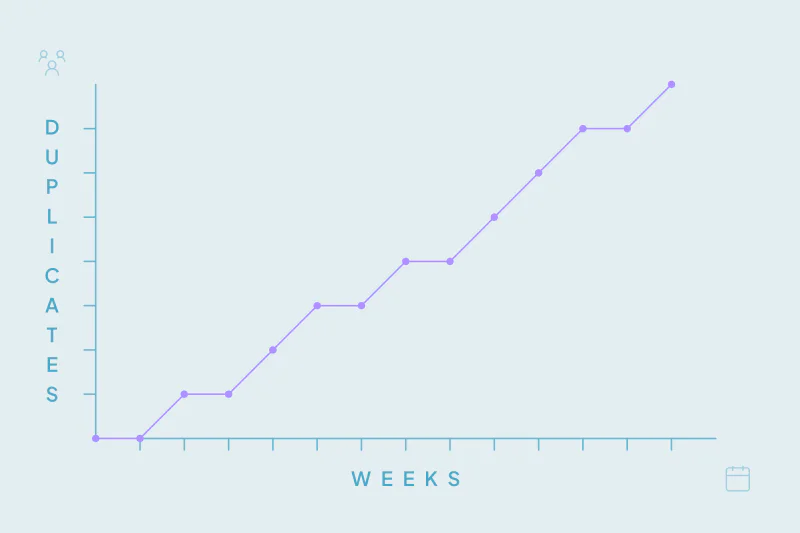
There isn't one schedule that fits every CRM. A CRM that takes in thousands of form fills and imports a month needs more attention than one fed by hand.
The answer I give most often has three parts. Clean legacy data once, merge recurring duplicates automatically, and check on a cadence that fits your sources and volume. In this post, you'll see what each part involves, how to choose an audit cadence and what should trigger an extra check.
Why there's no single right frequency
How often duplicates appear depends on where your records come from. Forms, list imports, integrations, syncs and manual entry each add duplicates at their own pace.
It also depends on what counts as a duplicate for your team. One team merges two contacts with the same name at the same company, while another keeps them apart. Your definition decides how much there is to find each time you look.
So the useful question is which source, and at what volume. The three parts below answer it for many CRMs.
Part 1: Clean legacy data once
Legacy data is everything already in the CRM: old imports, migrated records and years of manual entry. It's usually the largest group of duplicates, so the first cleanup is the largest.
Start with the obvious duplicates
Begin with exact matches on the fields that identify each record, like email for contacts and domain for companies. They're the easiest to confirm and usually the largest share of the backlog.
Then move to less certain combinations, such as name and company or name and country. Send the matches you're unsure of to review before anyone merges them.
Know what a duplicate is in your CRM first
Before the cleanup, look at where your records overlap and what makes two of them the same. Once you know that, you can decide which fields to match and how strict each one should be.
You'll also know what the merged record should look like: which owner stays, which phone number wins and which lifecycle stage is kept. Those decisions carry into the next two parts.
Part 2: Merge recurring duplicates automatically
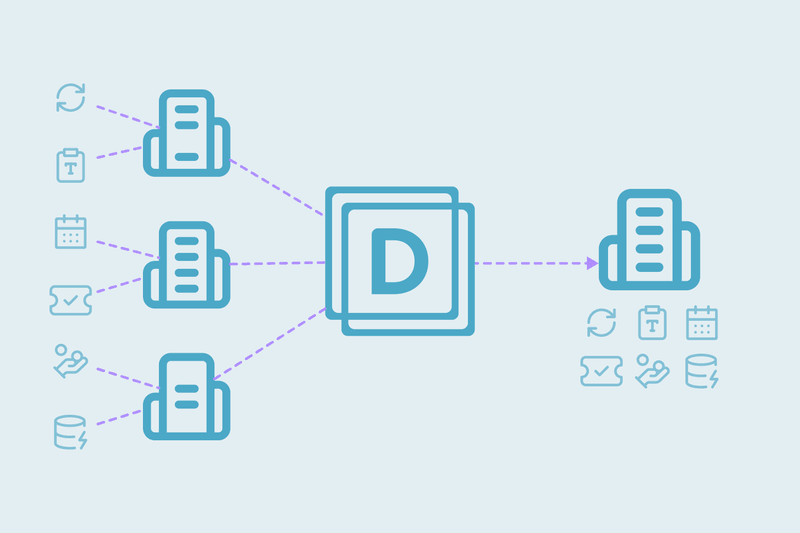
Recurring duplicates come from the sources that keep adding records. Once you know which ones they are, the same rules that cleaned the backlog can merge new duplicates automatically on a schedule.
How often each source creates duplicates varies. This table shows common patterns and what to do about each one.
| Source | Common pattern | What to do |
|---|---|---|
| Web forms | Steady, with the same person using a different email | Merge exact email matches automatically; review name matches |
| List imports | In bursts, right after each event or purchased list | Check the file before import, then look for duplicates after |
| Integrations and syncs | Steady, or sudden spikes when a mapping changes | Merge known patterns automatically; watch for spikes |
| Manual entry | Slow, with typos and name variants | Catch them in the regular audit |
| Migrations and acquisitions | One large wave | Treat it as a new legacy cleanup |
Automate only what you're certain of
Automatic merging works best for the duplicates you'd merge without looking, like two contacts with the same email. The more fields that agree, the safer it is to automate.
Keep the less certain patterns in review. Automation handles volume; people handle the edge cases.
List imports are the exception: they arrive in bursts, so they're easier to check against the CRM before they land.
Part 3: Check on a cadence
Automation covers the patterns you already know. A regular check finds the ones you don't know yet. Think of a new tool creating records, a changed form mapping or duplicates no rule covers.
The right cadence depends on your sources. Teams with steady sources check continuously or weekly. Teams whose duplicates came from one migration may only need a review every few months.
| Your situation | How often to check |
|---|---|
| Steady sources, like forms or integrations adding records every day | Continuously or weekly |
| List imports or new tools connected most months | Monthly |
| A few imports a year and integrations that rarely change | Quarterly or every six months |
| Duplicates that came from one migration or acquisition | A review every few months |
| Mostly manual entry and few connected tools | Yearly |
What an audit checks
- New duplicate patterns that no search covers yet.
- Whether your automatic merges still match what your team considers a duplicate.
- Matches you're certain aren't duplicates, so you can reject them once and stop seeing them.
- Which sources added the most duplicates since the last audit.
Give the audit an owner
An audit that belongs to everyone tends to happen to no one. Pick one person to run it and one or two people to help with the matches that need a decision.
The owner doesn't need to merge everything alone. They put the audit on the calendar and bring unclear cases to the right team. They also note what each audit found.
Events that call for an extra check
Some changes are worth an audit right away, whatever your cadence:
- A new integration, sync or form connected to the CRM.
- A large import, such as an event list or a purchased list.
- A migration, an acquisition or a merge of two databases.
- A change to field mappings or to the field that identifies each record.
Adjust the cadence as you go
Your first cadence is a starting point. If audits keep finding few new duplicates, you can space them out. If each audit finds a new pattern, bring them closer together.
Your checks may be too far apart if reps report duplicates first. The same goes if each check finds a large batch from one source.
Each new pattern you find can become a rule for automatic merging, if you're certain of it. Over time, audits find less, because more of the work happens as records arrive.
How Dedupely supports a cleanup and regular checks
In Dedupely, you build duplicate searches for your legacy backlog, set rules for which value wins and preview each merge. By default, you also get a duplicate report every week, and matches you reject won't appear in your searches again. Once your rules are tested, you can merge new duplicates you're certain of, like exact email matches, automatically on a schedule.
A routine that matches your data
How often you deduplicate comes down to where your records come from and how many arrive. The first cleanup handles the legacy data and is the largest. Automatic merging handles the recurring sources you're certain of.
Regular checks catch what the rules don't cover yet: continuously or weekly for steady sources, and every few months or yearly when little changes. As your team adds tools and integrations, the cadence moves with it, and each check leaves less to find.
Frequently asked questions
How often should you deduplicate your CRM?
Clean legacy data first, then merge recurring duplicates you're certain of automatically on a schedule. Teams with steady sources, like daily forms or integrations, check continuously or weekly. Teams with little new data can check monthly, every few months or yearly, depending on how often they add tools and integrations.
Is a one-time CRM cleanup enough?
Only if records stop coming in. The first cleanup is the largest, but forms, imports and integrations keep adding records, and some will be duplicates. Merge the ones you're certain of on a schedule, check on a cadence that matches your sources, and add a check after large imports.
Can you automate CRM deduplication?
Yes, for the duplicates you're certain of: exact matches on email for contacts or domain for companies are good candidates for automatic merging. Less certain matches, like similar names at the same company, are safer in review. Regular audits catch new patterns that automation doesn't cover yet.
What should a CRM data audit include?
Look for new duplicate patterns that no search covers yet, and check that automatic merges still match what your team considers a duplicate. Reject matches you're certain aren't duplicates. Note which sources added the most duplicates since the last audit, so you know where to focus.
What causes recurring duplicates in a CRM?
Sources that keep adding records, like web forms, list imports, integrations, syncs and manual entry, each create duplicates at their own pace. Integrations can also cause sudden spikes when a field mapping changes. That's why a new tool or mapping change calls for an extra check.



 Or sign up with Google

 HubSpot Marketplace












