

TL;DR
- A client's stage decides where duplicates come from and what to clean first.
- A brand-new CRM needs clean imports and a few fixed sources of new records.
- A migration needs deduplication before the move, and again once the new CRM is live.
- An inherited CRM or an acquisition needs sizing and agreed definitions before any merge.
- Dedupely gives each client its own searches and merge rules, whatever stage the client is in.
Two clients can both say "we have duplicates" and mean very different things. One has just set up its first CRM and is about to import five spreadsheets. Another bought a competitor last month and now has two customer lists for many of the same companies.
The cleanup steps may look alike on paper. The first move, the risks and how much the client needs to decide are different in each case.
In this post, you'll see how to handle duplicates at five client stages. They are a brand-new CRM, a migration, a fast-growing team, an inherited mess and the months after an acquisition. You'll also see how to tell which stage you're dealing with.
Why the client's stage changes the first move
Duplicates come from somewhere. The source tells you whether to fix what's already in the CRM, stop what's coming in, or both.
A client's stage is the fastest way to guess the source. New CRMs fill up from imports, migrations carry the old CRM's duplicates, and growing teams add them through forms and new reps. Inherited CRMs hold years of all of it, and acquisitions bring in a second database at once.
What counts as a duplicate is case by case too. What one team considers a duplicate, another may not, and that question gets harder at some stages than others.
Five stages at a glance
| Client stage | Where duplicates come from | First move | Leave for later |
|---|---|---|---|
| Brand-new CRM | Imported spreadsheets and old contact lists | Dedupe the files before import | Ongoing automation, until real data arrives |
| Migration | The old CRM's duplicates, plus records the move creates | Dedupe the old CRM before the move | Looser matches, until the new CRM is stable |
| Fast-growing team | Forms, new reps, lead routing and new tools | Find the sources creating the most duplicates | Edge cases with few records |
| Inherited mess | Years of imports, integrations and manual entry | Size the backlog and change nothing yet | Anything nobody on the client side can explain |
| After an acquisition | Two databases with overlapping customers | Agree on which company's records and rules win | Merging the two CRMs' data together |
A brand-new CRM
A new CRM is the easiest time to deal with duplicates, because most of them haven't arrived yet. They come in with the first imports: old spreadsheets, a previous tool's export or each salesperson's own contact list.
Dedupe those files before they're imported, and agree on one field that identifies each record, like email for contacts and domain for companies. Then list every source that will create records, like forms, integrations and the sales team.
Small teams starting out often find native tools enough at first. Our post on CRM deduplication for small businesses covers what to set up at that size.
A client in the middle of a migration
A migration moves every duplicate in the old CRM into the new one, unless you clean first. It can also add new ones, when records from two systems are mapped into one or an import runs twice.
Clean the old CRM before the move, so fewer records travel. Keep a list of the forms and syncs that are still writing to the old system during the cutover. Once the new CRM is live, dedupe it again, because records created during the move need their own pass.
Our post on deduplicating before, during and after a CRM migration covers each phase in detail.
A fast-growing team
When a client is hiring and adding tools quickly, duplicates come in every day. Reps create records they can't find, sometimes because another rep's records are hidden from them. Booking forms and automations create a new contact instead of updating the existing one, and new integrations add their own versions of existing companies.
Here the backlog matters less than the inflow. Find the few sources creating most of the duplicates and fix them where possible, then clean what's already there. Once the client's rules are tested, the duplicates you're certain of, like exact email matches, can merge automatically on a schedule.
Before a new integration goes live, a cleanup keeps it from syncing duplicates into another tool. Our post on deduplicating before you launch a new integration explains why.
An inherited mess
Some clients come to you with a CRM nobody fully understands. The admin who set it up has left, integrations write to it from tools nobody remembers, and nobody trusts the reports.
Start by sizing the backlog without changing anything. Count the duplicates per object, list the integrations and find out which tools store record IDs. Then agree on what counts as a duplicate with someone who knows the business, before the first merge.
Our post on what to check first when you inherit a messy CRM has the full list of checks.
Right after an acquisition
An acquisition brings two customer databases together, often with many of the same companies and people in both. The hardest part is deciding whose data wins, and that's a business decision more than a technical one.
Agree first on which company's records, owners and stages take priority, and which customers must stay separate. Many teams clean each CRM on its own first, then decide how and when the two come together.
Our post on handling duplicates after a company acquisition covers those decisions.
How to tell which stage a client is in
Clients don't always describe their stage. A few questions on the first call usually tell you.
- When was the CRM set up, and who set it up?
- Is a move to another CRM planned, running or recently finished?
- How many people and tools started adding records in the last year?
- Has the company bought or merged with another company recently?
- Who on the team can explain how the CRM is used today?
Some clients are in two stages at once, like a growing team that's also mid-migration. Start with the obvious duplicates in each, so the client sees progress early, then work through the harder sets.
How Dedupely handles clients at every stage
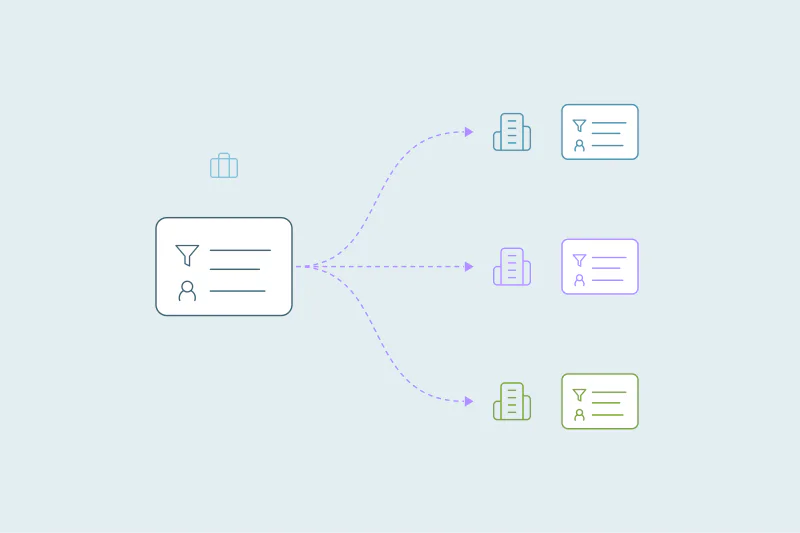
In Dedupely, each client gets its own duplicate searches, rules for which value wins and safety settings, set up for its stage. You can dedupe spreadsheets before an import and find duplicates without changing anything. Tested rules let you merge the ones you're certain of automatically on a schedule.
Our page for agencies and consultants shows how one partner account holds every client.
Start where the client is
The same duplicate can need a different response depending on when you meet the client. A new CRM needs clean imports, a migration needs cleaning on both sides of the move, and a growing team needs its sources fixed.
An inherited mess and an acquisition both need decisions before merges. Ask the stage questions on the first call, and the first move usually becomes obvious.
Frequently asked questions
Should you dedupe before or after a CRM migration?
Both: clean the old CRM before the move, so fewer duplicates travel into the new one. Then dedupe the new CRM once it's live, since mapping two systems or running an import twice can create new duplicates. Keep a list of the forms and syncs still writing during the cutover.
How do you clean up a CRM you inherited from someone else?
Start without changing anything. Count the duplicates in each object, list the integrations and find out which tools store record IDs. Then agree on what counts as a duplicate with someone who knows the business, and merge the obvious ones first, in small stages.
What should you do with duplicates after an acquisition?
Decide whose data wins before merging anything. Agree on which company's records, owners and stages take priority and which customers must stay separate. Many teams clean each CRM on its own first, then decide how and when the two databases come together.
Why do fast-growing teams create so many duplicates?
New reps, forms and tools all add records, often without checking what's already there. A rep who can't find an account creates it again, and each new integration can add its own version of existing companies. Fixing the top few sources slows the inflow down.
How do you prevent duplicates in a new CRM?
Dedupe every file before you import it, and agree on one field that identifies each record, like email for contacts or domain for companies. List each source that will create records, such as forms and integrations, so you know where to look once real data arrives.



 Or sign up with Google