


TL;DR
- Each connection covers the contacts of one Google account.
- The "Other contacts" Google saves automatically aren't synced or merged.
- A merge moves values onto the contact you keep, then deletes the duplicate.
- Deleted duplicates stay in Google Contacts Trash for 30 days and can be restored there.
- Dedupely finds and merges Google Contacts duplicates in bulk, on the fields you choose.
For many small teams and independent professionals, Google Contacts holds the client list. Contacts arrive from phones, Gmail, imports and connected tools, and the same person ends up saved two or three times.
Dedupely can find and merge those duplicates in bulk. Before you run a merge, it helps to know which contacts it covers and what happens to each record.
In this post, you'll see what Dedupely works with in Google Contacts and what happens during a merge. You'll also see where the duplicate goes afterward and how to get it back. For why duplicates build up and how Google's Merge & fix works, see our post on finding and merging duplicate Google Contacts.
Which contacts Dedupely works with
One Google account per connection
Each connection covers one Google account's own contacts. It doesn't cover your whole organization, so each person on a team connects their own account.
Google Contacts connects through OAuth, so there's no API key. Dedupely needs read, write and delete access to your contacts, because a merge combines values and removes the duplicate.
Each account is matched on its own
You can connect several Google accounts to one Dedupely account. Each one is independent, and Dedupely never matches a contact in one connection with a contact in another.
So a client saved in both a personal and a work account stays in both. If your contacts are split across accounts, decide which one is the main account and bring the contacts you need into it. Our post on managing duplicates across more than one CRM covers how to choose which system leads.
"Other contacts" aren't included
Google can save people you interact with to "Other contacts," a separate list from the contacts you save yourself. Dedupely doesn't sync or merge that list.
If someone in "Other contacts" is also a duplicate in your main list, move them to your main contacts in Google first. Then they're part of the next sync.
What happens during a merge
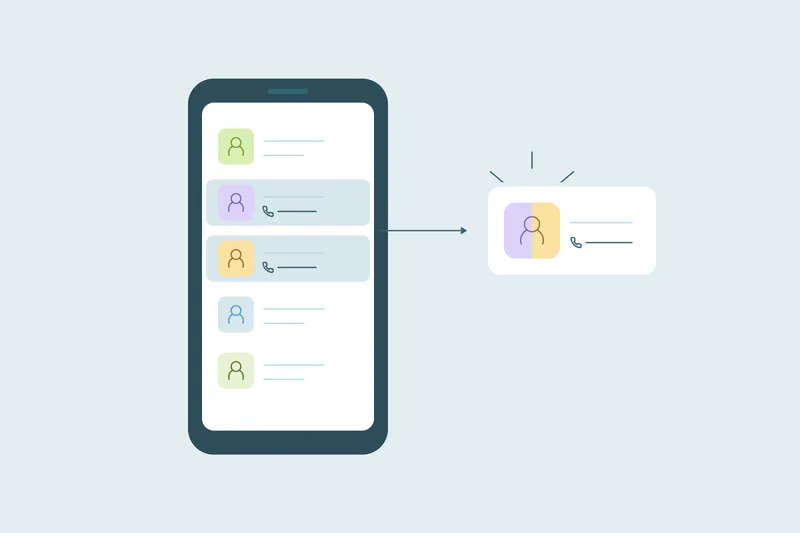
A Dedupely merge in Google Contacts works in two parts. First, it moves the field values onto the contact you keep, following your rules for which value wins. Then it deletes the duplicate.
Because the duplicate is deleted, its field values move onto the surviving contact first. Blank values never overwrite existing data. Without your own rules, Dedupely follows the CRM's merge logic.
That makes it different from Merge & fix inside Google Contacts. Google lets you separate contacts merged with Merge & fix. A Dedupely merge leaves one contact and a deleted duplicate, so there's nothing to separate.
As of October 2026, from Google Contacts Help: Merge duplicate contacts (Separate merged contacts).
Labels move with the contact you keep
Before it removes a duplicate, Dedupely adds the contact you keep to every label the duplicate had. That includes your custom labels and Starred.
Google's older built-in labels, like Friends, Family and Coworkers, are the exception. Google doesn't let outside apps add contacts to them, so those aren't carried over.
Photos stay with their own contact
The contact you keep keeps its own photo. A duplicate's photo is removed with the duplicate. If one record has the photo you want, choose that record as the one to keep.
A Google Contacts merge at a glance
| Item | What happens |
|---|---|
| Contact you keep | Gets the merged values, following your rules for which value wins |
| Labels | Custom labels and Starred carried over to the contact you keep; older built-in labels aren't |
| Photo | The contact you keep keeps its own photo |
| Duplicate | Deleted, and moved to Google Contacts Trash for 30 days |
| Original values of both | Kept in Merge History, which you can download as a CSV |
| "Other contacts" | Not synced or merged |
| Contacts in another Google account | Not matched with this account's contacts |
Where the duplicate goes and how to get it back
A deleted contact goes to Google Contacts Trash. Google keeps it there for 30 days before deleting it permanently.
Within those 30 days, you can open Trash in Google Contacts and recover the contact. It comes back as a separate contact.
As of October 2026, from Google Contacts Help: Edit or delete contacts.
Restoring a contact brings the duplicate back
If the two contacts were different people, restoring the deleted one is the fix. Once it's back, reject the match in Dedupely, so the same pair isn't merged again on the next scan.
If they were the same person and only the wrong values won, you don't need the duplicate back. Restore the right values on the contact you keep, using the original values in Merge History.
After 30 days, Merge History is the record
A merge can't be undone in Dedupely. Merges happen directly in your CRM, and most CRMs can't undo them either. Within 30 days, most Dedupely merges can also be undone from Merge History, which brings the contact back and moves the match to Rejected Matches. Treat every merge as permanent anyway. See how to undo a merge.
Once Google empties Trash, the deleted contact is gone from Google. Merge History still holds its original values, and the playbook on what to do if you merged the wrong records covers re-creating it. Our post on why you need a record of every merge explains why that record matters.
What you decide before a merge
What counts as a duplicate
What counts as a duplicate is case by case. The same person with a work and a personal email is usually one contact. Two people at one office who share a switchboard number aren't.
Dedupely matches on any field you sync, with exact matching, typo-tolerant matching, sounds-alike matching, shared words or an email's root domain. Exact matches on email are the safest place to start. Our post on matching personal and work emails covers the harder cases.
Which contact survives
You can choose which contact survives, such as the last updated or the most complete. Then you can set rules field by field, like keeping the most recent phone number. If a photo matters, keep the contact that has it.
What the result looks like
You can preview each merge before it happens, with the winning values shown. A preview of a few sets that represent your contacts shows whether your rules do what you expect.
How to start merging Google Contacts with Dedupely
Connect your Google account, and Dedupely syncs your contacts so you can build duplicate searches on fields like name, email, phone and company. You can set rules for which value wins, preview each merge and merge duplicate sets in bulk. Once a search is tested, you can merge the duplicates you're certain of, like exact email matches, automatically on a schedule.
A merge with a 30-day safety net
A Dedupely merge in Google Contacts covers one account's own contacts, leaving "Other contacts" out. It moves values onto the contact you keep and deletes the duplicate.
The duplicate isn't gone right away. It waits in Google Contacts Trash for 30 days, and Merge History keeps its original values after that. Knowing both lets you merge in bulk and still fix a wrong merge quickly.
Frequently asked questions
Where do merged Google Contacts go?
The contact you keep stays in your main contacts with the merged values. The duplicate is deleted and goes to Google Contacts Trash, where Google keeps it for 30 days before deleting it permanently. Within those 30 days, you can recover it from Trash in Google Contacts.
Can Dedupely merge contacts from two Google accounts?
No, each connection covers one Google account's own contacts, and Dedupely never matches contacts across two connections. Decide which account is your main one and bring the contacts you need into it. Then merge the duplicates within that account, starting with exact matches on email.
Does Dedupely merge "Other contacts" in Google?
No, "Other contacts" is a separate list of people Google saves automatically, and Dedupely doesn't sync or merge it. To include someone from that list, move them to your main contacts in Google first. They're then part of Dedupely's next sync and can match like any other contact.
Can you undo a Dedupely merge in Google Contacts?
Yes, within 30 days for most merges, from Merge History. Undo is for records that weren't duplicates, so treat every merge as permanent. You can also recover the deleted duplicate from Google Contacts Trash within 30 days; then reject that match in Dedupely so it isn't merged again. After 30 days, Merge History still holds the original values of both contacts.
Does Dedupely need access to delete Google Contacts?
Yes, Dedupely needs read, write and delete access to your contacts, because a merge moves values onto one contact and then deletes the duplicate. Connecting and syncing never merge, edit or delete anything on their own. Changes only happen when you merge, or when you automate a tested search.



 Or sign up with Google

 Pipedrive Marketplace












