


TL;DR
- Reps call one prospect twice when that person exists as two records in the CRM.
- Shared list views show both records, so two colleagues can each pick one.
- One phone number stored in two formats keeps the two records from matching.
- Matching on phone digits plus name finds these duplicates before the next call block.
- Dedupely matches records by phone and name across formats and merges them onto one record.
Reps call the same prospect twice because that person exists as two records, and each rep is working a different one. Often both records hold the same phone number, written two different ways, so nothing in the CRM connects them.
The prospect notices first. "Someone from your team called me this morning" is a hard way to open a sales call.
In this post, you'll see how one prospect ends up in front of two reps and what it costs the team. You'll also see how to find these duplicates by phone and name, merge them and keep new ones from reaching your reps.
What it looks like when reps call the same prospect twice
The signs come from the calls themselves. A prospect mentions a colleague's call, or asks why they're hearing the same pitch again. Two reps log a first call with the same person on the same day.
In the CRM, the person looks like two prospects. One record shows a call and a note, while the other still says "not contacted". Both have an owner, and the owners may be different reps.
How one prospect ends up in front of two reps
Causes are case-specific, so check which of these apply to your team. Most of them need two things: a duplicate record and two people working from lists.
Shared list views
Many sales teams work from saved views, like "new leads this week" or "not yet contacted". A view filters records by their fields, and both duplicates can pass the same filter.
When colleagues work the same view, or overlapping views, each one can pick a different record for the same person. Neither rep sees the other's call, because it was logged on the other record.
One phone number written two ways
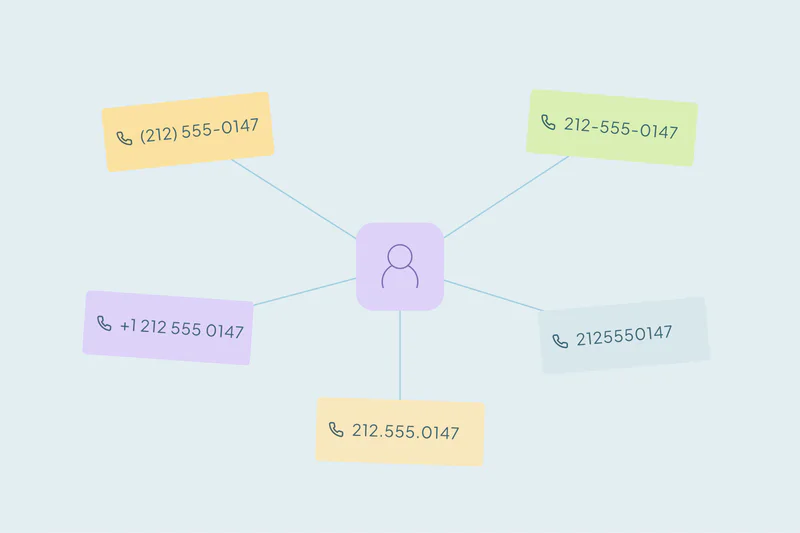
"(212) 555-0147" and "+1 212 555 0147" are one number to a person and two values to an exact match. Forms, imports, dialers and reps all store numbers differently. Our post on how phone and call-tracking apps create duplicate contacts covers one common source.
When the phone number is the only detail the two records share, the CRM has nothing else to connect them. Email may be missing, or different on each record.
Different owners for each record
Routing assigns each new record to a rep, and a duplicate can go to a different rep than the original. Each owner treats the person as their own prospect. Our post on how lead routing and ownership rules create duplicates covers that side.
Calling a prospect twice vs. calling a customer
Calling a prospect twice and cold calling a customer both start with a duplicate record. The customer case usually comes from duplicate companies that hide the customer status, covered in why sales keeps cold calling existing customers.
The prospect case is about people. Two records for one person reach two colleagues at once, often on the same day.
What it costs
A second call from the same company in one day feels careless to the prospect. It can end a conversation before it starts.
The team loses time too. Every repeated call is a dial that could have reached someone new, and each rep holds half of the history. Reps also stop trusting their views and start checking every number by hand.
The risk grows when one record says not to call. A "do not call" request on one record doesn't stop a colleague who opens the other.
How to stop calling the same prospect twice
Match phone numbers by their digits
Compare numbers after removing spaces, dashes, brackets and the plus sign. Comparing the last digits catches the same number with and without a country code. Our guide on how to match duplicate records by phone number goes deeper.
Confirm the match with a name
A phone number on its own can mislead. Main lines, switchboards and family landlines belong to several people. The same number with the same or a similar name is a much stronger match.
What counts as a duplicate is case by case, and what one team considers a duplicate, another may not. Agree on how to treat shared numbers before you merge.
Decide what the surviving record keeps
Before merging, decide which values win in the fields reps rely on:
- Owner: usually the rep who has worked the prospect most recently, or whoever your routing rules name.
- Status: the most advanced one, so a contacted prospect doesn't go back to "new".
- Do not call: if any record carries it, the surviving record should keep it.
- Phone: the working number, with the other kept in a second phone field if you have one.
Calls and notes should move to the surviving record, so the next rep sees the full history.
Merge the obvious duplicates first
Start with records that share the same name and the same number. Then review the less certain sets, like a shared number with two different first names.
Keep new duplicates off the call lists
Lists, forms and dialers keep adding records, so new duplicates appear every week. Once your rules are tested, you can merge new duplicates you're certain of, like exact matches on name and phone, automatically on a schedule.
How Dedupely stops reps from calling the same prospect twice
In Dedupely, you build duplicate searches that combine phone and name. Phone matching can ignore formatting and country codes and compare the last seven digits, so both versions of a number line up.
You set rules for which value wins, like owner or a do-not-call field, and preview each merge. Once tested, exact matches can merge automatically on a schedule.
One prospect, one record, one call
Reps call the same prospect twice when the CRM shows one person as two. Shared views put both records in front of the team, and a phone number in two formats keeps the CRM from connecting them.
Matching on phone digits and name, merging with the right owner and status, and catching new duplicates on a schedule fixes most of it. Reps get one record per person, with every call on it.
Frequently asked questions
Why do two sales reps call the same lead?
Usually because the lead exists as two records, and each one can appear in a shared list view or go to a different rep. Neither rep sees the other's call, since it was logged on the other record. Merging the duplicates puts every call on one record.
How do I find duplicate leads with different phone formats?
Compare phone numbers by their digits. Remove spaces, dashes, brackets and plus signs, then compare the last digits to catch numbers with and without a country code. Confirm each match with a name, since shared lines can belong to several people.
Is matching on phone number alone safe?
Not always. Personal mobile numbers are a strong sign of one person, but switchboards, main lines and family landlines are shared. Pair the phone number with a first and last name before merging, and review any sets where the names differ.
Which owner should win when merging duplicate leads?
It depends on your routing rules. Many teams keep the rep who has worked the prospect most recently, so calls and notes stay with the active owner. Decide the rule before merging, and tell reps how ownership will change on their records.
How do I stop reps from calling the same prospect again?
Merge existing duplicates, then catch new ones regularly. Lists, forms and dialers keep adding records, so check for duplicates by phone and name before call blocks. Once your rules are tested, merge exact matches automatically on a schedule and review the rest.




 Or sign up with Google