



TL;DR
- Sales often cold calls existing customers because a duplicate company record hides the customer status.
- Customer status usually sits on one company record, and a duplicate company record starts empty.
- Outbound tools exclude customers by reading fields, so an empty duplicate passes as a prospect.
- Merging duplicate companies and keeping the customer's status prevents many of these calls.
- Dedupely finds duplicate companies and merges them so customer status stays visible to reps.
A customer of three years gets a cold email pitching the product they already pay for. They forward it to their account manager with one line: "Do you know who I am?"
It's easy to blame the rep. Often, though, the rep did what the CRM told them. The company they called looked like a prospect, because the record they saw had no customer status, no owner and no deals.
In this post, you'll see how duplicate companies hide customers from reps and outbound tools, and where they come from. You'll also see how to keep customers off prospecting lists.
How a customer ends up looking like a prospect
Everything that says "this is a customer" tends to live on one company record. That includes the lifecycle stage, the won deals, the account owner and the support history.
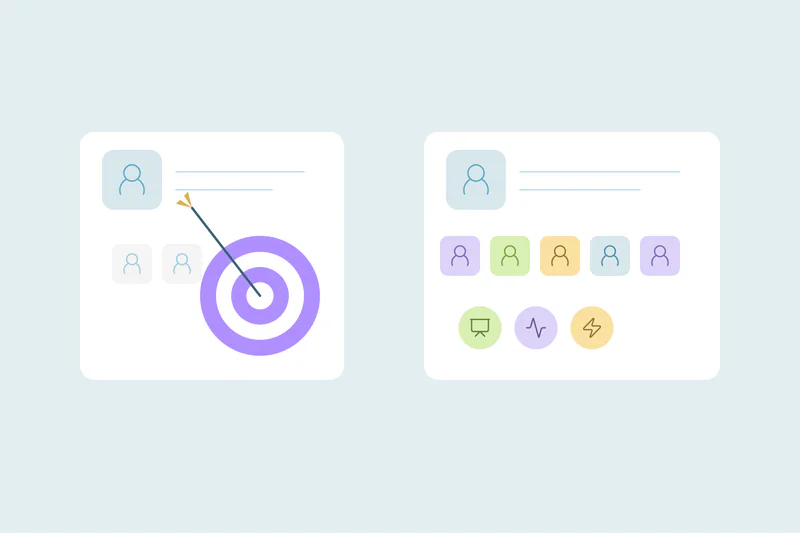
A duplicate company starts empty. It was created by a list, a tool or a rep, and it has none of that context. To anyone who opens it, and to any tool that reads it, it's a prospect.
The contacts follow the same pattern. A customer's contact linked to the duplicate company inherits its prospect status, even when the same person sits on the customer record too.
Why outbound tools miss the customer
Sales engagement and prospecting tools usually decide who to contact from CRM fields. A common setup excludes records where the lifecycle stage is "Customer", or where the company has an open or won deal.
That logic works when there's one record per company. With a duplicate, the tool reads the empty record and finds nothing to exclude. The exclusion was right; the record it read was the wrong one.
Lists built outside the CRM have the same gap. A target list matched to the CRM on company name finds "Acme" as a new account when the customer is stored as "Acme Inc."
Where the duplicate company comes from
Causes are case-specific, so check which of these apply to your CRM. Each one creates a company record that doesn't know about the customer.
Lead lists and prospecting tools
Purchased lists, enrichment tools and prospecting tools add companies in bulk. If their matching doesn't line up with how your customers are stored, they create a second record instead of finding the first.
Names written differently
"Acme", "Acme Inc." and "ACME Corporation" are one company to a person and three to an exact match. Suffixes, abbreviations and brand names are behind many of these, covered in how company suffixes like Inc. and LLC hide duplicates.
Different domains
Customers with country domains, a rebrand or a separate product site can show up under a domain that doesn't match the one on file. Matching on a company's core domain finds many of them, as in how to find duplicate companies by domain.
Contacts created without the right company
A new contact at a customer may be created with no company, or linked to a new one built from their email domain. The person then looks like a prospect at a prospect, even though their employer pays you.
What it costs
The customer notices first. A cold pitch to a paying customer says you don't know them. It can also land in the middle of a renewal or a support issue.
Customer success hears about it next. They spend time apologizing, and they may start to doubt what the CRM tells them about their accounts. For more on how split records affect that team, see how duplicates split customer histories in customer success.
Inside sales, it often turns into an ownership question: whose account is it, and who should have called? That side is covered in duplicate records from a sales manager's point of view.
How to stop prospecting your customers
Decide what counts as the same company
What counts as a duplicate is case by case, and what one team considers a duplicate, another may not. A subsidiary of a customer may be a real prospect for your team, with its own buyer and budget. Agree on how branches, subsidiaries and divisions are handled before you merge.
Find duplicate companies, starting with customers
Start with the obvious duplicates: companies that share an exact domain. Then look at names that differ only by suffix or capitalization. Check your customer accounts first, since those are the duplicates that lead to the wrong call.
Decide what the surviving company keeps
When a customer record merges with an empty duplicate, the customer's values should win. Decide this per field for lifecycle stage, owner and any customer field your outbound tools read. A merge that keeps the prospect's stage repeats the problem.
Check contacts after the merge
Once companies are merged, look at contacts linked to the customer that still show a prospect stage. Some of them will be duplicates of contacts you already have, and some will be new people at a customer. Both should know they're dealing with a customer.
Check lists against customers before they go out
Before a list goes into an outbound sequence, compare it with your customers on domain and name. It takes minutes and catches what the CRM missed, including companies that aren't in the CRM yet.
How Dedupely keeps customers off prospecting lists
Dedupely finds duplicate companies with no setup, and you can build duplicate searches on company domain and name. You set rules for which value wins field by field and preview each merge, so you can check that the customer's status survives. Associations move to the surviving company, so contacts and deals sit on the record reps see.
One customer, one company record
Reps and outbound tools cold call customers when they can't see that someone is a customer. Often, that's because the customer exists twice, and the record they're looking at is the empty one.
Merging duplicate companies, keeping the customer's values and checking lists before they go out removes much of the cause. The rest gets caught when reps report the customers they reach by mistake, and each report points to one more source to fix.
Frequently asked questions
Why are sales reps contacting our existing customers?
Often because the customer exists twice in the CRM. The rep or outbound tool sees a duplicate company with no customer status, owner or deals, so it lands on a prospecting list. Merging duplicate companies keeps the customer status visible.
How do I exclude customers from outbound sequences?
Exclude records by a field that marks customers, like lifecycle stage, and check lists against your customers before they go out. Exclusions only work when each customer has one company record. If duplicates exist, the empty record passes the filter, so merge duplicate companies first.
Why does a customer company show up as a new account?
A list, tool or rep created a second company record, usually because the name or domain didn't match the one on file. Suffixes like Inc., brand names and country domains are common reasons. The new record has no customer history, so it looks like a new account.
Should a customer's subsidiary be treated as a prospect?
It depends on your team: a subsidiary with its own buyer and budget can be a real prospect. One that buys through the parent may belong on the customer's account. Agree on the rule for branches and subsidiaries, and keep those records apart from your duplicate merges if needed.
Which values should win when merging a customer with a duplicate company?
Usually the customer's values. Keep the customer's lifecycle stage, owner and any customer field your outbound tools read, because keeping the prospect's values brings the problem back. Decide per field for each of these, and preview the merged result before anything changes in the CRM.




 Or sign up with Google
 Pipedrive Marketplace











