 Dedupely Intelligence





TL;DR
- You can merge while HubSpot and Salesforce sync, if each merge happens in both CRMs.
- A merge in one CRM leaves the other record active, so the duplicate stays.
- By hand, merge in Salesforce first, keep the synced record, then merge in HubSpot.
- Test a small batch and export the original values before any merge.
- Dedupely merges synced pairs in both CRMs in one action, with no custom fields.
Short answer: yes, you can merge duplicates while HubSpot and Salesforce sync, but each merge has to happen in both CRMs. Done by hand, that means merging in Salesforce first, keeping the record that syncs with HubSpot, waiting for the sync and then merging in HubSpot. With Dedupely, which connects to both CRMs, the two merges happen in one action.
This post covers why one-sided merges break the sync, the manual method step by step, what it takes to keep it running, and how Dedupely merges both sides at once.
What happens when you merge in only one CRM
HubSpot and Salesforce each keep their own records, and the sync links them in pairs. A merge only changes the CRM it's made in.
| Where you merge | What happens to the other side |
|---|---|
| Contacts in HubSpot | Only the primary contact keeps syncing. The Salesforce record linked to the other contact stops syncing to HubSpot. |
| Leads or contacts in Salesforce | If HubSpot is set to delete contacts when their Salesforce record is deleted, the HubSpot contact linked to the merged-away record is deleted. If the primary isn't the record HubSpot syncs with, that HubSpot contact stops syncing. |
| Companies in HubSpot | The linked Salesforce accounts aren't merged. The surviving company keeps syncing with its own account. |
So a one-sided merge leaves a duplicate on the other side, or a record that has quietly stopped syncing. Either way, the duplicate is still there.
Why merged records come back
Salesforce allows two leads or contacts with the same email. HubSpot doesn't, and it syncs with whichever matching Salesforce record was updated most recently. If you merge in HubSpot but leave both Salesforce records in place, the sync keeps overwriting the HubSpot contact from two sources, and a later update can create the duplicate again.
The fix is the same in every case: the merge has to cover both CRMs, with the surviving records still linked to each other.
The manual method: Salesforce first, then HubSpot
This is the usual way to merge synced duplicates without a tool that's connected to both CRMs. It follows HubSpot's own advice: when you merge in Salesforce, keep the record that's currently syncing with HubSpot as the primary.
- Stop merges from deleting HubSpot contacts. In HubSpot's Salesforce integration settings, set what happens when a Salesforce contact or lead is deleted to "Do nothing". Otherwise, merging in Salesforce deletes the HubSpot contacts linked to the merged-away records.
- Find the record each side syncs with. On a HubSpot contact, the Salesforce Lead ID or Salesforce Contact ID property shows which Salesforce record it's linked to.
- Add a field to mark the record you keep. Many teams create a checkbox field in Salesforce and a matching property in HubSpot, then map it so Salesforce's value always wins. It tells the HubSpot side which record survived the Salesforce merge. You need one per object you merge.
- Merge in Salesforce. Keep the record that syncs with HubSpot as the primary, and tick the marker field on it.
- Let the sync run. Check that the marker field has reached HubSpot before you go on.
- Merge in HubSpot. Keep the marked contact or company as the primary.
- Clean up what's left. With deletion set to "Do nothing", HubSpot contacts whose Salesforce record was merged away stay in HubSpot, unlinked. Review and merge or delete them. If a contact stopped syncing, use Resync on its Salesforce Sync card.
What the manual method takes
It works, and for a one-time cleanup of a few sets it's often enough. Over time, it adds up:
- Setup in both CRMs: a settings change, a field per object in each CRM and a field mapping.
- Two merges for every set, with a wait for the sync in between.
- A cleanup step for the records left unlinked in HubSpot.
- The same steps every time new duplicates come in.
- Companies and accounts are separate: HubSpot companies don't merge their Salesforce accounts, so they need the same process.
Which CRM to merge first
With the manual method, Salesforce first. When the Salesforce side is merged first, with the synced record kept as primary, each HubSpot contact still has the Salesforce record it syncs with, and the HubSpot merge only has to keep the right contact. If you merge in HubSpot first, the duplicate Salesforce records stay in place and can keep updating or bringing back the record you merged away.
When both CRMs are merged in one action, there's no order to manage.
Can you undo a merge?
Merges made in Dedupely in one CRM can be undone within 30 days from Merge History. The exceptions are merges made in HubSpot and Salesforce at once, and company merges in a HubSpot portal synced with Salesforce, so test those on a small batch first.
In the CRMs themselves:
- In HubSpot, a merge made in HubSpot is permanent, and by default the merged record gets a new Record ID.
- In Salesforce, the merged-away record goes to the Recycle Bin, which keeps deleted items for 15 days. Restoring it doesn't change the master record.
Before any merge in a synced setup, export the records you'll merge with their values and each record's ID in both CRMs.
What to settle before you merge
- Which value wins in each field when the two records disagree, like owner, lifecycle stage or phone.
- Which records to start with: exact email or domain matches first, fuzzier matches later.
- Where the original values are kept, so you can restore a field if a merge picks the wrong one.
- Permissions in both CRMs: the user that merges needs merge rights in HubSpot and in Salesforce.
How Dedupely merges synced HubSpot and Salesforce duplicates
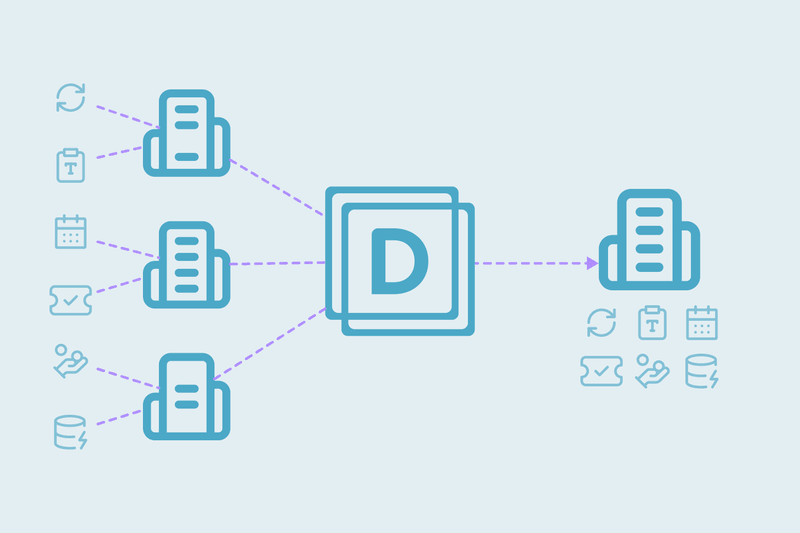
Dedupely detects an active HubSpot-Salesforce integration and merges the matching records in both CRMs in one action. There are no custom fields to create and no workflow changes.
You connect both CRMs to Dedupely and link them once in CRM Settings. From then on, you find and merge duplicates as usual. In Merge Preview, the HubSpot company synced with Salesforce stays the Primary Record, and a Salesforce Account merge keeps the Account that HubSpot syncs with. When you merge, the matching records are merged in both CRMs together, so the next sync doesn't bring the duplicate back.
If the two CRMs aren't linked and a match includes HubSpot companies synced to different Salesforce Accounts, Dedupely warns you before the merge. You can connect the Salesforce account or leave those matches out with a Safety Setting.
Every merge is logged in Merge History, and its CSV export keeps each original record's values and record IDs. A merge made in one CRM only can be undone within 30 days. Merges made in both CRMs at once, and company merges in a HubSpot portal synced with Salesforce, can't be undone, so start with a small batch.
For the full setup, see the help article How to merge duplicates in HubSpot and Salesforce without breaking the sync.
One merge, two CRMs
Synced duplicates have to be merged on both sides, with the surviving records still linked. By hand, that means merging in Salesforce first, then HubSpot, with a marker field, a settings change and a cleanup step. Dedupely does both merges in one action, keeps the synced records as primary and logs every merge.
Frequently asked questions
How do I deduplicate HubSpot and Salesforce without breaking the sync?
Merge each set in both CRMs, keeping the records that sync with each other as the primaries. By hand, merge in Salesforce first, then in HubSpot. With Dedupely, link both CRMs once and both merges happen in one action.
Which CRM should you merge first?
With the manual method, Salesforce, keeping the record that syncs with HubSpot as the primary. Then merge in HubSpot. When both are merged in one action, order doesn't matter.
Do you need custom fields to merge synced duplicates?
For the manual method, most teams add a field in both CRMs to mark the record they keep. Dedupely doesn't need any custom fields.
Can you undo a merge made in HubSpot and Salesforce?
Dedupely merges made in one CRM can be undone within 30 days. Merges made in both CRMs at once, and merges made in HubSpot itself, are permanent, so export the original values and record IDs first.
Should you pause the sync to remove duplicates?
Pausing only delays the problem: when the sync resumes, any record left active on one side comes back. Merge both sides instead.




 Or sign up with Google
 HubSpot Marketplace