



TL;DR
- Retail duplicates often start when store sign-ups and online orders don't find each other.
- Shoppers often give a different email or phone at the register than online.
- Placeholder phone numbers typed for walk-in customers can group unrelated shoppers together.
- Whether a household sharing one loyalty account is one record is case by case.
- Dedupely finds duplicate shoppers from stores and online in your CRM and previews each merge.
A shopper joins your loyalty program at the register, spelling their email out loud over the noise of the store. A month later, they order online with another email. Your CRM now has two customers, each with half of their purchases.
Retailers with physical stores collect customer data in two very different places. The online store has forms and validation. The register has a busy employee and a line of people waiting.
In this post, you'll see where store and online duplicates come from and what counts as a duplicate in retail. You'll also see which fields match shoppers best, how to handle placeholder values and what to decide before you merge.
Where duplicates come from when stores and online meet
Each channel that collects shopper details can create a record. When one channel can't find the record another one created, the shopper gets a second one.
Sign-ups at the register
Store employees type customer details while serving, often from what the shopper says aloud. Names get spelled the way they sound, and emails pick up typos. A typo in the email is enough for the next system to treat the shopper as new.
Loyalty programs
Loyalty sign-ups often happen in store, through the point of sale or a tablet. The online account may be created later with another email, or before the shopper ever visits. Unless something connects the two, the CRM holds a member and an online customer for one person.
Online orders
The online side brings its own duplicates, from guest checkouts to store integrations. Those are covered in how to find duplicate customers in an ecommerce CRM. For retailers with stores, the extra challenge is matching those records with the ones from the register.
Placeholder values at checkout
When a register requires a phone number or email, staff need something to type for shoppers who'd rather not share one. A dummy number gets them past the field and the line keeps moving.
Other in-store sources
Wi-Fi sign-ups, in-store events, email receipts and contest entries can also create records. Each arrives with whatever details that tool collects, which may be a first name and an email only.
Several stores
Retailers with many stores can also create duplicates when each store adds the same shoppers. CRM deduplication for multi-location businesses covers that side.
What counts as a duplicate in retail
What counts as a duplicate is case by case, and what one team considers a duplicate, another may not. Retail has a few cases worth deciding before you start matching.
Households
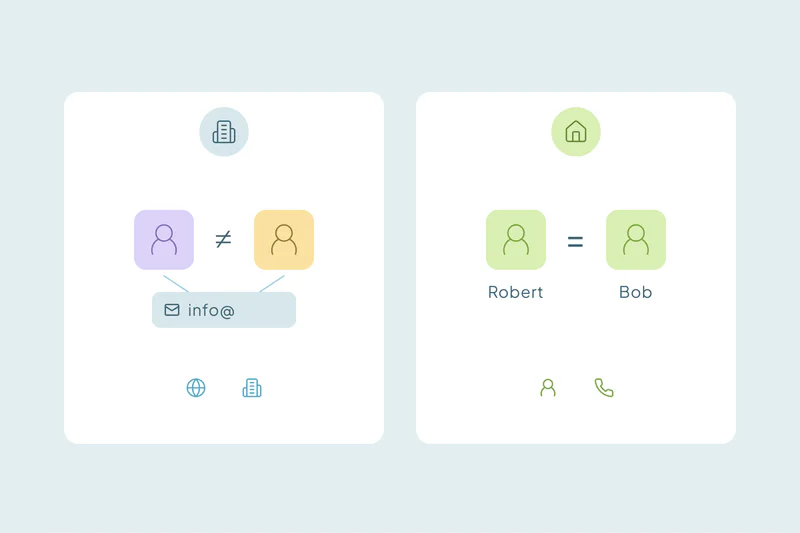
Partners and families often share a loyalty account, a phone number or an address. One retailer wants one customer per household, because marketing goes to the home. Another wants each person apart, because each one shops, earns points and gives consent on their own.
Trade and business buyers
Some stores sell to contractors, designers or other businesses as well as consumers. A trade account is a company with buyers, and it's matched differently from a shopper. B2B vs. B2C duplicates explains the difference.
Which fields match store and online shoppers
Store records and online records rarely carry the same fields. Here's how the usual ones compare when you match across both.
| Field | Why it helps | Watch out for |
|---|---|---|
| Strong when typed correctly | Typos at the register; a different email online | |
| Loyalty or member number | Strong, if the same number reaches the CRM from every channel | Only useful when stored in a CRM field |
| Phone | Often collected at the register; a mobile usually belongs to one person | Placeholder numbers; household landlines |
| Name with postal code | Helps when email and phone differ | Spellings taken down aloud; common names |
| Address | Strong for shoppers with deliveries | Gift orders shipped to someone else |
Start with the obvious duplicates
Find candidates by email or loyalty number, then confirm whether the record represents a person or a household. Shared accounts do not make their members duplicate people. Merge confirmed duplicates first, preserving each person's preferences and purchase links.
Then combine name with phone or postal code
Name with phone, or name with postal code, finds shoppers who used another email in store. Names taken down at the register often have small spelling differences, so allow for typos and review these matches before merging.
Keep placeholder values out of matching
A placeholder phone or email matches everyone who has it, so it can pull dozens of strangers into one set. A merge built on it can also overwrite a real value with a fake one.
- Spot them: look for values shared by many records with different names. A very large duplicate set is often a sign.
- Leave them out: exclude known placeholder values from the field you match on, and match those records on other fields.
- Keep them from winning: decide which value wins in a merge so a real phone or email beats a placeholder.
- Fix the source: let staff skip the field, or offer a "declined" option, so nobody has to invent a number.
What to decide before you merge
In retail, a merge decides which email, loyalty details and consent a shopper keeps. Decide these before the first merge:
- Email: the email the shopper uses to log in online may matter more than the one typed in store.
- Loyalty number: check how your loyalty and point-of-sale systems identify a member, so the next sync doesn't recreate the merged record.
- Consent: preserve applicable opt-outs and suppression status. Have the person responsible for consent check address, channel and purpose-specific preferences; merging records does not grant new permission to send.
- Home store: decide which store the customer belongs to when the records list different ones.
- Purchase history: purchases and activity from every record should end up on the surviving one, so lifetime value stays complete.
Keep new duplicates down at the register
Store sign-ups will keep coming, so some new duplicates are normal. A few habits keep their number low.
- Ask staff to search by phone or email before creating a customer at the register.
- Ask for the email the shopper uses online, so store and online records meet.
- Check which field your point-of-sale integration uses to find existing customers.
- Make phone or email optional at the register, so staff don't need a placeholder.
How Dedupely matches store and online shoppers
In Dedupely, search for shopper candidates by email, phone, name or postal code and filter out known placeholders. Review shared loyalty accounts and household details before merging people. Set surviving values, preserve applicable suppression status and preview the result. Check supported purchase and loyalty associations on a small sample.
One shopper, in store and online
Retail duplicates come from collecting customer details in two very different places. The register works fast and by ear, the online store works by form, and loyalty programs sit in between. When one channel doesn't recognize a shopper, it adds another record.
Exact email and loyalty number find the obvious duplicates, and name with phone or postal code finds many of the rest. Placeholders need to stay out of matching, and households stay your call. Once that's decided, every store and every campaign can see one shopper with every purchase.
Frequently asked questions
Why do retail stores create duplicate customers in the CRM?
Often because store and online channels collect different details for the same shopper. A register sign-up may have a typo in the email, and an online account may use another email entirely. Loyalty programs, Wi-Fi sign-ups and in-store events can each create one more record when they don't find the existing one.
How do I match in-store customers with online customers?
Start with exact email and loyalty number, if the loyalty number reaches your CRM. Then match name with phone, or name with postal code, to find shoppers who used different emails. Review those matches before merging, since household members and common names can look alike.
What should staff enter when a customer won't give a phone number?
Ideally nothing: make the field optional, or offer a "declined" option at the register. Made-up numbers group unrelated shoppers into one duplicate set and can overwrite real phone numbers in a merge. If placeholders already exist, leave them out of matching and match those records on other fields.
Should a household share one loyalty record?
It depends on your program: some retailers treat a household as one customer because marketing goes to the home. Others keep each person separate for points, purchases and consent. Decide which fits your program, then apply the same rule in every store and online.
What happens to purchase history when you merge duplicate customers?
It should move to the surviving record, so the customer keeps one complete history and lifetime value. Check how your merge tool handles activities and linked records first. Also check how your point-of-sale and loyalty systems identify customers, so the next sync doesn't recreate the merged record.



 Or sign up with Google
 HubSpot Marketplace











