

TL;DR
- B2B duplicates are people inside companies, matched on company domain and company name.
- B2C duplicates are individuals and households, matched on name, phone and address.
- Domain matching on personal emails like gmail.com groups unrelated consumers together.
- Whether a shared inbox or a shared home is a duplicate depends on your team.
- Dedupely finds duplicate people and companies, whether your customers are businesses or consumers.
A duplicate is two or more records for the same thing. What that "thing" is depends on who you sell to.
In B2B, a record is a person inside a company, or the company itself. In B2C, a record is an individual, often living in a household with other customers. The fields that prove two records are the same change with it, and so do the mistakes.
In this post, you'll see how B2B and B2C duplicates differ and which fields each model matches on. You'll also see where the two overlap, and what goes wrong when the rules get mixed up.
What a record represents in B2B and B2C
The difference starts with what each record stands for.
B2B: people inside companies
B2B data has two levels: companies and the people who work there. A duplicate can happen at either level. The same company can appear twice, and the same person can appear twice at one company.
The company is what ties the people together. That's why company details, like the website domain and the company name, carry so much weight in B2B matching.
B2C: individuals and households
B2C data is about individuals. There's no company to anchor them, so the person's own details do the work: name, phone, address and personal email.
Many consumers also share a home. Partners, parents and children can share an address, a phone number and sometimes an email.
How B2B duplicates are matched
Start with the obvious duplicates: exact email for people and exact domain for companies. Then combine fields for the rest.
Companies: domain, then name
The core domain of a company's website or email is often the strongest link between company records. Matching companies by domain covers why, and when country domains or subsidiaries complicate it.
Company name helps when the domain is missing. Suffixes like Inc. or GmbH can hide matches, so names are often compared without them.
People: email, then name with company
Work email is the first field for people. When a person has two emails at one company, name combined with company or domain finds them.
Shared inboxes
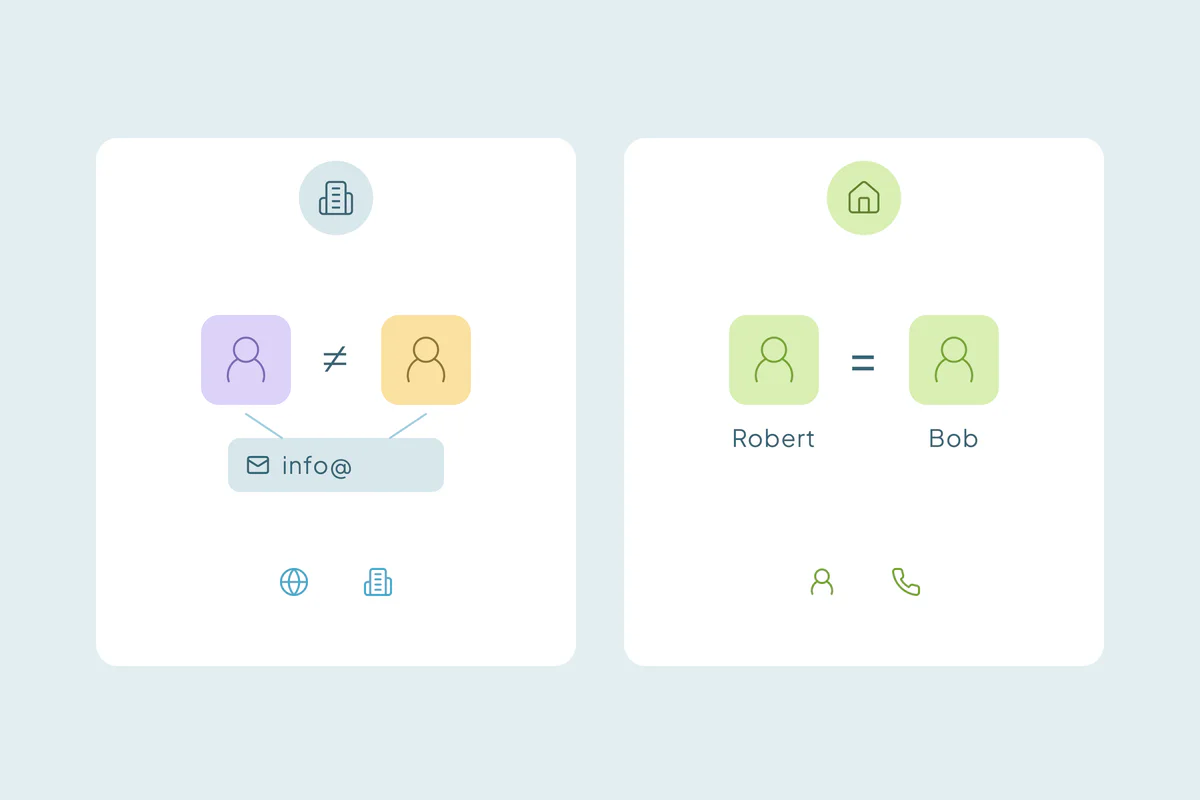
Addresses like info@ or sales@ belong to a team. Several people can use one, so matching on email alone can group different colleagues together.
How B2C duplicates are matched
B2C starts with exact email too. Consumers often use more than one email, though, so many duplicates need other fields to find.
Individuals: name with phone or address
Combine name with a field that stays stable for the person: phone number, or address with postal code. A match on name alone is weak, since common names repeat across unrelated people.
Name variations
Consumers type their own names, so typos, nicknames and spelling variants are common. Robert and Bob, or Sean and Shawn, can be one person. Matching that allows for these differences catches duplicates exact matching misses.
Households
A shared address or phone can point to one person entered twice, or to two people in one home. Some businesses treat the household as one customer, and others need each person kept apart. Duplicate customers in ecommerce covers households and gift orders in more detail.
B2B and B2C duplicates side by side
| B2B | B2C | |
|---|---|---|
| What a record is | A person inside a company, or the company | An individual, often in a household |
| Start with | Exact email; exact company domain | Exact email |
| Then try | Name with company or domain; company name without suffixes | Name with phone; name with address and postal code |
| Shared data | Shared inboxes, a company's main phone number | Household address, phone or email |
| Fields to leave out | Personal email domains in domain matching | Email as the only matching field |
| Common judgment call | Branches and subsidiaries that share a name or domain | Household members who share contact details |
Where B2B and B2C overlap
Many businesses don't fit neatly into one model. In these cases, what counts as a duplicate is case by case, and what one team considers a duplicate, another may not.
- Sole traders and freelancers: the person is the business, and a personal email is the company email.
- Businesses that sell to both: someone can buy personally and again for their employer, as two customers or one.
- Small businesses with personal emails: a shop owner using a gmail.com address can't be matched to a company by domain.
Decide which model each group of records follows, then match each group on its own fields.
What goes wrong when you use the wrong rules
Each model's best fields can cause mistakes in the other.
B2B rules on B2C data
Domain matching on consumer emails groups unrelated people who share a provider. Matching on email alone misses consumers who used a second address.
B2C rules on B2B data
Matching on phone or address can group colleagues who share an office or a main company number. Branches with the same name and address format can look like one company. Related records that look like duplicates covers how to keep those apart.
How Dedupely matches business and consumer records
Dedupely finds duplicate contacts and companies with no setup, whether your customers are businesses, consumers or both. You can also build duplicate searches on core domain for B2B or name with phone for B2C, allowing for typos, sound-alikes and nicknames. You preview each merge and reject false matches, like household members you keep apart.
Match on what makes your records the same
B2B and B2C duplicates differ because the records stand for different things. In B2B, people sit inside companies, so the domain and company name tie them together. In B2C, individuals and households carry their own details, so name, phone and address do the work.
Many teams have a bit of both. Deciding which model each group of records follows, and starting with the obvious duplicates, keeps one model's rules from creating mistakes in the other.
Frequently asked questions
What is the difference between B2B and B2C duplicates?
B2B duplicates are people inside companies, or the companies themselves, so they're matched on company domain, company name and work email. B2C duplicates are individuals, often in households, so they're matched on name combined with phone, address or personal email. Shared data differs too: shared inboxes in B2B, shared homes in B2C.
How do you find duplicate consumers in a CRM?
Start with exact email matches, since those are the easiest to confirm. Then match on name combined with phone number, or with address and postal code. Allow for typos, nicknames and spelling variants, and review matches that share an address, because household members can look like one person entered twice.
Can you match B2C customers by email domain?
Not reliably. Consumers use personal email providers like gmail.com, so a domain match groups unrelated people who share a provider. For consumers, match on the full email address, or on name with phone or address, and keep domain matching for business records.
Should household members be merged in a B2C CRM?
It depends on how you use the data. Some businesses treat a household as one customer for marketing or billing, while others keep each person apart for orders, consent or service. Decide which view you need, then reject matches between household members you keep separate.
Which fields identify a duplicate company in B2B?
The core domain of the company's website or email is often the strongest field, with personal email domains left out. Company name, compared without suffixes like Inc. or Ltd., helps when the domain is missing. Review branches or subsidiaries that share a name before merging them.


 Or sign up with Google