Fast, simple and easy mass merging of Salesforce contacts.
Catch what the bulk loads let through
Records written by a data loader or an external sync skip the checks a rep would trigger. The same person lands twice. Duplicate contacts spread quietly from there.
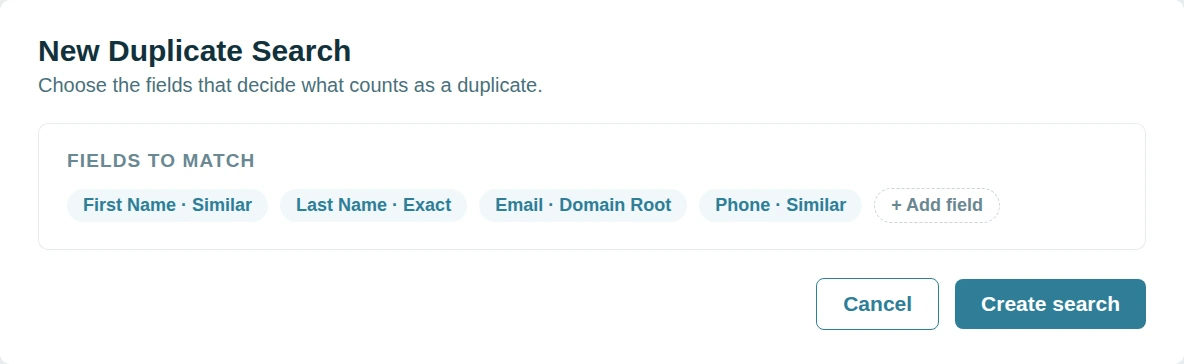
Dedupely matches Contacts in Salesforce on any synced field however they were filed.
Find them across Accounts
A Contact under the wrong Account keeps its call history with it. The activity sits where nobody looks. The rep who needs it never sees it.
Dedupely groups everyone at the same company by their email domain.
Nothing merges before you say so
A confirmed non-duplicate that keeps coming back erodes trust fast. Teams stop believing the matches. Then they stop using the tool.
Dedupely holds every match for approval and a rejected match stays rejected.

Chatter posts move with the record
A Salesforce merge keeps the feed of the record that survives and drops the rest.
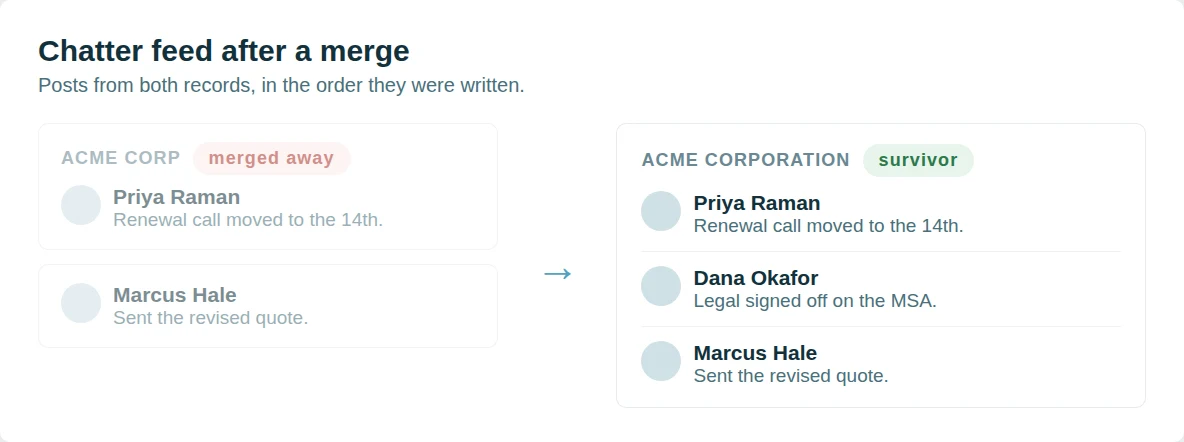
Dedupely re-parents the Chatter feed instead. Posts, comments and @mentions from every record in the group are attached to the survivor, in the order they were written, so the conversation about an account reads as one thread rather than the part that happened to be on the winning record. Nothing is written to your org beyond the merge itself.
Followers come across as well.
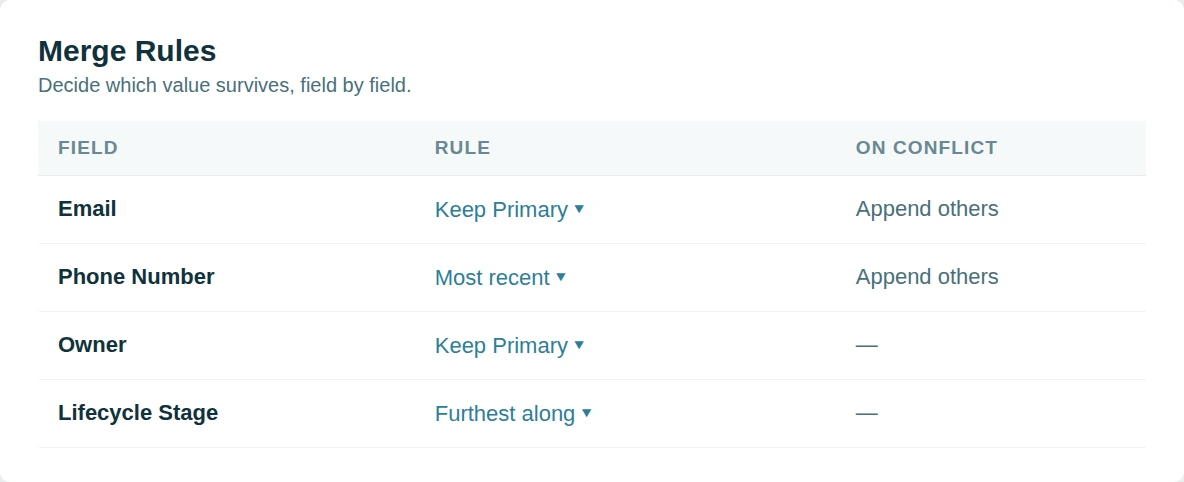
Anyone following a record that merged away follows the survivor, so a rep does not silently stop receiving updates on an account they were watching. Merge History records the feed that moved with every other value the merge kept.
Why Dedupely?
Dedupely offers something others don't.
The big Salesforce dedupe names are built for certified admins. Teams tell us the rules take training to write and the pricing takes a committee to approve. Some vendors now turn away smaller orgs altogether.
Dedupely keeps it simple. Core features are on every plan, custom objects included, and the price follows the records you sync rather than seats. All features included in yearly subscriptions.
Nothing installs inside your org and your rules and workflows stay untouched. Support is unlimited, and on a large org we go through your Match Options with you before anything merges.

"I was really pleased with Dedupely. It's highly configurable and works well when used manually or for automated deduping. And the customer service is incredible. Responsive and incredibly helpful."
 Salesforce AppExchange
 Merge duplicates by object in Salesforce


Start merging in 5 minutes
Three steps from org to first merge
-
Connect your org
OAuth, with the REST API enabled.
-
Match any field
Standard or custom, exact or similar.
-
Merge through the API
In bulk, one by one, or scheduled.

Salesforce customer stories
How other teams cleaned up their duplicates
- 6,000+ duplicate records merged How a Personal Injury Law Firm Merged 6,000+ Duplicate Salesforce Records of Providers, Firms and Insurers with Dedupely Read the story
- 140,000+ duplicate records merged How a Healthcare Software Company Stopped Cleaning the Same Duplicates Twice in HubSpot and Salesforce with Dedupely Read the story
- 200+ account matches merged a month, on average How a Retailer Stopped Its Sales Team Guessing Which Account to Use in Salesforce with Dedupely Read the story
20,000+ businesses
feel the magic









"Dedupely is now my go-to deduplication tool when working with clients. Their product is best-in-class, [...] is both very easy to use/learn and highly customizable for more complex scenarios."

"The application works great and when I was having difficulty setting up the matching rules their customer support was responsive and helped me get on the right track!"
Questions about duplicate contacts in Salesforce

The surviving contact keeps the account your Merge Rules select. Contacts under different accounts can be merged, but review that choice before a bulk run.
Tasks, events and email history from both contacts move to the survivor.
Any field on the Contact object, standard or custom, and several combined in one search.
Salesforce marks it merged and keeps it referenced by the survivor. Merge History records which record was kept and which values it took.
Get started for free
20 free trial merges and as much free support as you need to get your duplicates under control.


Grattan H
Pipedrive User
 Pipedrive Marketplace
 Running CRM cleanup for clients? See the Partner Program












