Get back control over your Salesforce accounts.
Put one rep on one customer
The same customer under two names lands in two territories. Two reps end up working one account. Nobody notices until a customer you closed gets cold-called.
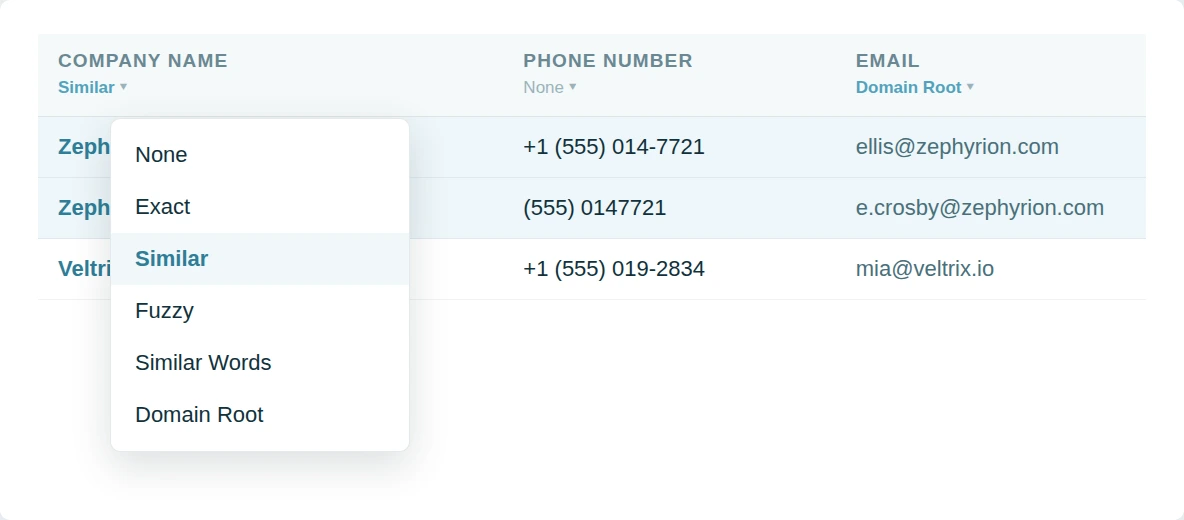
Dedupely groups duplicate accounts in Salesforce by name in any order or by domain.
Make the reporting add up
Expansion split across two Accounts reads as two smaller customers. Churn on one record reads as churn for the relationship. The numbers mislead in both directions.
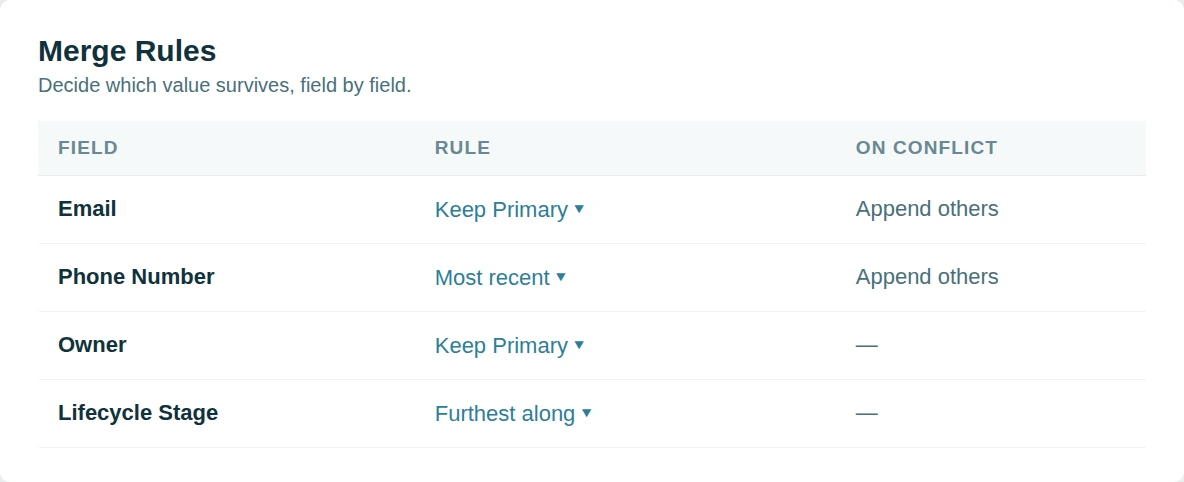
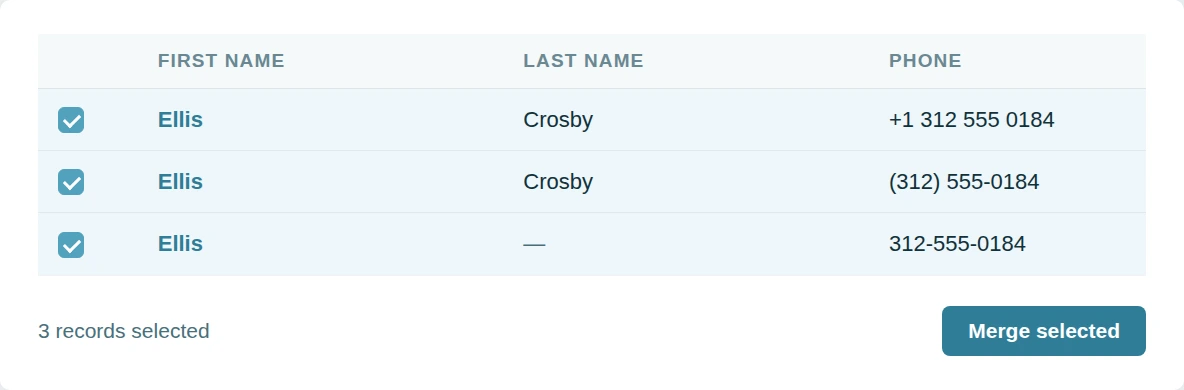
Dedupely merges duplicate Accounts and puts the pipeline back under one customer.
Take on the inherited org
An org you did not build carries years of imports. There is no record of which Account was meant to survive. Account deduplication by hand never catches up.
Dedupely mass merges with rules you set and support on every plan.
Chatter posts move with the record
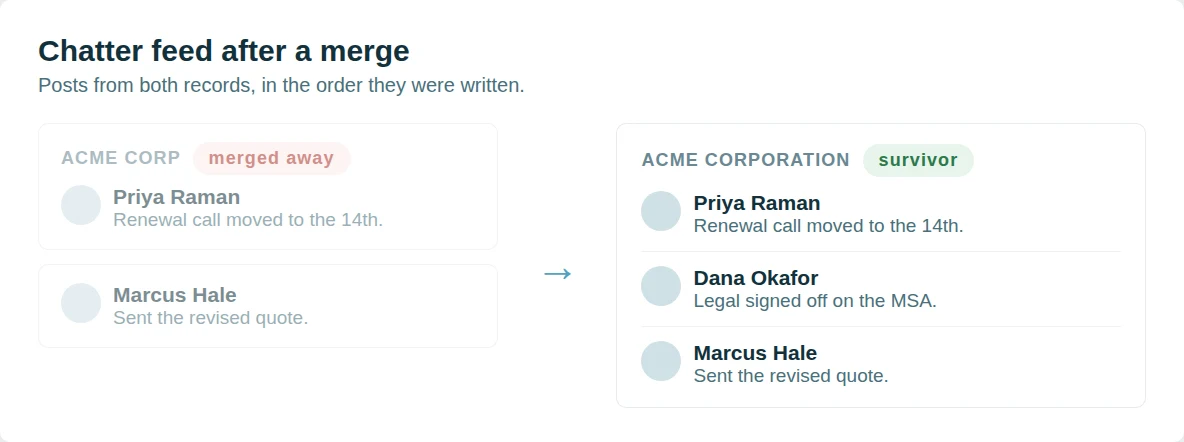
A Salesforce merge keeps the feed of the record that survives and drops the rest.
Dedupely re-parents the Chatter feed instead. Posts, comments and @mentions from every record in the group are attached to the survivor, in the order they were written, so the conversation about an account reads as one thread rather than the part that happened to be on the winning record. Nothing is written to your org beyond the merge itself.
Followers come across as well.
Anyone following a record that merged away follows the survivor, so a rep does not silently stop receiving updates on an account they were watching. Merge History records the feed that moved with every other value the merge kept.
Why Dedupely?
Dedupely offers something others don't.
The big Salesforce dedupe names are built for certified admins. Teams tell us the rules take training to write and the pricing takes a committee to approve. Some vendors now turn away smaller orgs altogether.
Dedupely keeps it simple. Core features are on every plan, custom objects included, and the price follows the records you sync rather than seats. All features included in yearly subscriptions.
Nothing installs inside your org and your rules and workflows stay untouched. Support is unlimited, and on a large org we go through your Match Options with you before anything merges.

"I was really pleased with Dedupely. It's highly configurable and works well when used manually or for automated deduping. And the customer service is incredible. Responsive and incredibly helpful."
 Salesforce AppExchange
 Merge duplicates by object in Salesforce


Start merging in 5 minutes
Three steps from org to first merge
-
Connect your org
OAuth, with the REST API enabled.
-
Match any field
Standard or custom, exact or similar.
-
Merge through the API
In bulk, one by one, or scheduled.

Salesforce customer stories
How other teams cleaned up their duplicates
- 6,000+ duplicate records merged How a Personal Injury Law Firm Merged 6,000+ Duplicate Salesforce Records of Providers, Firms and Insurers with Dedupely Read the story
- 140,000+ duplicate records merged How a Healthcare Software Company Stopped Cleaning the Same Duplicates Twice in HubSpot and Salesforce with Dedupely Read the story
- 200+ account matches merged a month, on average How a Retailer Stopped Its Sales Team Guessing Which Account to Use in Salesforce with Dedupely Read the story
20,000+ businesses
feel the magic









"I was really pleased with Dedupely. It's highly configurable and works well when used manually or for automated deduping. And the customer service is incredible. Responsive and incredibly helpful."

"Dedupely is now my go-to deduplication tool when working with clients. Their product is best-in-class, [...] is both very easy to use/learn and highly customizable for more complex scenarios."
Questions about duplicate accounts in Salesforce

The survivor keeps its parent, and child accounts of the secondary re-parent to it rather than being orphaned.
All of them re-point at the surviving account.
The survivor keeps its own owner and sharing by default. Set the owner field explicitly in Merge Rules if a particular one needs to win.
Domain Root on the website field is the most reliable, with Similar Words on the name as a second pass for records that have no website.
Get started for free
20 free trial merges and as much free support as you need to get your duplicates under control.


Larry D
Pipedrive User
 Pipedrive Marketplace
 Running CRM cleanup for clients? See the Partner Program












