 Dedupely Intelligence




TL;DR
- The same number often sits in Mobile on one record and Phone on the other.
- A search that compares Phone with Phone, and Mobile with Mobile, misses that pair.
- You need a comparison that checks one phone field against the other.
- Format differences, like country codes and dashes, need handling too.
- In Dedupely, Dedupely Intelligence compares phone with mobile automatically.
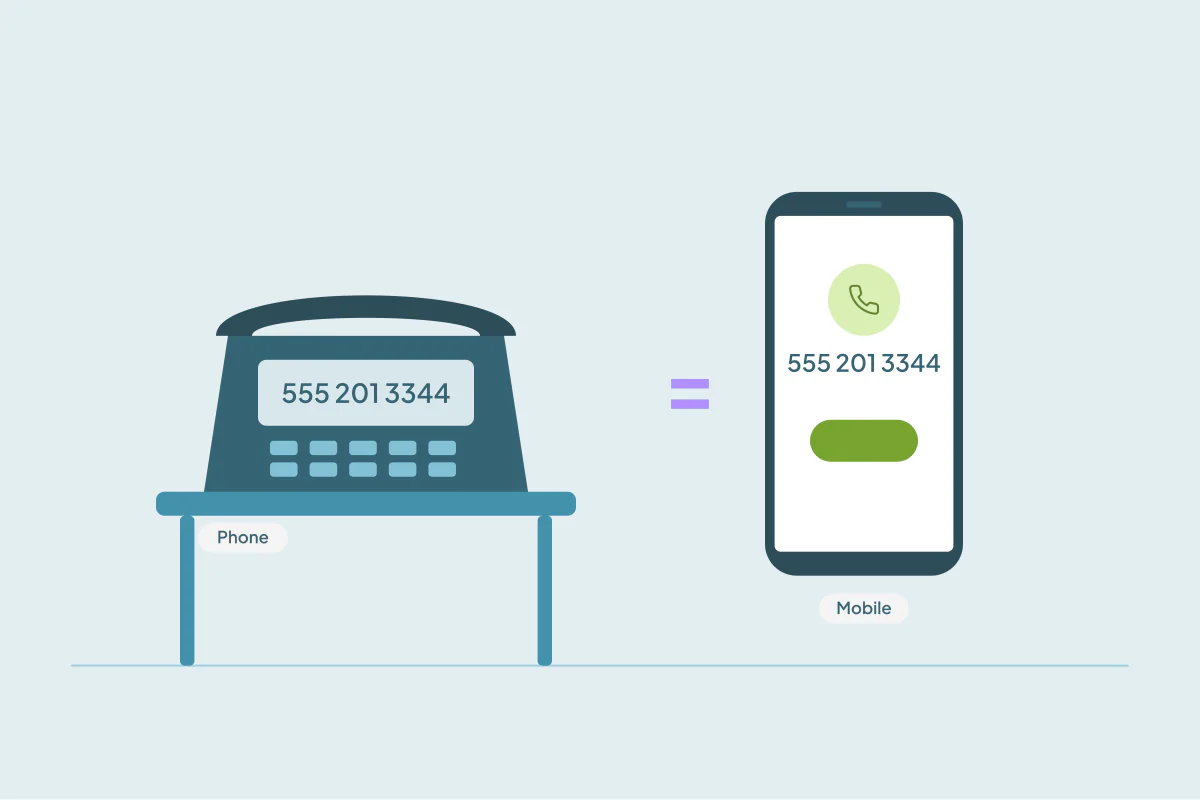
A rep logs a call and saves the number in the Phone field. A month later, a form or a phone app adds the same person with the number in Mobile. Same number, same person, two records, and a standard search compares Phone with Phone and Mobile with Mobile. It never sees the match.
This is one of the most common hidden duplicates in CRMs that use phone numbers heavily. This post covers why numbers end up in different fields and how to match across them.
Why numbers land in different fields
Most CRMs have several phone fields: Phone, Mobile, Work, Home, Other. Which one gets filled depends on who or what creates the record:
- Reps type the number into whichever field they see first.
- Forms map their single phone question to one field, often the main Phone field.
- Phone and call-tracking apps may write to a mobile or a custom field.
- Imports map the spreadsheet's phone column to whatever field was chosen that day.
- Enrichment tools add a mobile number to a record that already has an office line.
Over time, the same number is spread across different fields on different records.
Why a standard search misses them
A standard search compares each field with the same field on the other record. Record A's Phone is compared with record B's Phone. If A has the number in Phone and B has it in Mobile, the Phone comparison sees a number and a blank, and the Mobile comparison sees a blank and a number. Neither matches.
Adding both fields to the search doesn't fix it on its own, because the comparisons still run field by field.
Matching across phone fields
Matching across fields compares a value with the other phone fields on the record, not only with the same field. Record A's Phone is checked against record B's Phone and Mobile. If the number appears in either, it counts.
| Record A | Record B | Same-field match | Across-field match |
|---|---|---|---|
| Phone: 555 201 3344 | Mobile: 555 201 3344 | No | Yes |
| Mobile: +1 555 201 3344 | Phone: (555) 201-3344 | No | Yes, if formats are handled |
| Phone: office line | Mobile: personal number | No | No (different numbers) |
Not every tool does this. Some only compare a field with the same field, and some swap text fields but not phone numbers. Check how yours handles it before you rely on a phone search.
Formats still matter
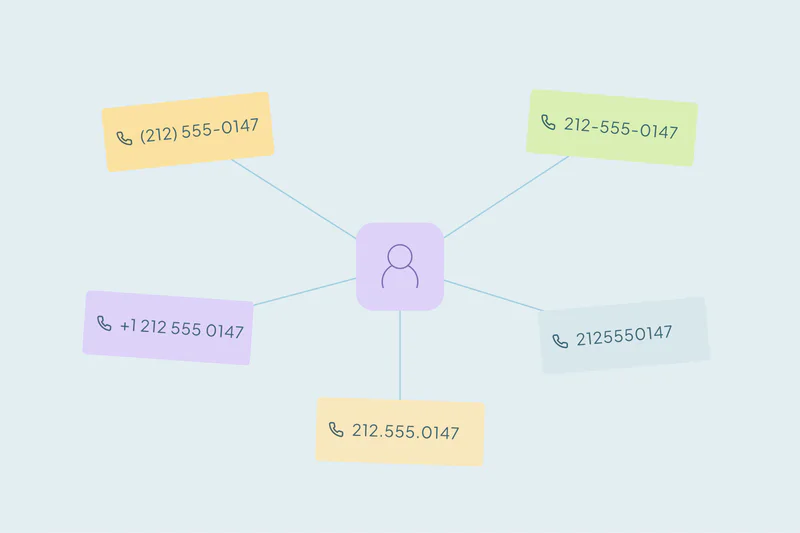
Even in the right field, the same number can be written many ways: with or without a country code, with dashes, spaces or parentheses. A comparison that ignores formatting and looks at the digits handles most of these. How to match duplicate records by phone number covers formats in detail.
Watch for shared numbers
The office main line is the exception. If many contacts at one company have the reception number in their Phone field, any phone match groups them together. Pair phone with a name field, or review large phone matches by hand.
How Dedupely matches phone numbers across fields
In Dedupely, Dedupely Intelligence compares phone with mobile, and email with a second email, automatically. It runs on Contacts, Companies and Leads, and you review and merge its matches yourself. In your own Duplicate Searches, the Similar match option on phone numbers strips formatting, hyphens, parentheses and country codes and compares the last seven digits. Cross-field matching in Duplicate Searches catches values swapped between the fields of a match, like a name and a company entered the wrong way round, but it doesn't swap phone or number fields.
Safety Settings, on by default, set aside matches with more than 20 records, which is where a shared switchboard number usually shows up.
One number, any field
The same phone number in different fields is still the same number. A comparison across phone fields lets you see that, and digit-based comparison handles the formats.
Compare every phone field you use, add a name field to keep shared office lines from grouping colleagues, and review the largest sets before merging.
Frequently asked questions
Why don't contacts with the same number in different fields show up as duplicates?
Because a standard search compares each field with the same field on the other record. A number in Phone on one record and Mobile on the other never gets compared.
How do I match a phone field with a mobile field?
Use a tool that compares one record's Phone with the other record's Mobile. In Dedupely, Dedupely Intelligence does this automatically.
Should I match phone numbers across all fields?
Only across fields that hold phone numbers. Comparing a phone field with an unrelated field creates false matches.
What about different phone formats?
Use a comparison that ignores formatting and compares the digits. Country codes, dashes and parentheses then stop blocking matches.
Why did my phone search group a whole company together?
They probably share the company's main line. Add a name field to the search, or review large phone matches by hand.




 Or sign up with Google
 HubSpot user