



TL;DR
- Inflated CRM reports often mean one customer, lead or deal exists on several records.
- Inflated numbers hurt the person presenting them more than the reps who created the records.
- A number presented with its gap and cause keeps more trust than a silent correction.
- Merging the duplicates fixes every report on those records, while a report filter fixes one.
- Dedupely sizes and merges the duplicates behind a report, with a history of every merge.
CRM reports come out inflated when the same customer, lead or deal exists on more than one record. The report counts records, so every duplicate adds one more to the total.
If you're the one presenting, you feel it first. A sales manager walks into a pipeline review with a number that doesn't hold. A consultant shows a client a report that comes out at twice what it should be, and the client starts doubting the CRM.
In this post, you'll see why inflated reports land on the presenter and what to say before or during the meeting. You'll also see how to fix the records so the next report holds.
Why the numbers come out too high
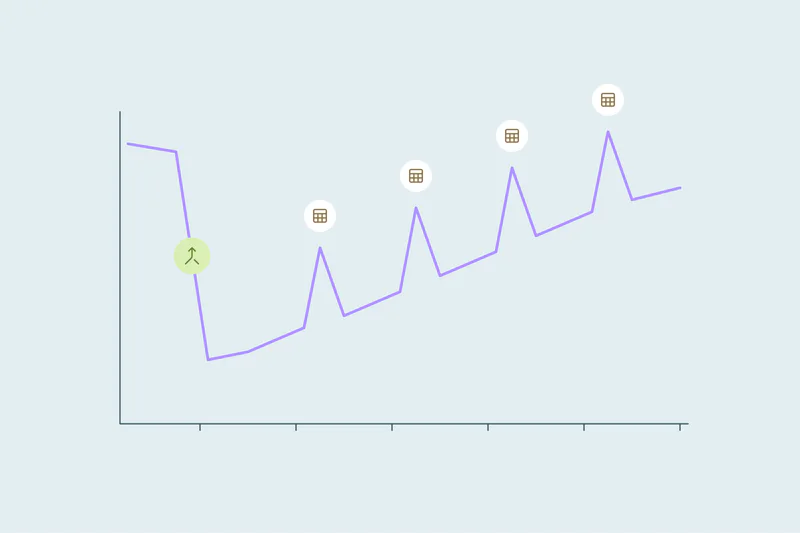
Most reports count records: customers, new contacts, new companies, open deals. A person or company on two records counts twice, even though nothing new arrived.
Inflation often shows up after a data event, like an import, a migration, an event list or a new integration. Rates like conversion and win rate move too, often downward. The signs and a quick check for each report are covered in how to tell if duplicates are skewing your reports.
Why it lands on the person presenting
Reps rarely see reports in full, so a duplicate costs them a few minutes at most. The cost shows up one level higher, with whoever has to stand behind the total.
Sales managers
A forecast built on duplicate deals looks bigger than it is. When it misses, leadership asks the manager why. Duplicate deals and their effect on forecasts are covered in duplicate deals and how they inflate your pipeline.
Leadership
One consultant described the pain sitting more with sales managers, marketing leaders and CEOs than with frontline reps. Once leaders catch one wrong number, they question the next report too, even when it's right.
Consultants and agencies
A consultant shows a client numbers from the client's own CRM. When clients can't pull the numbers they need, some start to think the CRM isn't the right tool. Then the project the consultant built takes the blame.
What to do when you find out before the meeting
You won't fix every duplicate the night before a review. You can still present a number people can trust.
Say what the number counts
"1,240 company records" and "1,240 customers" are different claims. If you know the records include duplicates, label the number as records and give your estimate of unique customers next to it.
Give the gap and its cause
A short line works: "About 120 of these are duplicate companies from the list import in March. The real count is closer to 1,100." A known gap with a cause sounds like control. A silent correction found later sounds like something was hidden.
Don't patch the report quietly
A filter that hides some duplicates in one report leaves them in every other report. If you use one, say so, and treat it as temporary.
Bring a date for the fix
Leaders want to know when the number will be right. "We're merging duplicate companies this month; the next report will reflect it" turns a problem into a plan.
What to do when someone else spots it in the meeting
Sometimes a leader or client sees it first: a customer count that doesn't match finance, or one company listed twice. Arguing for the number rarely works.
Acknowledge the gap, say what you think causes it and commit to a follow-up with a corrected number and a date. Then send that follow-up with what you found, how many duplicates were involved and what you're doing about them. The follow-up rebuilds more trust than the original number would have.
Fix the records so the next report holds
Reports read records. Merging the duplicates fixes every report built on them at once, including the ones nobody has looked at yet.
Start with the objects your reports count
If the customer count is wrong, start with companies. If the pipeline is wrong, start with deals and the companies they sit on. Exact matches on email or domain come first, since they need the least review.
Decide which values win in the fields reports read
Reports group and filter by fields like source, lifecycle stage, owner and amount. When two records merge, one value survives in each field. Decide which one per field, or the merged record may land in a different column of the report.
Agree on what counts as one customer
What counts as a duplicate is case by case, and what one team considers a duplicate, another may not. Two branches can be one customer for revenue and two for territory. Agree on it with the people who read the report.
Announce the drop, and keep a record of it
After the merge, counts go down, so tell readers before the next report how many records were merged and why. A record of every merge lets you show what changed, which matters most when a client asks. More on that in why you need a record of every merge in your CRM.
To watch the trend between reports, track your duplicate rate and the other numbers worth watching.
How Dedupely helps you present numbers you can stand behind
Every duplicate search in Dedupely shows how many matches and records it found, so you know the size of the gap before you present. You set rules for which value wins in the fields your reports read and preview each merge. Every merge is saved in a history you can export as a CSV, so you can show leadership or a client what changed.
A number that holds in the room
Inflated reports start with duplicate records, but the person presenting pays for them. One wrong number makes leaders and clients doubt the next one, and sometimes the CRM itself.
Saying what a number counts, naming the gap and its cause and bringing a date for the fix protects your credibility in the meeting. Merging the duplicates, with a record of what changed, makes the next report one you don't have to explain.
Frequently asked questions
Why are my CRM report numbers higher than expected?
Often because the same customer, lead or deal exists on more than one record, and the report counts records. Imports, migrations, event lists and new integrations are common moments when duplicates arrive. Compare the count with unique emails or domains to see how much of the gap duplicates explain.
How do I explain inaccurate CRM data to leadership?
Say what the number counts, give the size of the gap and name its cause. For example: "About 120 of these are duplicate companies from an import." Then give a date for the corrected number. A known, explained gap keeps more trust than a correction discovered later.
Should I filter duplicates out of a report?
Only as a stopgap: a filter hides duplicates in one report but leaves them in every other report. If you filter, say so in the report itself. Merging the duplicates fixes every report built on those records at once, including reports nobody has opened yet.
Why do my numbers drop after a CRM cleanup?
Because merged duplicates no longer count twice. Customer, contact and deal counts go down, and rates like conversion can go up. Tell readers how many records were merged and why before the next report, so the drop reads as a correction.
How do consultants handle duplicates in a client's reports?
A good approach is to set expectations early: counts will drop once duplicates are merged. Size the duplicates before the first report and agree with the client on what counts as one customer. A record of each merge then shows the client what changed.



 Or sign up with Google


 HubSpot Marketplace












