



TL;DR
- A duplicate deal is a second deal record for a sale already in your pipeline.
- Duplicate deals usually have more than one cause, and several can run at once.
- Duplicate deals inflate pipeline value and forecasts, and can lead to double commissions.
- Whether a renewal counts as a duplicate deal depends on how your team reports.
- Dedupely finds duplicate deals and merges them by your rules, with a preview first.
Pipeline is one of the numbers leadership watches most closely. When the same sale shows up twice, that number is wrong, and so is every forecast and report built on it.
Duplicate deals often get less attention than duplicate contacts. Like any duplicate, they wear down trust in the CRM. They also touch money: one sale can be counted twice in a forecast, worked by two reps and paid out twice in commission.
In this post, you'll see where duplicate deals come from and what they cost. You'll also see how to tell a duplicate from a legitimate second deal, and how to find and merge them.
What is a duplicate deal?
A duplicate deal is two or more deal or opportunity records that represent the same sale to the same customer. Whether two deals are the same sale depends on how your team defines one.
Where duplicate deals come from
Duplicate deals rarely have a single cause. In many CRMs, several of these sources run at once.
Reps creating the same deal twice
A sales development rep creates a deal at handoff, and the account executive creates another one at the first call. Or two reps working the same account each open a deal for one request.
Each rep sees a deal they created and doesn't search for the other one first.
Integrations
Billing, ecommerce and quoting tools often create deals in the CRM. If an integration sync runs twice, retries after an error, or creates a deal per payment instead of per sale, duplicates follow.
These tend to appear in batches, all with the same creation source and similar timestamps.
Form workflows
Some teams create a deal automatically when someone fills in a demo or pricing form. If the same person submits twice, or fills in two different forms, the workflow can create two deals.
Renewals
Renewal automation creates a new deal before a contract ends. If a rep has already created one by hand, or the automation runs twice, the renewal appears twice.
Returning customers
Some subscription buyers subscribe, cancel and come back, sometimes more than once. Each return can create a new deal, and the old ones stay open or get reopened.
Over a few cycles, one customer can end up with a long list of deals. Nobody can tell which one is current.
What duplicate deals cost
Every duplicate record costs some trust in the CRM. Duplicate deals add a direct cost on top, because they touch money.
An inflated pipeline and wrong forecasts
Two open deals for one sale double that sale's value in the pipeline. Forecasts built on it promise revenue that will only arrive once.
When one of the two closes and the other stays open, the open one keeps sitting in the pipeline. It can stay there for months, counted in every forecast.
Double commissions
If two deals for one sale are both marked won, a commission can be paid twice. If they belong to different reps, both may claim the sale.
Sorting that out after payroll is harder than merging the deals before it.
Wrong reporting
Duplicate deals skew more than pipeline value:
- Win rate: a duplicate marked lost lowers it, even though the sale closed.
- Average deal size and deal count: both shift when one sale counts twice.
- Sales cycle length: a deal created late at handoff makes the cycle look shorter.
- Activity history: calls and emails are split across records, so neither deal shows the whole story.
When two deals aren't duplicates
This is where deals get harder than contacts. Two deals for the same customer are often legitimate, and what team A considers a duplicate deal, team B may not.
| Situation | Some teams treat it as | Other teams treat it as |
|---|---|---|
| A renewal next to the original deal | A separate deal for each contract period | One deal, updated each year |
| A customer who cancels and comes back | A new deal for each return | One deal for the customer, reopened |
| An upsell or a second product | A separate expansion deal | Part of the original deal |
| Two branches of one company buying | Two deals, one per branch | One deal for the whole account |
| Two open deals for one company with the same amount and close date | A duplicate to merge | Two real orders that happen to match |
None of these answers is wrong. What matters is that your team picks one, writes it down and applies it the same way every time.
How to find and merge duplicate deals
Once your team agrees on what a duplicate deal is, finding them follows the same order as any other object.
Start with the obvious ones
Look for open deals linked to the same company with the same amount and close date. These are usually the most obvious duplicates and the safest to merge first.
Then widen the search to other matching fields, like the same deal name and company. Similar amounts with close dates a few days apart are worth a look too, reviewed before merging.
Look at where they were created
Group the duplicates you find by creation source. If many came from one integration or one form workflow, those are the new deals to watch.
Decide which value wins
Before merging, decide field by field which value survives. Owner matters most, because it decides who gets credit and commission.
Amount, stage and close date need a rule too, such as keeping the most advanced stage. Make sure the merged deal keeps its linked contacts, company and activity.
Check what's linked to each deal
Duplicate deals often hold different pieces of the sale. One has the quote and line items, and the other has the call notes and the signed contract.
Look at what's attached to each record before you merge. If your CRM keeps the associations and activity of both deals, nothing is lost. If it doesn't, move what matters first.
Merge before the numbers are locked
Merge duplicate deals before a forecast is submitted or commissions are calculated. Once a duplicate is paid out or reported, fixing the record no longer fixes the number.
How Dedupely cleans duplicate deals out of your pipeline
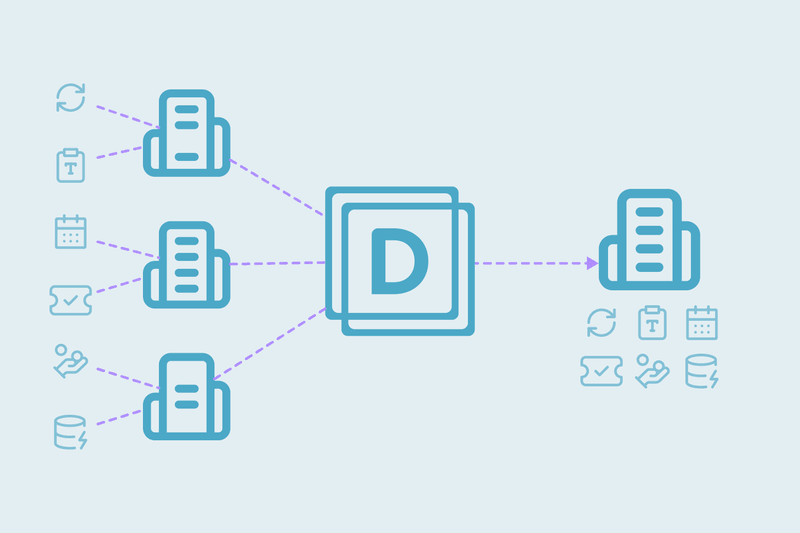
In Dedupely, you build duplicate searches for deals on the fields that define a sale for your team, like company, amount and close date. You set rules for which value wins for owner, amount and stage, and preview each merge. Unclear sets go to review, and renewals you keep apart can be rejected so they don't come back.
A pipeline you can trust starts with one deal per sale
Duplicate deals come from reps, integrations, form workflows, renewals and returning customers. Besides the lost trust every duplicate brings, they cost money: inflated pipeline, wrong forecasts and commissions paid twice.
The hard part is deciding which deals are duplicates, because a renewal or a returning customer means different things to different teams. Once your team agrees on that, the obvious duplicates go first and merges follow clear rules for owner and amount. The pipeline then reflects real sales again.
Frequently asked questions
What causes duplicate deals in a CRM?
Several sources, often at once. Reps create the same deal at handoff, integrations sync twice or create a deal per payment, and repeat form submissions trigger workflows again. Renewal automation and subscription customers who cancel and return can also leave several deals for one customer.
How do duplicate deals affect forecasting?
They inflate it. Two open deals for one sale double its value in the pipeline, so the forecast promises revenue that will only arrive once. If one closes and the other stays open, the leftover deal keeps counting in every forecast until someone removes or merges it.
Is a renewal a duplicate deal?
It depends on your team. Some teams keep a separate deal per contract period, while others keep one deal per customer and update it each year, and both work. Pick one approach, write it down, and apply it the same way every time.
How do I find duplicate deals?
Start with open deals linked to the same company that share the same amount and close date. Those are usually the most obvious duplicates. Then check deals with the same name or similar amounts, and group them by creation source to see where they come from.
Which owner should a merged deal keep?
Decide before merging, since the owner decides who gets credit and commission. Common rules are keeping the owner of the oldest deal or of the deal furthest along. Whatever the rule, apply it to every merge so reps know what to expect.




 Or sign up with Google

 Salesforce AppExchange












