



TL;DR
- Duplicate records inflate counts like customers, new leads and open pipeline.
- Duplicate records can lower rates like conversion rate and win rate.
- A CRM customer count higher than billing's count can be a sign of duplicates.
- Before a report goes to leadership, compare its record count with unique emails or domains.
- Dedupely shows how many duplicates sit behind a report and merges them so numbers hold up.
A report lands in front of leadership, and someone asks why the customer count doesn't match finance's. Nobody can answer on the spot, and the rest of the meeting is about the data instead of the business.
Duplicates are one of the usual reasons. One customer on two records counts twice, and the error flows into every total, rate and chart built on top of it. The hard part is that a skewed report looks exactly like a correct one.
In this post, you'll see how duplicates change common reports and the signs that give them away. You'll also get a quick check to run before a report goes out.
How duplicates change the numbers
A duplicate adds a second row for a customer you already have. What that does to a report depends on whether the report counts records or compares them.
Counts go up
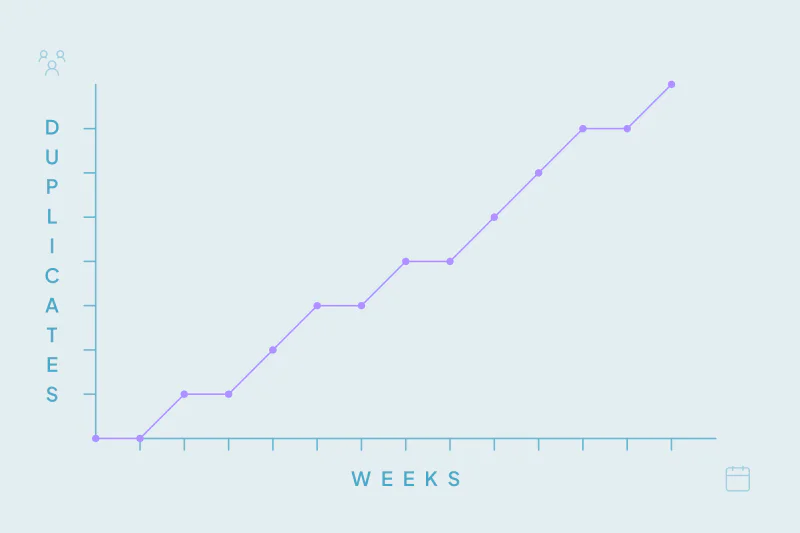
Any report that counts records counts duplicates too. Customer totals, new contacts, new leads and open deals all grow with each duplicate, even when no new person or company arrived.
Rates go down, or sideways
Rates divide one count by another, and duplicates usually land on only one side. A person who converted on one record and sits unconverted on another lowers the conversion rate. A duplicate deal left open, or closed as lost, lowers the win rate.
The effect isn't always downward. Duplicate deals that both close as won can raise revenue and the win rate at the same time. That's why skew is hard to spot from the number alone.
Credit goes to the wrong place
Reports that attribute results, like source, campaign or owner, split one person's history across records. The conversion is credited to whatever the newer record says, and the original source loses it.
Common reports and what duplicates do to them
| Report | What a duplicate does | A sign to look for |
|---|---|---|
| Customer count | Counts one customer twice | Higher than billing's or finance's count |
| New contacts or leads | Counts returning people as new | A jump after an import, event or new integration |
| Conversion rate | Adds unconverted records for people who converted | Rate drops while sales activity holds steady |
| Win rate | Adds open or lost deals that repeat a won one | Several deals with the same company, amount and close date |
| Pipeline value | Counts one opportunity more than once | Pipeline grows faster than the number of active accounts |
| Source or campaign attribution | Credits the channel that brought someone back | New-contact credit for people who were already customers |
| Revenue per account | Splits one account's revenue across records | Large customers showing up smaller than expected |
Duplicate deals deserve their own look, because they move forecasts and commissions too. We cover them in how duplicate deals inflate your pipeline.
Signs a report is skewed by duplicates
None of these signs proves duplicates on its own. Each one is a reason to look closer before the report goes out.
The CRM disagrees with another system
Billing, finance or a product database often knows how many customers you have. When the CRM's number is higher, duplicates are one of the first things to rule out. Small gaps can have other causes, like timing or how a customer is defined.
Numbers jump after a data event
Imports, migrations, new integrations and event lists add records in bursts. If a count jumps right after one, check whether the new records are new people or people you already had.
Rates move without a business reason
A conversion rate that drops while pipeline and activity hold steady may be a denominator problem. Look at what changed in the records before looking at what changed in the market.
Two reports disagree
Marketing's lead count and sales' lead count rarely match exactly. When the gap grows, one report may be counting records and the other people, or companies.
The same name shows up twice in a drill-down
Open the records behind a number and sort them by name, email or company. Repeats on the first page are a quick, honest signal.
A quick check before a report goes to leadership
You don't need a full cleanup to know whether a report is skewed. A short check tells you whether the number holds and roughly how far off it is.
Count records against unique values
Take the records behind the report and count two things. First the rows, then the unique values in the field that identifies each record, like email or domain. The gap between the two is a first estimate of your duplicates.
That estimate misses near matches, like a typo in an email or two domains for one company. Treat it as a floor. For a fuller count, see how to find out how many duplicates your CRM has.
Compare with a system outside the CRM
Where another system counts the same thing, compare the two. A customer count checked against billing is the clearest test you have.
Check the records that move the result
For rates and pipeline, the records that matter most are the large and recent ones. Check the biggest open deals and the newest won accounts for a duplicate before anything else.
Agree on what counts as a duplicate
What counts as a duplicate is case by case, and what one team considers a duplicate, another may not. Two branches of one company are one customer for some reports and two for others. Settle that before you correct the number, or the correction will be argued over too.
Fix the records, then the report
Filters and report-level workarounds can hide duplicates for one report. The next report, built on the same records, inherits the problem again.
Merging fixes every report at once. Start with the obvious duplicates, like exact matches on email or domain. Decide which value wins in the fields your reports read, like source, lifecycle stage, owner and amount.
After the merge, rerun the report and tell its readers what changed and why. A drop in customer count after a cleanup is good news, but only if people know to expect it. To watch the trend over time, track your duplicate rate and other CRM accuracy metrics.
Waiting makes this harder, since each new duplicate adds to the gap. The cost of putting it off is covered in why you shouldn't leave CRM deduplication for later.
How Dedupely shows the duplicates behind your reports
Check other explanations for a gap as well: separate billing entities, inactive customers and reports with different date or status filters. A shared domain or lower count alone does not establish a duplicate.
Every duplicate search in Dedupely shows the number of matches and the records in them, so you can size the gap early. You build duplicate searches on the fields your reports count, like email or domain, set rules for which value wins and preview each merge. Each merge is recorded in a history you can export, so you can show what changed between two versions of a report.
Reports you can stand behind
Duplicates skew reports quietly. Counts grow, rates slip, and credit moves to the wrong source, while the report itself looks the same as always.
A few signs give them away, like a CRM that disagrees with billing or a jump after an import. A quick count of records against unique values shows how big the gap is. Merging the records keeps the next report right too, which a patched report can't do.
Frequently asked questions
How do duplicate records affect CRM reports?
They count one customer, lead or deal more than once. Counts like customers, new leads and pipeline go up, and rates like conversion and win rate usually go down. Attribution reports can credit the wrong source, because one person's history is split across two records.
Why doesn't my CRM customer count match billing?
Duplicates are a common reason: one customer stored on two company records counts twice in the CRM and once in billing. Other causes include timing, closed accounts and different definitions of a customer. Count unique domains in the CRM list and compare that with billing to see how much duplicates explain.
How can I quickly check a report for duplicates?
Count the records behind the report and the unique values in the field that identifies each one, like email or domain. The difference is a first estimate of duplicates. Then compare with an outside system, like billing, and check the largest and newest records for repeats.
Do duplicates lower conversion rates?
They can: a person who converted on one record may sit unconverted on another, which adds to the total without adding a conversion. The conversion rate then looks lower than it is. Merging the records puts the conversion and the person back on one record.
Should I fix duplicates in the report or in the CRM?
In the CRM: report filters and manual adjustments fix one report at a time. Merging the duplicates fixes every report built on those records at once. Tell report readers what changed, so a lower count isn't mistaken for a loss.



 Or sign up with Google
 Pipedrive Marketplace











