



TL;DR
- Insurance and real estate clients often return years later, with new emails, phones or addresses.
- Quote forms and listing portals can create a new contact for every inquiry.
- Agents and producers who add the same person separately create duplicates with different owners.
- Whether household members share one CRM record is case by case for each team.
- Dedupely finds duplicate clients and leads, whatever their source, and keeps their history when merging.
An insurance client renews every year and adds a policy when they buy a car or a home. A real estate client buys, then sells, then refers a friend years later. Both businesses run on relationships that last.
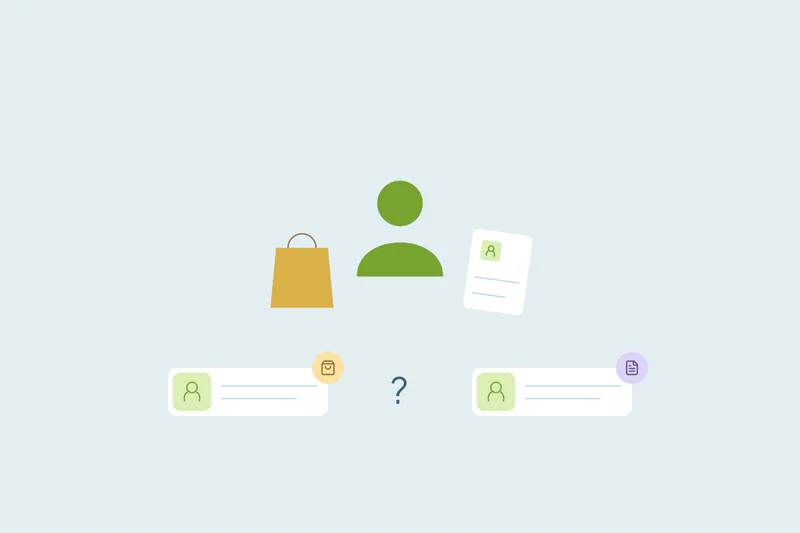
That's also why their CRMs fill with duplicates. Every quote request, portal inquiry and agent's contact list can add the same person again, often with details that changed since the last time.
In this post, you'll see where these duplicates come from and what counts as one for clients and households. You'll also see how to decide ownership and where to start. The post covers people and households; policy and listing records aren't covered here.
Why insurance and real estate share the same problem
The two industries sell different things, but their CRMs look alike. People reach out many times, through many channels, and agents or producers often add contacts themselves. Clients also come back after long gaps, when their details have moved on.
Each of those creates duplicates. Together, they make it hard to see that today's new lead is a client from years ago.
Where duplicates come from
Every team's setup is different, so the mix of sources varies. These four come up often.
Quote forms and lead providers
A prospect requests an auto quote, then a home quote a month later, and each form creates a new lead. Leads bought from outside providers can repeat people who already asked you for a quote. Any form creates a new record when it can't find the existing one.
Listing portals and property inquiries
Buyers browse many listings and ask about several of them. Each inquiry can reach the CRM as a new contact, sometimes from a different portal or with a different email.
Agents and producers adding their own contacts
Agents import their phone contacts, their sphere of influence or a list from a past brokerage. When two agents know the same person, the CRM gets two records with two owners. Lead routing and ownership rules can make this worse when leads are assigned before anyone checks for an existing record.
Clients who come back years later
A client who returns after years may have moved, married, changed their name or switched email. The old record holds their history, but nothing on it matches the new inquiry. Data decay and duplicates feed each other this way in any CRM, and long client cycles make it more likely.
Insurance and real estate side by side
| Insurance agencies | Real estate teams | |
|---|---|---|
| Where new people come from | Quote forms, lead providers, referrals | Listing portals, open houses, referrals |
| Who adds contacts by hand | Producers and account managers | Agents and assistants |
| Why clients come back | Renewals, new policies, life changes | A new purchase, a sale, an investment property |
| Match on first | Exact email, then name with phone | Exact email, then name with mobile number |
| Watch out for | Household members on one policy | Co-buyers and property addresses |
What counts as a duplicate for clients and households
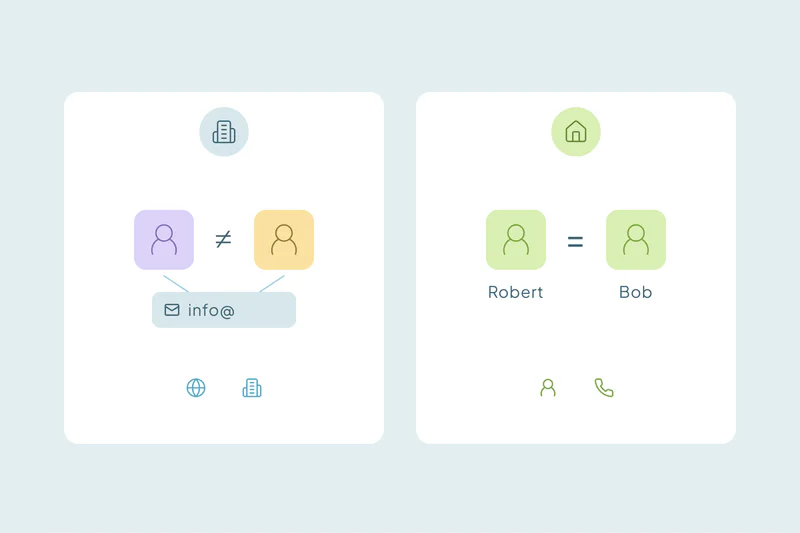
What counts as a duplicate is case by case. What one agency or team considers a duplicate, another may not.
The same person through two channels
A client who filled in a quote form and was also added by a producer is one person in two records. That's the clearest duplicate, and the one to merge first.
Households, spouses and co-buyers
Spouses on one policy or co-buyers on one home often share an address, a phone and sometimes an email. Some teams keep one record per person and link them; others treat the household as one client. Matching people in households follows different rules from matching business contacts.
One person in several roles
A buyer who later sells is still one person. So is a client with auto, home and life policies. Many teams keep one contact and track each purchase, sale or policy separately, so a second role isn't a reason for a second record.
Businesses, owners and partners
A commercial client and its owner, or an investor and the company that holds their properties, can share a name and address. They're related records that look like duplicates. Lenders, inspectors and other partners that many agents add are worth a separate search.
Decide who owns the record before you merge
In both industries, the owner of a record is often tied to commissions or a book of business. Merging two records with two owners means one of them loses the contact.
- Agree on the owner rule: for example, the agent or producer of record keeps the client, or the owner of the oldest record wins.
- Reassign records from people who left: give them a current owner before merging, so an inactive owner doesn't win.
- Keep the original lead source: it shows which channel or referral partner brought the client in first.
These are business decisions as much as data ones. Get the people who manage agents or producers to agree before the first merge.
Where to start the cleanup
Start small and safe, then work toward the matches that need judgment.
Merge exact email matches first
Records with the same email are the easiest to agree on. Review sets that share a household email before merging them.
Then match on name with phone
Returning clients often have a new email, so name with mobile number finds many of them. Phone numbers stored in different formats should still match once the formatting is ignored.
Decide which values win
For many fields, the newest value is right: the current address, phone and email. Opt-outs and communication preferences need extra care, since losing one means contacting someone who asked you to stop.
Reject only what you're certain of
Household members you keep apart will keep showing up as matches. Reject a match only when you're certain it isn't a duplicate, since it won't come back in later searches.
How Dedupely keeps one record per client across the years
Dedupely works with CSV files and supported CRM connections, including HubSpot, Salesforce, Pipedrive, Close, Nimble and Google Contacts. It does not connect to every insurance or property platform. For supported contact records, choose the agreed owner, review household matches and preview each merge. Test supported activities and associations before a bulk cleanup.
Long relationships deserve one record
Insurance and real estate teams win by keeping clients for years. The same strength fills the CRM with duplicates, because people come back through new channels with new details, and several agents may know them.
Agreeing on what counts as a duplicate, who owns the record and which values win turns that history back into one record per client. The next time a past client reaches out, whoever answers can see the whole relationship.
Frequently asked questions
How do insurance agencies handle duplicate client records?
Many agencies start by merging clients with the same email, then match on name with phone to catch clients who changed email. Before merging, they agree on which producer owns the client and which values win. Household members on one policy are reviewed separately, since some agencies keep each person on their own record.
How do you dedupe contacts in a real estate CRM?
Start with exact email matches, then match name with mobile number to find past clients who came back with a new email. Agree on which agent keeps the contact before merging. Be careful with address matches, because a property address can belong to several unrelated buyers and sellers over the years.
Should spouses on one policy share a CRM record?
It's case by case: some teams keep a record for each spouse, linked as a household, so each person's preferences stay visible. Others treat the household as one client. Pick one approach, apply it everywhere, and reject matches between spouses you keep apart.
Is a buyer who later sells a duplicate contact?
No, a buyer who later sells is one person with two transactions. Many teams keep one contact and track each purchase or sale on its own. A duplicate appears when the second transaction creates a new contact, for example because the client used a new email.
Who should own a contact that two agents entered?
Your team decides, ideally before any merge. Common rules are that the agent or producer of record keeps the client, or that the oldest record's owner wins. Write the rule down and apply it to every merge, so commissions and relationships aren't decided by whichever record happens to survive.



 Or sign up with Google
 HubSpot user











