Find and merge your duplicate Pipedrive products in minutes.
Report each product once
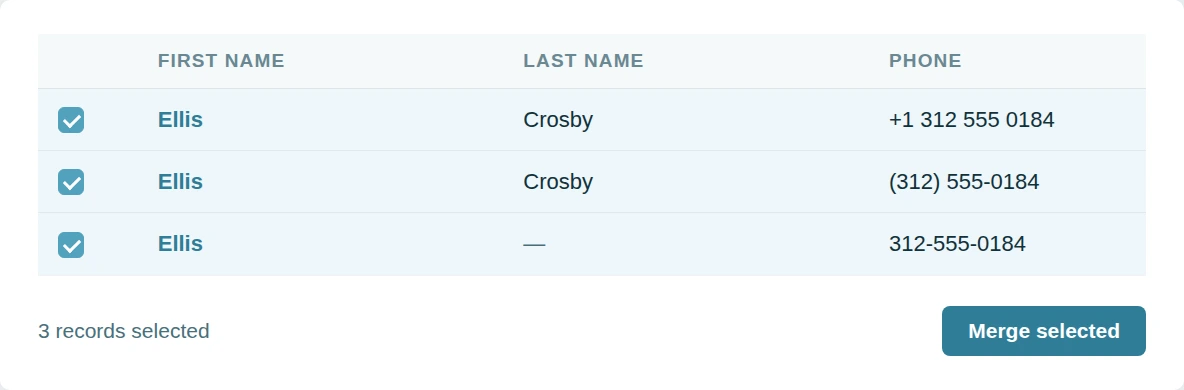
A catalogue imported twice holds the same item on two lines. Product reports group by product. Each line shows half of what it earned.
Dedupely finds duplicate products in Pipedrive on name or code or category.
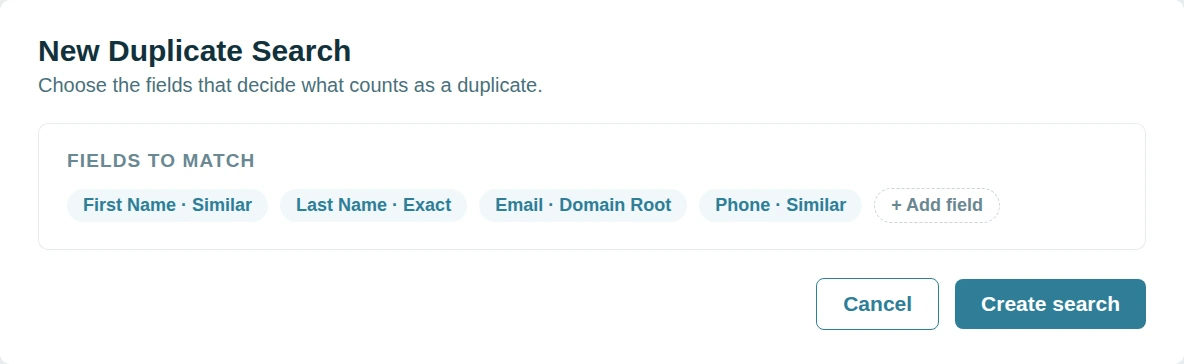
Decide which price survives
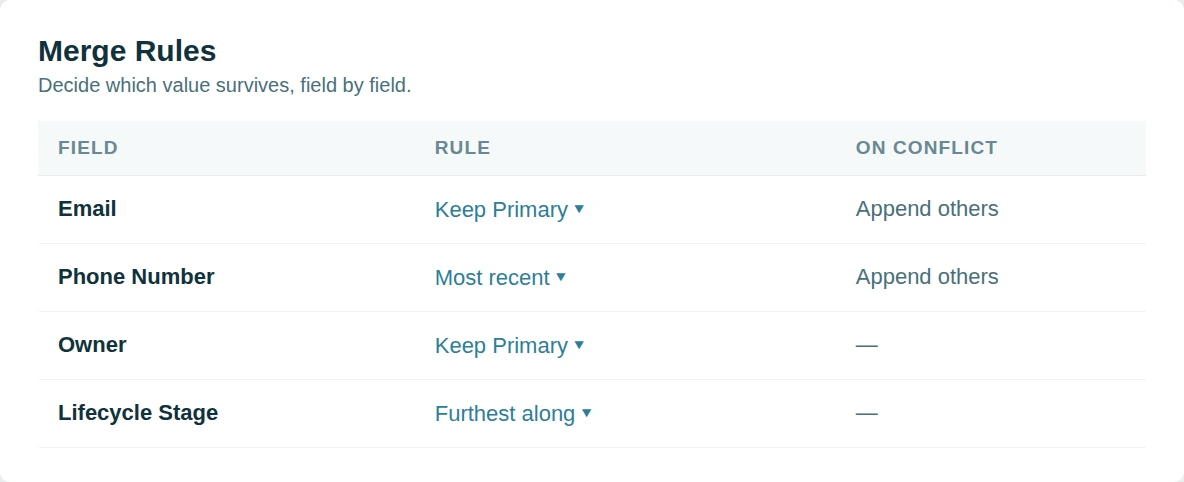
Two entries for one product rarely agree. The price differs or the code differs or the category does. Guessing is not a merge strategy.
Dedupely lets you set which product is Primary and the rest follows.
One set of rules for everything
Separate cleanup logic for every record type drifts apart. Different rules produce different answers. Consistency is the whole point of rules.
Dedupely applies the same rules across people and organizations and deals and duplicate products.
Merge duplicates by object in Pipedrive
- PeopleReps check twice before calling, in case the record is stale.
- OrganizationsOne company, three records, deals spread across all of them.
- DealsEvery repeat enquiry opens another deal on the same buyer.
- LeadsThe Leads Inbox fills faster than anyone clears it.
- ProductsOne product on two lines splits what it actually earned.


Merge Pipedrive duplicates in 5 minutes
Three steps from account to first merge
-
Connect your account
One click CRM connection.
-
Match any field
Finds matches no matter how messy.
-
Merge your duplicates
Bulk, single, or Auto Merge.

Pipedrive customer stories
How other teams cleaned up their duplicates
- 3,000+ duplicate records merged How a Wellness App Stopped Sales Reps from Calling the Same Prospect by Merging 3,000+ Duplicate Pipedrive Records with Dedupely Read the story
- 2,000+ duplicate records merged How a Moving Company Stopped Cleaning Up Duplicate Pipedrive Leads by Hand Every Day, with Dedupely Read the story
- 58,000+ duplicate records merged How a SaaS Company Merged 58,000+ Duplicate Pipedrive Records Created by Its Migration from HubSpot, with Dedupely Read the story
20,000+ businesses
feel the magic










"Works really well, support is A++++++"

"Dedupely helped us to quickly de-duplicate hundreds of records, with a level of transparency that gives you confidence in how those changes are being applied."
Questions about duplicate products in Pipedrive

Because revenue reporting reads it. The same item under two product records splits its sales across both, so neither total is right.
Line items are re-pointed at the surviving product, so historical deals keep their values and the reporting consolidates.
Yes. Exact matching on a code field is the most reliable, and you can add name matching to catch items entered without one.
Merge Rules decide which price survives per currency. Review the survivor if the two records carried different price lists.
Get started for free
20 free trial merges and as much free support as you need to get your duplicates under control.



Simon W
Tillhub
Running CRM cleanup for clients? See the Partner Program












