Customer story
How a SaaS Company Merged 58,000+ Duplicate Pipedrive Records Created by Its Migration from HubSpot, with Dedupely
- Pipedrive
- After a CRM migration
- After a list import
- SaaS

- 58,000+ duplicate records merged
- 29,000+ matches merged
- 2.5x how much bigger the Organizations list got after the migration
A match is one set of duplicate records merged into a single record. Every match holds at least two records, so the number of records merged is at least double the number of matches.
Where duplicates came from
One prospect list, imported more than once
The company is a SaaS business in Asia-Pacific building a learning platform for employers. Its founder and CEO was setting up the sales pipeline himself and migrating from HubSpot to Pipedrive. The plan was simple: bring over a prospect list of about 26,000 companies and start selling from it.
The migration took more than one try:
- The first import didn't come through as expected. The list was exported as a spreadsheet and imported into Pipedrive, and when the data didn't land the way it should, it was imported again.
- A migration tool moved everything again. After that, the whole account was moved over with a migration tool, and that's when the duplicates showed up.
- Each duplicate held different data. The record from the old CRM had the full address, LinkedIn page, employee count and description. Others had only a country, written in different formats.
The result was about 64,000 Organizations where there should have been about 26,000, two and a half times the real number.

What duplicates broke
A database nobody could read
With 64,000 Organizations on screen, there was no way to tell which records were real. The data for a single company was split across two, three, four and sometimes five records, each holding a different piece of it. Pipedrive's own duplicate check flagged around 9,000, which didn't account for all of them.
The best data had to survive
The cleanup had to keep the richer data from the old CRM. A merge that kept the wrong record would throw away exactly what the import was meant to bring across. That worry kept the CRM untouched: after seeing more duplicates land on top of the first ones, the last thing the founder wanted was to create more problems before having a clear view of the data.
How duplicates were solved
-
1. Match on name, then narrow with the address
With Dedupely's customer success team, the founder started from a search on organization name. On its own, the name returned about 26,000 matches, too broad to trust, since two different companies can share a name. Adding the address with Exact matching cut that to 4,211 matches. Switching the address to Similar Words on the first three words, so small differences in how an address is written don't block a match, raised it to 4,868.
-
2. Keep the record with the most data
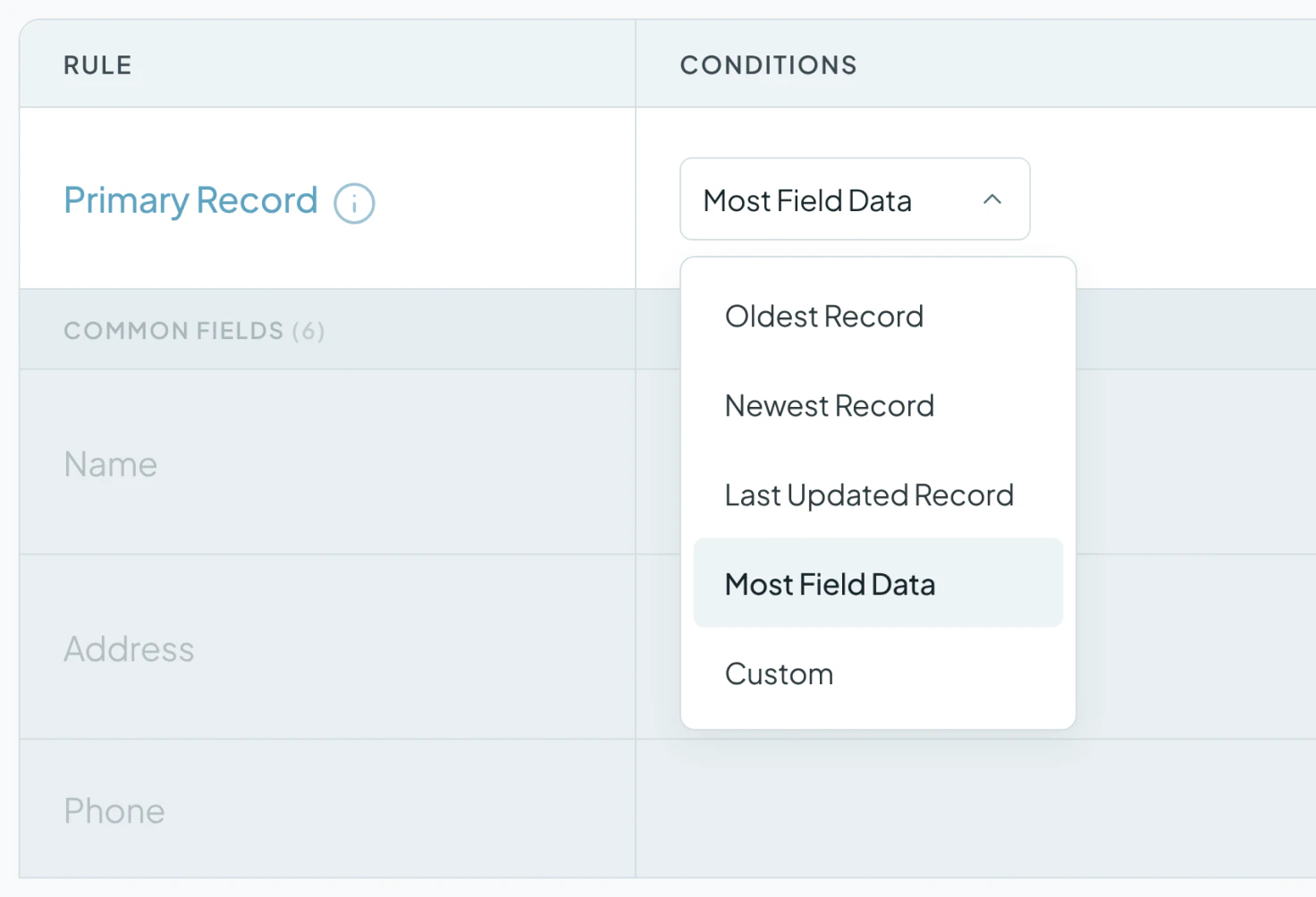
Merge Rules decided what survives. The Primary Record rule was set to Most Field Data, so every merge folds the duplicates into the record holding the most information. The merge preview shows the winning values in bold before anything happens, and blank values never overwrite existing data.
A test merge of two records, checked straight in Pipedrive, confirmed it: the LinkedIn page, employee count and description from the old CRM were all still there. After that, matches were merged in bulk, in waves, running in the background.
-
3. When duplicates are still there, change the match fields
After the first few thousand merges, the search was almost empty, but plenty of duplicates were still visible in Pipedrive. The address was the reason. Many duplicates had a different address or none at all, and blank values don't count as a match, so the search skipped them.
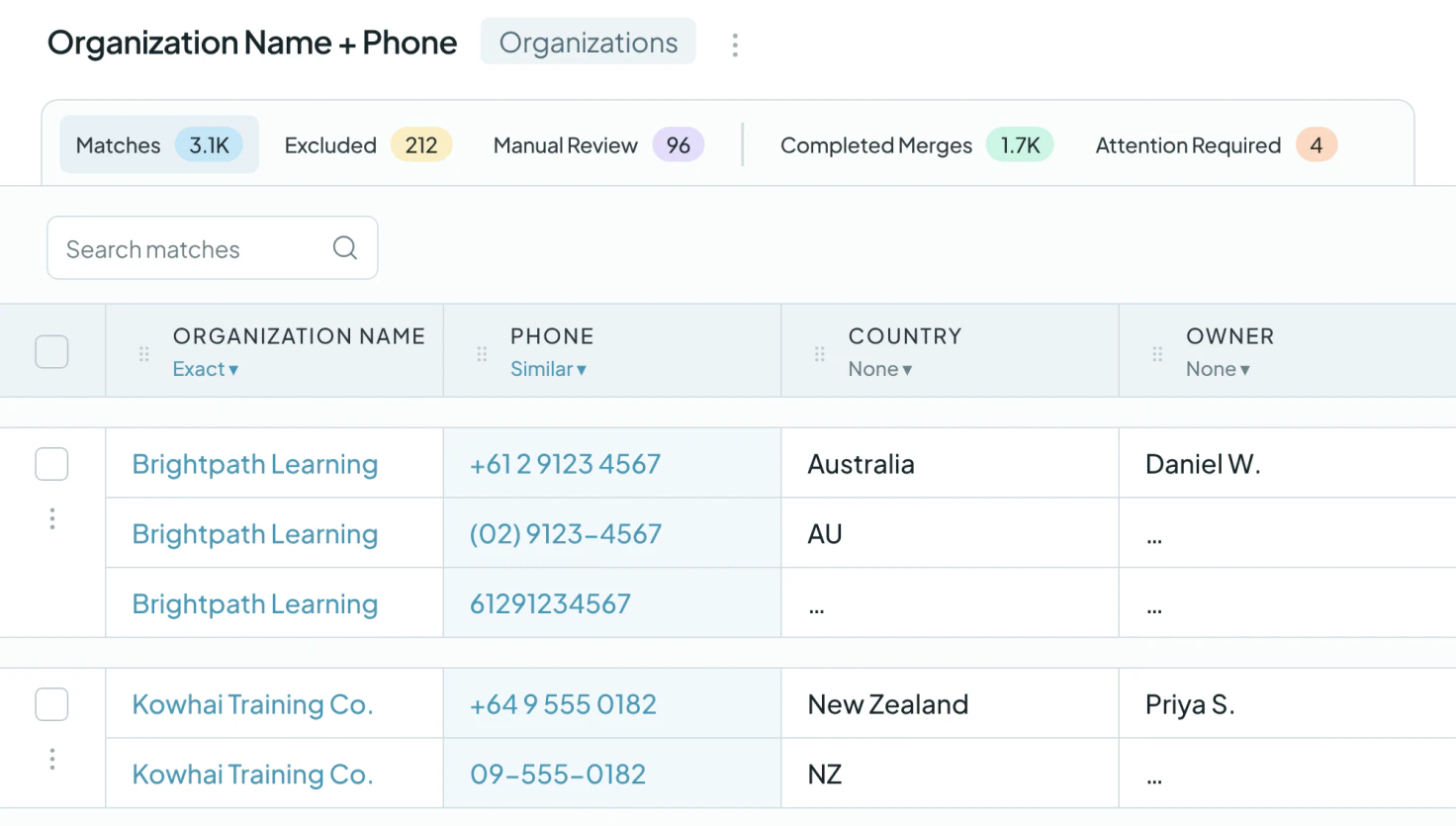
The fix was to stop matching on the address and match on name and phone instead, with Phone set to Similar so country codes, spaces and hyphens don't get in the way. A test merge of one company with four records left exactly one in Pipedrive. From there, the plan was a series of bulk merges, each catching a group the last one missed: name and phone, name and address again, then the first two words of the name.
What deduplication changed
58,000+ duplicate records merged
The company has merged more than 29,000 matches, combining at least 58,000 duplicate records. Today the account syncs 26,551 records.
From no idea to the data it wanted
At the start, the founder said he had no idea what he was looking at. Seeing the first merge keep the LinkedIn page, employee count and description from the old CRM, he said it was exactly what he had been trying to do. After the second round, he said he had been going about it the wrong way, and that the session had helped.
Related

- Customer story 3,000+ duplicate records mergedPipedrive SaaS
How a Wellness App Stopped Sales Reps from Calling the Same Prospect by Merging 3,000+ Duplicate Pipedrive Records with Dedupely
Read the story - Customer story 2,000+ duplicate records mergedPipedrive Real estate
How a Moving Company Stopped Cleaning Up Duplicate Pipedrive Leads by Hand Every Day, with Dedupely
Read the story - Customer story 9,092 people matches mergedPipedrive Recruiting
How an Executive Search Firm Cut Its Pipedrive People List by a Third After an Import Duplicated Nearly Everyone, with Dedupely
Read the story












