Find and merge more duplicates in your HubSpot contacts.
Find every duplicate contact
Every form fill and import can add another copy of someone you already have. A second email address or a blank field is enough to keep two records apart. Over time the duplicate contacts pile up quietly.
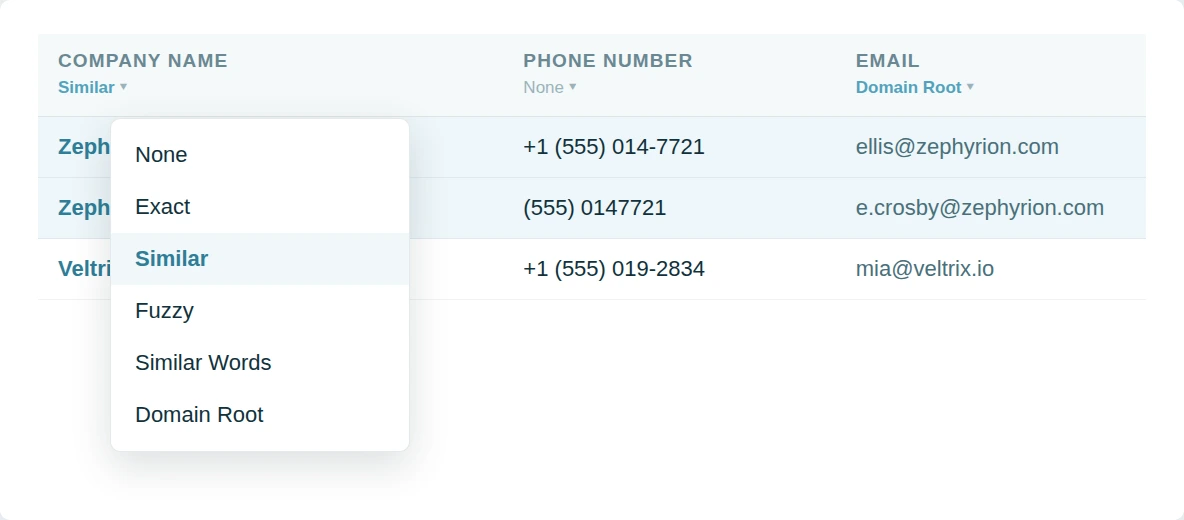
Dedupely digs through your HubSpot contacts and groups the copies however they were entered.
Merge your duplicate contacts in bulk
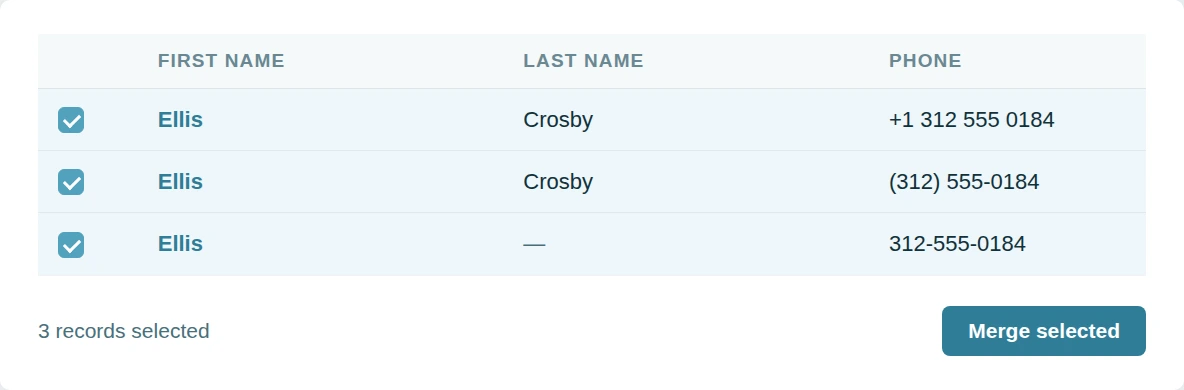
A backlog rarely comes in pairs. The same person can sit in your CRM three or four times. Working through them one merge at a time is how a cleanup stalls.
Dedupely merges a whole search of duplicate HubSpot contacts in one pass.
Merge without the risk
Merging in HubSpot is permanent. Nobody wants to gamble with customer records. So teams put the whole cleanup on hold instead.
Dedupely holds anything you are unsure of for review and keeps every original value.

Why customers choose us
Configurable without becoming a project.
Dedupely is between tools that take weeks to learn and others that don’t give you any options. Match on any property, set a rule on any field, and still run your first merge the day you connect.
Our pricing.
It follows the records you sync, with no per-user fee. All features included in yearly subscriptions.
We go deeper.
The hard merges are the ones where both records look right. Dedupely turns those into a single click between two sensible options.

"It couldn't have been much easier to connect to HubSpot and run my first dedupe. The online chat was always quick, and the ease of scheduling a Zoom call with support was so easy."
 HubSpot user
 Merge duplicates by object in HubSpot
- ContactsThe next import is on hold until this is sorted out.
- CompaniesOne record holds the contacts, the other holds the deals.
- DealsRenewals logged twice, and an ARR number that will not hold.
- LeadsA second lead opens while the first one is still open.
- TicketsTwo agents answering one customer, neither aware of the other.
- Custom ObjectsThe timeline vanishes if the wrong record wins.


Merge HubSpot duplicates in 5 minutes
Three steps from portal to first merge
-
Connect your portal
Two clicks, through the HubSpot Marketplace.
-
Match any property
Default searches, or build your own.
-
Merge in bulk
Whole groups, singly, or scheduled.

HubSpot customer stories
How other teams cleaned up their duplicates
- 16,000+ duplicate records merged How a CRM Consultant Helped a Staffing Firm Merge 16,000+ Duplicate HubSpot Records Left by Its Rollout, with Dedupely Read the story
- 9,000+ duplicate records merged How a Telehealth Company Merged 9,000+ Duplicate HubSpot Records Created by Its Calling App, Forms and Integrations, with Dedupely Read the story
- 1,600+ duplicate records merged How a Home Renovation Company Merged 1,600+ Duplicate HubSpot Records Created by a Call-Tracking Integration, with Dedupely Read the story
20,000+ businesses
feel the magic









"Incredibly effective at tackling massive duplicate data cleanup - exactly what we needed. Very helpful for cleaning up the massive amount of duplicate information that we had in our system."

"Worked as expected and Nestor at Customer support was extremely helpful walking me through some nightmare duplicate issues we had. Highly recommend!"

Questions about duplicate contacts in HubSpot

Every email on the secondary record moves to the surviving contact as a secondary email. HubSpot keeps one primary address; the rest stay on the record and remain searchable, so a reply to an old address still finds the right person.
Both timelines combine on the surviving record. Form submissions, email opens, page views and notes all carry across, so the activity history is the union of the two rather than whichever record you happened to keep.
Yes. Match on first and last name, phone, company or any custom property, and combine several in one search. Similar Words catches names entered in reverse order, and Fuzzy catches typos in an address.
The surviving contact inherits the lists and active enrolments of both records. A workflow that was part way through on the secondary continues on the survivor rather than starting again.
Get started for free
20 free trial merges and as much free support as you need to get your duplicates under control.


Grattan H
Pipedrive User
 Pipedrive Marketplace
 Running CRM cleanup for clients? See the Partner Program












