Bulk merge HubSpot companies and keep everything where it needs to be.
Find your duplicate companies
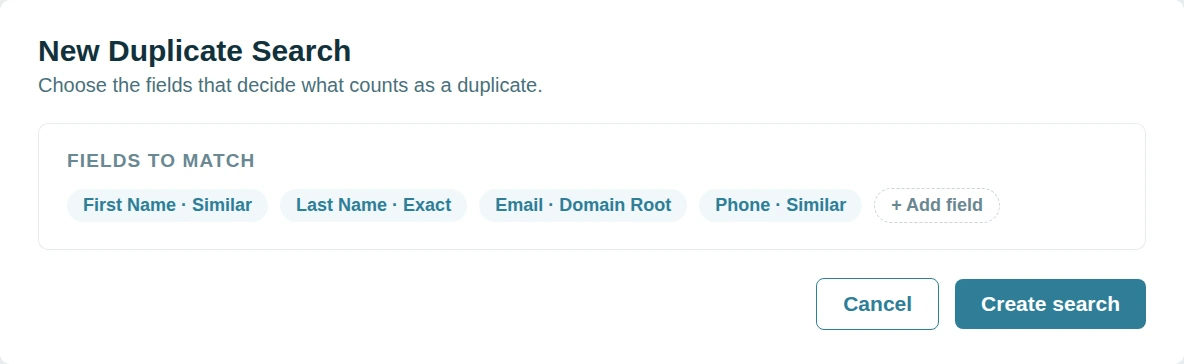
Most duplicate companies arrive through an integration. A record written without a domain has nothing to match on. The same business ends up filed under its legal name and its trading name.
Dedupely matches HubSpot companies on the name or the address or the web domain.
Get the account view back
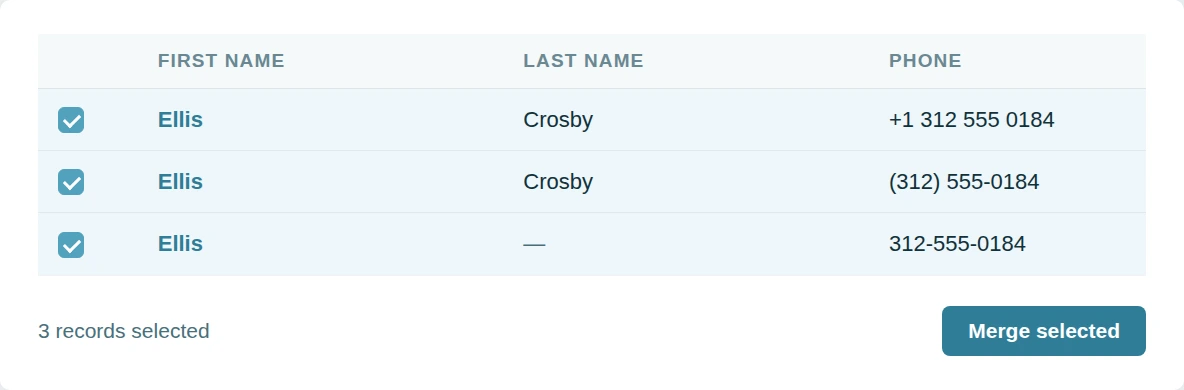
One record ends up with a few contacts. The other holds the rest along with the sales history. Neither shows you the account.
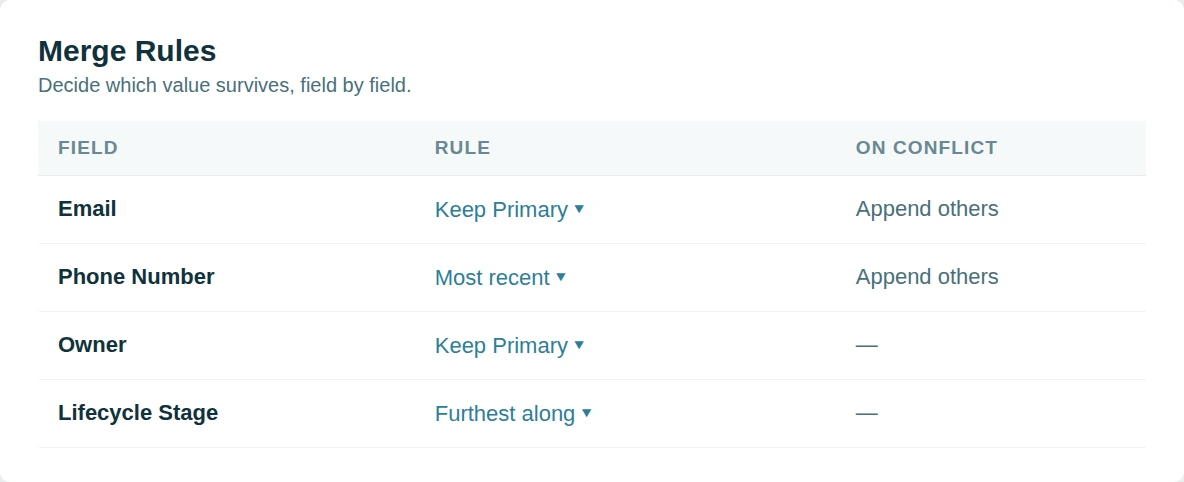
Dedupely merges duplicate companies and puts everything back under one business.
Bulk merge companies in HubSpot
A company cleanup is usually thousands of records deep. Nobody has the week it would take by hand. So it keeps getting postponed.
Dedupely clears the whole backlog in one pass with rules you control.


Works with the HubSpot-Salesforce Integration
If your portal syncs with Salesforce, Dedupely spots it the moment you connect.
It reads the properties HubSpot writes on every linked record, so there is nothing to configure: no custom fields, no Workflows, no change to your integration settings.
Every company merge then keeps the Salesforce-linked record, so the Account on the other side never ends up pointing at a record that stopped existing. Linked records carry a Salesforce badge in your search results.
When two records in a match are linked to different Salesforce Accounts, no survivor is safe: so Dedupely holds that match and tells you why. Connect Salesforce as well and one button merges those Accounts first.
Why customers choose us
Configurable without becoming a project.
Dedupely is between tools that take weeks to learn and others that don’t give you any options. Match on any property, set a rule on any field, and still run your first merge the day you connect.
Our pricing.
It follows the records you sync, with no per-user fee. All features included in yearly subscriptions.
We go deeper.
The hard merges are the ones where both records look right. Dedupely turns those into a single click between two sensible options.

"It couldn't have been much easier to connect to HubSpot and run my first dedupe. The online chat was always quick, and the ease of scheduling a Zoom call with support was so easy."
 HubSpot user
 Merge duplicates by object in HubSpot
- ContactsThe next import is on hold until this is sorted out.
- CompaniesOne record holds the contacts, the other holds the deals.
- DealsRenewals logged twice, and an ARR number that will not hold.
- LeadsA second lead opens while the first one is still open.
- TicketsTwo agents answering one customer, neither aware of the other.
- Custom ObjectsThe timeline vanishes if the wrong record wins.


Merge HubSpot duplicates in 5 minutes
Three steps from portal to first merge
-
Connect your portal
Two clicks, through the HubSpot Marketplace.
-
Match any property
Default searches, or build your own.
-
Merge in bulk
Whole groups, singly, or scheduled.

HubSpot customer stories
How other teams cleaned up their duplicates
- 16,000+ duplicate records merged How a CRM Consultant Helped a Staffing Firm Merge 16,000+ Duplicate HubSpot Records Left by Its Rollout, with Dedupely Read the story
- 9,000+ duplicate records merged How a Telehealth Company Merged 9,000+ Duplicate HubSpot Records Created by Its Calling App, Forms and Integrations, with Dedupely Read the story
- 1,600+ duplicate records merged How a Home Renovation Company Merged 1,600+ Duplicate HubSpot Records Created by a Call-Tracking Integration, with Dedupely Read the story
20,000+ businesses
feel the magic









"Perfect solution that delivers exactly as promised. Does exactly what we need it to. Great tool."

"In a matter of maybe 30 minutes, without the need of exporting and importing or worse yet, manually reviewing/rejecting, Dedupely automatically took care of my [...] merge needs. So happy I found it"
Questions about duplicate companies in HubSpot

Domain Root strips www, subdomains and country suffixes, so acme.co.uk and shop.acme.com group with acme.com. Turn it off if your business genuinely treats those as separate accounts.
Associations move to the surviving company. Every contact, deal and ticket that pointed at the secondary is re-pointed, so nothing is left orphaned.
The surviving company keeps its parent, and any children of the secondary are re-parented to it. The hierarchy survives the merge.
Whichever your Merge Rules say. Set the owner property to keep the primary's value, the oldest, the newest or the non-empty one, and it applies to every merge in the run.
Get started for free
20 free trial merges and as much free support as you need to get your duplicates under control.


Emily K
Mercy Housing
HubSpot user Running CRM cleanup for clients? See the Partner Program












