



TL;DR
- A contact who changes jobs often ends up as two records with different emails and companies.
- Whether the old and new records are duplicates is a case-by-case decision for each team.
- Account-based teams merge the old contact into the new one, keeping the new company and email.
- Person-based teams merge to follow the person and keep the context from before.
- Dedupely finds contacts who changed jobs, then merges them or keeps them apart, case by case.
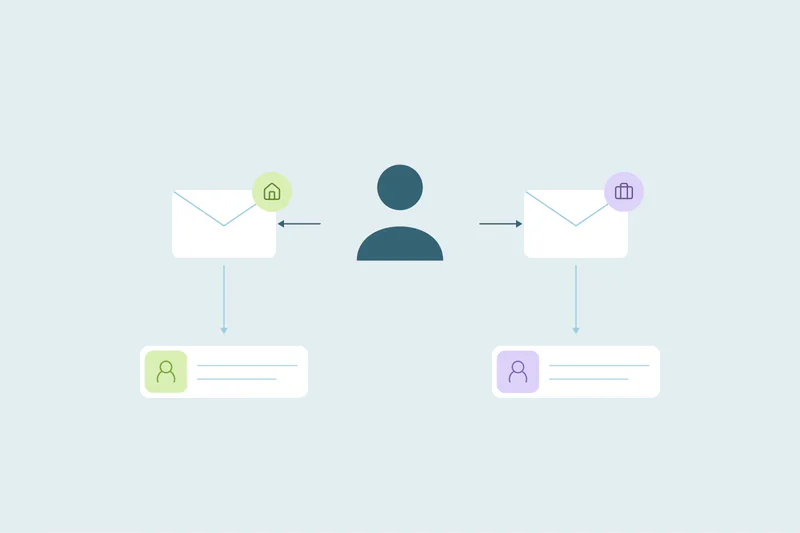
A contact you've worked with for two years moves to a new company. A few months later, they fill in a form with their new work email. Your CRM creates a new contact, linked to a new company, while the old record still sits on their former employer.
Now you have the same person twice. One record holds the history, and the other holds the current email. Should they merge?
Often yes, so the context from before isn't lost. But what the merged record should say depends on your team. In this post, you'll see what decides it, how to find people who changed jobs and what to check before merging.
What happens in the CRM when someone changes jobs
The person changes, but their records don't update themselves. The old record keeps the old email, title, phone and company. Emails to the old address start to bounce, and the record goes quiet.
The new record can arrive in several ways:
- A form or sign-up with the new work email.
- A rep who meets them at the new company and adds them by hand.
- An import from an event or a list that includes the new company.
- An enrichment or sales tool that creates a contact from the new profile.
Many of these sources recognize contacts by email, so the new address looks like a new person. The two records often share only a name, and sometimes a mobile number.
It depends on how your marketing works
What counts as a duplicate is case by case. What one team considers a duplicate, another may not, and job changes are a good example.
Many teams merge the old and new records, so the context from before stays in one place. Which values win depends on what your marketing and sales are built around: accounts or people.
Account-based: the account comes first
If you market and sell to target accounts, the person matters as part of the account. When they leave, the old record no longer represents anyone at that company.
Merge the old contact into the new one, so past conversations stay with the person. The new company and email win, and the contact no longer sits on the old account.
Then look for whoever took over the role at the old account. The person who left is now a contact at a different company, which may or may not be one of your accounts.
Person-based: the person comes first
If your relationship is with the person, their history travels with them. A champion who bought from you at one company is often a warm lead at the next.
Here you merge the two records and keep the new email. Relationship values from the old record, like owner, lifecycle stage and original source, can win. The merged contact keeps the context from before: past conversations, purchases, notes and how they first found you.
Account-based and person-based side by side
| Account-based | Person-based | |
|---|---|---|
| What matters most | The account and who represents it | The relationship with the person |
| The old record | Merged into the new record, so its context is kept | Merged into the new record, so its history is kept |
| Values that win | New company, email and the owner of the new account | New email, plus owner, stage and source from the relationship |
| At the old account | Remove the old link and find the person who replaced them | The old link can stay as history |
| Typical teams | Teams that sell to named target accounts | Teams that sell to individuals or follow champions |
Many teams sit somewhere in between. Sales may follow the account, while marketing nurtures the person. In that case, agree on one rule for the CRM, since both teams work from the same records.
How to find contacts who changed jobs
Start with the obvious duplicates: contacts with the same email. People who changed jobs won't show up there, so they need a second pass.
Same name, same phone
A mobile number often stays with a person from job to job. A full name plus the same mobile number is one of the strongest signs that two records are one person.
Same name, same personal email or profile URL
Some records carry a personal email or a LinkedIn profile URL. Both tend to survive a job change, so a match on either, plus the name, is strong evidence.
Signs on the old record
A bounced email, no recent activity or a title that no longer fits are clues the person moved. These clues tell you where to look. Confirm them with a match on name plus phone or personal email.
Common names need extra care. Two people named David Kim at different companies are often two people. For more on combining fields, see which fields to match on.
What to check before you merge a job change
If you decide to merge, a job change needs more care than a typo duplicate. The two records describe the person at different points in time.
Which values win
The newest values, like email, company and title, usually describe the person today. Account-based teams let the new company and email win, while person-based teams may keep owner and stage from the old record. See how to merge CRM records without losing data.
Which company the merged record links to
A merge can leave the contact linked to both the old and the new company. Account-based teams often remove the old link, so the old account doesn't show a contact who left. Person-based teams may keep it as history.
Owner and stage
The new company may belong to a different rep or territory. The person may also be a customer at one company and a new lead at the other. Agree on owner and lifecycle stage before merging, so nobody loses credit or gets the wrong follow-up.
When you keep both records
Some teams still keep both records, and that's a valid choice too. Then the two records are related records, and they should look that way.
Update the old record so nobody keeps emailing a bounced address, and note that the person left. If your CRM lets you, link the two records so the history is easy to find. We cover this kind of decision in related records that look like duplicates.
How Dedupely handles contacts who changed jobs
In Dedupely, search on name with phone or other details that stay with a person. Choose the current contact values and check which historic company links and activities the connector preserves. Preview the result and retain the appropriate communication preferences. Reject confirmed matches your team intentionally keeps separate.
Same person, your rule
A job change turns one person into two records that share little more than a name. When you merge them, the context from before stays in one place. What changes is which values win: account-based teams keep the new company and email, while person-based teams follow the relationship.
Agree on that rule once and apply it the same way across the CRM. Then the matching, the merge rules and the records you keep apart all follow from it.
Frequently asked questions
Should you merge a contact who changed jobs?
Often yes, so the context from before isn't lost, but which values win depends on your team. Account-based teams keep the new company and email, then find who replaced the person. Person-based teams may keep owner and stage from the old record, so the relationship carries on.
How do you find contacts who changed companies in a CRM?
Match on full name plus a field that stays with the person, like a mobile number, a personal email or a LinkedIn profile URL. Bounced emails and inactive records can point to people who moved. Review matches on common names before merging, since different people often share a name.
What happens to the old company when a contact changes jobs?
The old company keeps its own history, such as deals, notes and activities. If you merge the contact, check whether it stays linked to the old company; account-based teams often remove that link. Then find out who replaced the person, especially if that company is a target account.
Which email should a contact who changed jobs keep?
Usually the new work email, since it's the one that still works. The old address will often bounce once the person leaves. If you merge the records, keep the newest email as the main one and carry over the old record's history.
Is a contact who changed jobs a duplicate?
Often, though it's case by case: it's the same person, but the records describe them at two different companies. Many teams merge them to keep the context. Person-based teams then follow the relationship, while account-based teams keep the new company and look for a replacement at the old account.




 Or sign up with Google
 Pipedrive Marketplace











