 Dedupely Intelligence

HubSpot import checker
See which rows HubSpot rejects before you upload.

Free for 10 runs a day.
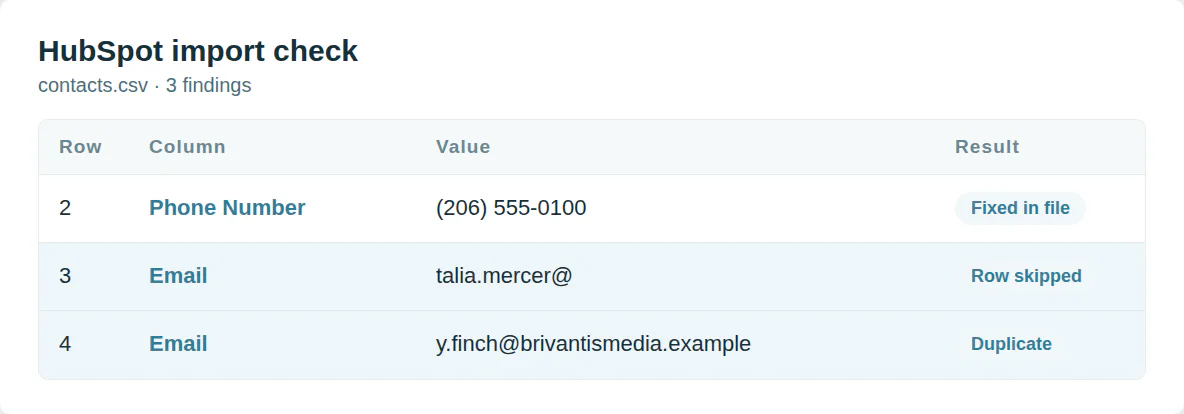
Rows HubSpot refuses
An email without a domain fails validation. A company with no name and no domain has nothing to match on. HubSpot skips the row and moves on.
This checker reads every row the way HubSpot does and fixes what it can.
Start from the columns HubSpot maps
A header HubSpot does not know gets dropped. A dropdown value it does not know imports empty. A date in the wrong order reads the wrong way round.
The HubSpot templates use the property names its importer maps on its own.
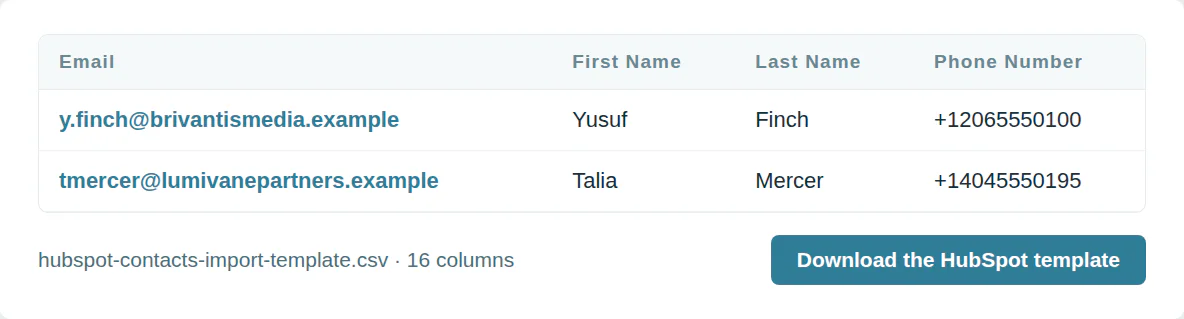
The HubSpot import template
HubSpot contacts template
16 columns, in the order the template downloads.
| Column | What goes in it | Required |
|---|---|---|
| An email address | Matches records | |
| First Name | Text | |
| Last Name | Text | |
| Phone Number | Plus sign, country code and number | |
| Mobile Phone Number | Plus sign, country code and number | |
| Company Name | Text | |
| Job Title | Text | |
| Website URL | A web address | |
| Street Address | Text | |
| City | Text | |
| State/Region | Text | |
| Postal Code | Text | |
| Country/Region | Text | |
| Lifecycle Stage | One of the options in the CRM | |
| Lead Status | One of the options in the CRM | |
| Contact Owner | The user’s email |
HubSpot companies template
14 columns, in the order the template downloads.
| Column | What goes in it | Required |
|---|---|---|
| Company name | Text | One of these |
| Company Domain Name | A domain such as example.com | One of these |
| Phone Number | Plus sign, country code and number | |
| Type | One of the options in the CRM | |
| Number of Employees | A number, no currency signs | |
| Annual Revenue | A number, no currency signs | |
| Street Address | Text | |
| City | Text | |
| State/Region | Text | |
| Postal Code | Text | |
| Country/Region | Text | |
| Lifecycle Stage | One of the options in the CRM | |
| Company owner | The user’s email | |
| LinkedIn Company Page | A web address |
Use it from a script or an AI agent
MCP  https://dedupe.ly/tools/mcp   every free tool in one connector (this one: check_crm_import)

POST https://dedupe.ly/tools/api/import-checker
{ "crm": "hubspot", "csv": "..." }

Docs https://dedupe.ly/tools/api/openapi.jsonQuestions about HubSpot imports
A row is skipped when its email is not valid, a required field is missing, or its email matches more than one existing contact. Most other problems import the row and leave that field empty.
HubSpot imports the row but drops a value it cannot read: a date in the wrong order, a number with letters in it, or a dropdown value that is not one of the property’s options.
HubSpot reports errors from the first 1,000 rows of a file. This checker reads all of them.
Day-month-year, month-day-year or year-month-day, with slashes, hyphens or dots. Pick the matching format in the importer. The fixed file writes every date as year-month-day.
It matches contacts on email and companies on domain. A contact with no email or a company with no domain becomes a new record every time, and the same email twice in one file imports only one row.
As a plus sign, the country code and the number, such as +12125550123. The checker rewrites numbers that way.
More free tools


Get started for free
20 free trial merges and as much free support as you need to get your duplicates under control.
Or sign up with Google
 Or sign up with Google
-
"I was really pleased with Dedupely. It's highly configurable and works well when used manually or for automated deduping."
Laura RSalesforce User
Salesforce AppExchange
 Salesforce AppExchange
Running CRM cleanup for clients? See the Partner Program