 Dedupely Intelligence

Convert Excel (XLSX or XLS) to CSV
Every sheet becomes its own CSV and nothing is uploaded.

Free for 10 runs a day.
One sheet per CSV for HubSpot
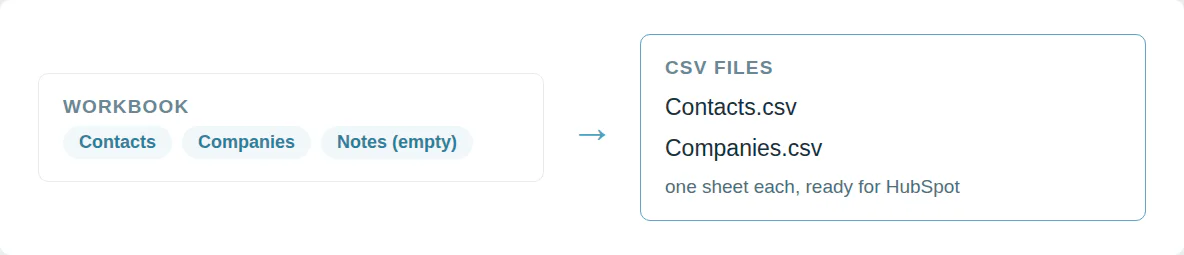
HubSpot imports one sheet per file. A workbook with a second tab is turned away. Saving each tab by hand takes a while.
Pick a sheet or download every sheet as its own CSV.
Dates and formulas come out readable
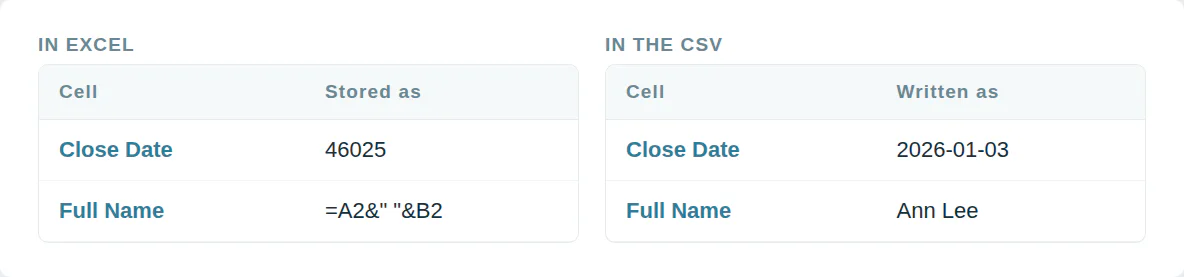
Excel stores a date as a number like 46025. A formula cell holds =A2&" "&B2. The import gets the wrong value or rejects the row.
Each CSV gets dates as 2026-01-03 and the value every formula shows.
Use it from a script or an AI agent
MCP  https://dedupe.ly/tools/mcp   every free tool in one connector (this one: excel_to_csv)

POST https://dedupe.ly/tools/api/excel-to-csv
{ "file": "<the .xlsx as base64>", "sheet": "all" }

Docs https://dedupe.ly/tools/api/openapi.jsonQuestions about converting Excel to CSV
Choose the .xlsx or .xls file, pick a sheet and a separator, and press Convert. The CSV downloads straight away.
Yes. Excel 97 to 2003 .xls files convert exactly like .xlsx.
Pick one sheet, or choose every sheet and get one CSV for each sheet with data.
HubSpot imports one sheet per file. Convert the sheet you need to CSV and import that.
The Data Import Wizard takes CSV. Convert the sheet here and the CSV comes out as UTF-8, which the wizard expects.
Yes, without a byte order mark, which suits CRM imports. Tick the option to add one if you plan to open the CSV in Excel again.
A CSV holds values only. Each formula exports its last calculated result, and colors and fonts are dropped.
As year, month and day, such as 2026-01-03, which every CRM import reads.
Yes. Pick comma, semicolon or tab.
No. The workbook is read in your browser and never leaves your computer.
More free tools


Get started for free
20 free trial merges and as much free support as you need to get your duplicates under control.
Or sign up with Google
 Or sign up with Google
-
"It couldn't have been much easier to connect to HubSpot and run my first dedupe."
Emily KMercy HousingHubSpot user
 HubSpot user
Running CRM cleanup for clients? See the Partner Program