



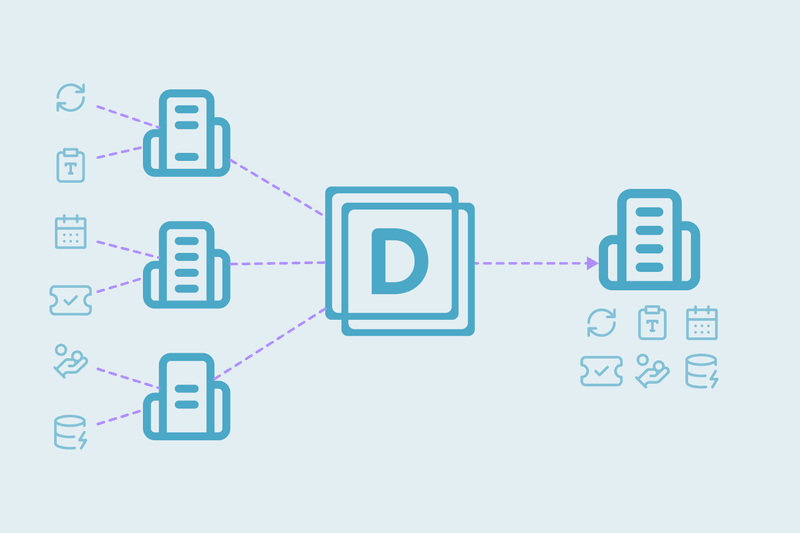
Connecting multiple cold outreach tools into one CRM creates records exponentially: every tool formats prospect details differently. A lean list of 1,000 target prospects rapidly breaks into 3,000 separate CRM records.
How One Prospect Becomes 4 Fragmented CRM Records
A single target prospect moving through a standard outbound stack triggers four separate record creations:
- Social export generates Record A: first name, last name and company name, no email address.
- Data enrichment appends a corporate email (tim@company.com) and uploads it without matching an existing record. That's Record B.
- The cold outreach platform sends campaigns using an alias (tim+outreach@company.com): Record C.
- Inbox sync captures a reply from a personal address (tim@gmail.com): Record D.
Why Native Deduplication Can't Match Fragmented Records
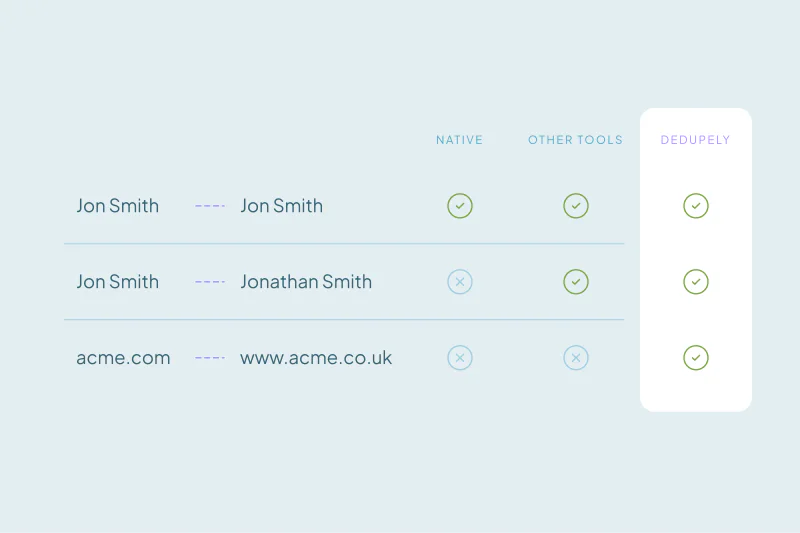
Default CRM duplicate tools rely on exact matches within primary email fields or first names. Multi-tool architecture breaks that in three ways:
Primary Email Dependency in Native CRM Engines
When an import has no email address, native tools cannot cross-reference existing names or company domains. Instead of updating the existing prospect, the CRM creates a new profile by default.
Unrecognized Email Aliases and Webmail Mismatches
Email aliases and personal webmail addresses pass native duplicate checks undetected: they don't match the primary corporate domain exactly.
Restricted Visibility on Large Databases
Built-in CRM utilities cap visible duplicate matches, hiding multi-record results across large databases. Teams cannot see the true scale of the duplication.
How to Merge Multi-Source Duplicate Records with Dedupely
Resolving identity fragmentation across a multi-tool stack means moving past single-field matching to multi-attribute logic. Four fixes close the structural gaps:
Bypassing Email Matching with Multi-Attribute Rules
Configure Duplicate Searches to ignore the email field entirely. Matching on First Name, Last Name and Company Domain together catches duplicates even when a social export carries no email at all.
Executing Multi-Record Merging at Scale
Merge matches with five or more records in a single action instead of pairs at a time, and the backlog clears faster.
Customizing the Merge Outcome to Prevent Data Loss
Merge Rules decide which value wins field by field. Force the enriched corporate email to stay in the primary field, move personal webmail to a secondary field, and keep every historical activity note and outreach date attached.
Routing Edge Cases to Manual Review
Send ambiguous duplicates, like two identical names at the same company with different job titles, to Excluded Matches. A handful of uncertain matches then never holds up the automated bulk merge.
Exact email matching across a multi-tool stack guarantees exponential database growth. Matching on the field each touchpoint actually shares keeps contact counts accurate and activity histories intact.
Bulk merging duplicate records lets Merge Rules decide which value survives across every source, and Merge History logs exactly what changed.
Start free, connect your CRM, and see the duplicates you have before you merge anything. Start here.




 Or sign up with Google
 Salesforce AppExchange











