


TL;DR
- Native CRM deduplication matches on fixed fields and merges a few records at a time.
- Other deduplication tools add custom matching and bulk merges, with features varying by tool.
- Custom scripts give full control but need development time and ongoing maintenance.
- Compare options on matching, control over merges, objects covered, volume and upkeep.
- Dedupely offers fully customizable matching and merges, several CRMs per account and up to 25 users.
Most CRMs include duplicate tools that block some new duplicates and merge a few records at a time. Dedicated deduplication tools add flexible matching, bulk merges and schedules, and they differ a lot from one tool to the next. Custom scripts can match and merge any way you like, as long as someone builds and maintains them. The right choice depends on how many duplicates you have, how complex your matching is, and who will look after it. In this post, you'll see how CRM deduplication works, how the four options compare side by side, and where each one stops.
How CRM deduplication works
Every deduplication tool does two jobs. It matches records that look like the same person or company, then it merges each set into one record.
Matching decides what you find. Merging decides what you keep: which record survives, which value wins in each field, and what happens to linked activities and deals.
Why exact matching misses duplicates and finds false ones
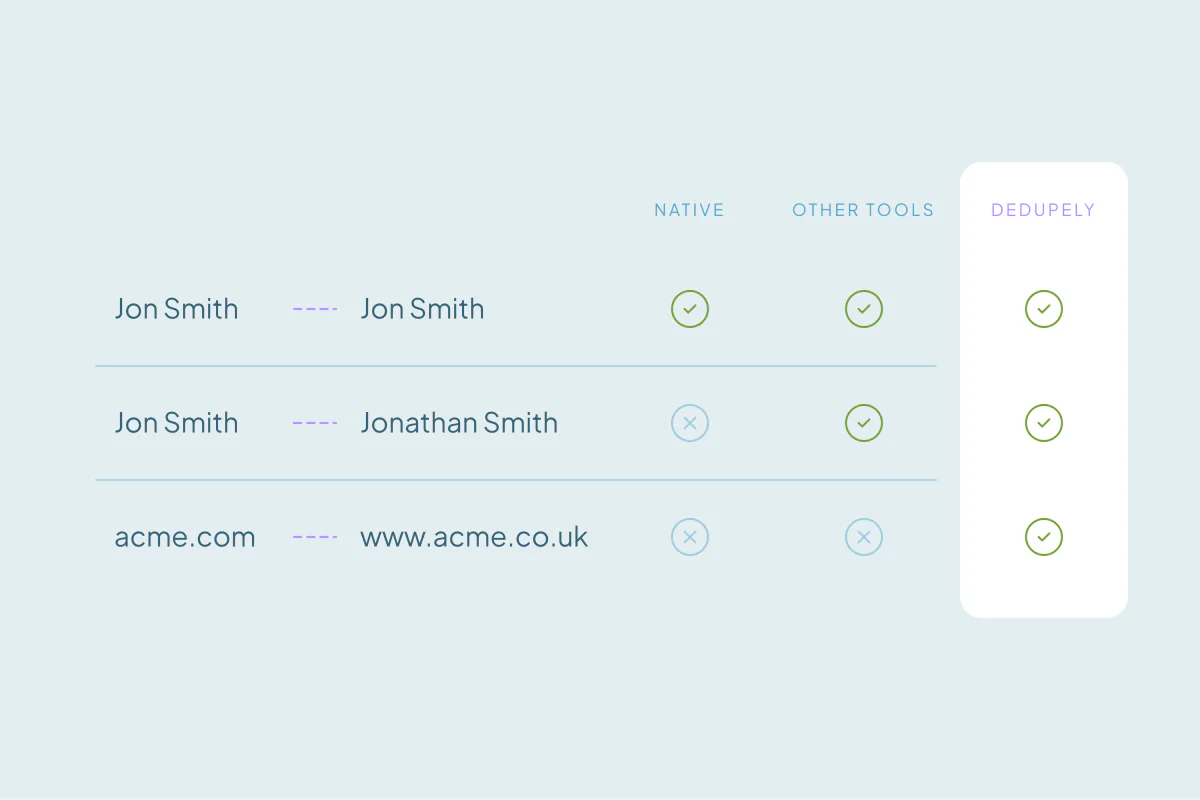
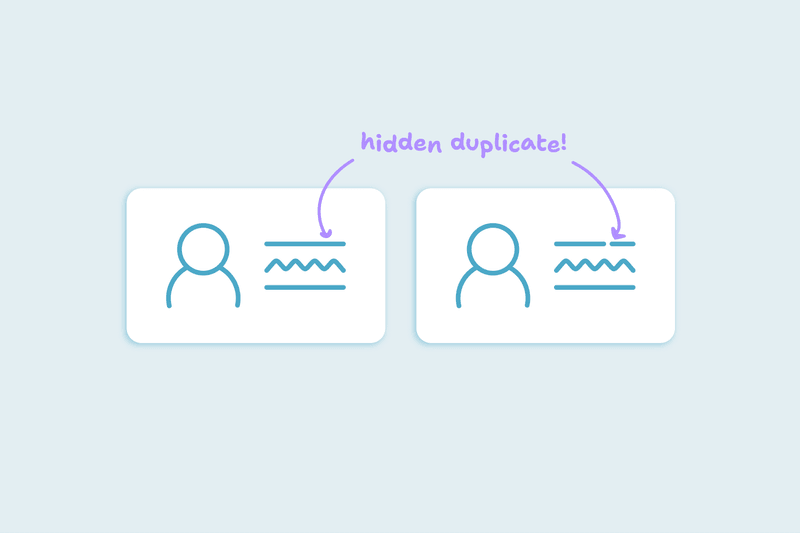
Exact matching compares values as they're written. It misses "Jon Smith" and "Jonathan Smith", or "+1 (555) 010-2000" and "555-010-2000".
It also produces false positives. Two different people who share info@company.com, or every record with a placeholder phone like 000-000-0000, match exactly and look like duplicates.
Better matching combines two to four fields and compares each one in the way that suits it. Phones compare best without formatting, company names without "Inc." or "LLC", and websites by their core domain. Unreliable fields stay out of the match.
The four options side by side
| Native deduplication | Other deduplication tools | Custom scripts | Dedupely | |
|---|---|---|---|---|
| Matching control | A fixed set of fields in some CRMs; custom rules in others, sometimes only on higher editions | Varies by tool; check which match types you can set per field | Any logic you can code | Each field matched exactly, by similar spelling, phonetically, by shared words or by core domain; several match groups in one search |
| Merge outcome control | The primary record's values win; some CRMs let you pick values field by field | Varies; check how the surviving record and field values are chosen | Whatever you code | Choose the surviving record (oldest, newest, last updated, most data or custom) and which value wins in each field |
| Objects covered | Duplicate finding often covers main objects only; others are merged by hand | Varies by tool and by CRM | Whatever the CRM's API exposes | HubSpot: contacts, companies, deals, leads, tickets, custom objects. Salesforce: accounts, contacts, leads, custom objects. Pipedrive: people, organizations, deals, leads, products. Close: leads, contacts, opportunities. Nimble and Google Contacts: contacts |
| Volume and bulk | Two to five records per merge; bulk merge only in some CRMs, sometimes only on top editions | Most offer bulk merges; check limits per plan | Limited by your code and the CRM's API limits | Bulk merge thousands of records in one action |
| Automation | Checks at entry and scans; merging stays manual | Varies; check scheduling options | Scheduled, if you build it | Merge new duplicates automatically; new records appear within 1–5 minutes, not instantly |
| Multiple CRMs | One CRM | Varies; check whether each CRM costs extra | One build per CRM | Several CRM instances under one account |
| Spreadsheets | Only once imported | Varies by tool | Possible, if you build it | Unlimited uploads and merging; spreadsheet records don't count toward your plan |
| Users and pricing | Included in the CRM, but the better duplicate tools often need a higher edition | Varies: per user, per record, per CRM or per module | No license; developer time | Based on the total number of records in the objects you choose to sync; up to 25 users at no extra cost |
| Setup effort | None | Usually connect and configure | High: build, test on a sandbox, deploy | Connect the CRM with admin rights; the first sync takes minutes to hours, by database size |
| Maintenance | None | Varies by tool | Ongoing, whenever fields or the API change | Rules set once; new matches to review |
| Preview and safety | The merge screen shows values; merges are permanent in some CRMs | Varies; check preview and what you can recover | Only what you build | Two previews before merging; risky matches excluded by default; history of every merge with original values; merges can't be undone |
Native column summarized from the vendor docs listed under "Native deduplication" below, as of October 2026. Dedupely pricing: dedupe.ly/pricing.
Native deduplication
Native tools come with your CRM, with no setup and no extra vendor. They work well for blocking obvious duplicates at entry and merging the few that slip through.
Their limits look alike across CRMs. Matching uses a set list of fields, merges take two to five records at a time, and the stronger tools sit on higher editions.
| CRM | Finds existing duplicates | Records per merge | Bulk merge | After the merge |
|---|---|---|---|---|
| HubSpot | Suggested pairs for contacts and companies, on Professional or Enterprise plans | 2 | Data Hub Professional or Enterprise only | Permanent; the merged record gets a new ID |
| Salesforce | Duplicate rules alert or block at entry; Duplicate Jobs scan the whole org on Performance and Unlimited editions | Up to 3 | No; job results are still merged one set at a time | The other records go to the Recycle Bin for 15 days |
| Pipedrive | Flags people with the same name plus a shared phone, email or organization, and organizations with the same name and address | 2 | No; pair by pair | Permanent; merged items can't be un-merged |
| Close | No duplicate finder in the app; a separate support tool lists leads with the same name, phone or email | 2 leads | Only as a one-time merge done by Close's support from that list | Permanent; the destination lead's values win on conflicts |
| Nimble | Imports merge on email, or on name when no email matches; otherwise you look for duplicates of one contact at a time | Up to 5 | Not documented | You choose the primary contact and which values stay |
| Google Contacts | Suggests duplicate contacts | No limit stated | Yes: accept every suggestion at once | A merged contact can be separated again |
As of October 2026, from HubSpot's knowledge base (Manage duplicate records, Merge records), Salesforce Help (Duplicate rules, Merge accounts, Duplicate jobs), Pipedrive's support center (Merge duplicates, How duplicates are identified), Close's help center (Finding and merging duplicates, Editing, merging and deleting leads), Nimble's support center (How to merge duplicate contacts) and Google Contacts Help (Merge duplicate contacts).
For a database with a few dozen duplicates, native tools are often enough. Once the backlog reaches thousands, or matching needs more than one field, teams start looking elsewhere.
33% of the teams that gave up on their CRM's native dedupe tools said the tools capped how many duplicates they could review, with no custom field rules.
Other deduplication tools
Dedicated tools connect to your CRM and add matching and merging the CRM doesn't have. Most offer more matching options than native tools, bulk merges and some form of scheduling.
Beyond that, they vary a lot. Before you choose one, check these points against your own data:
- Which CRMs and objects it covers, including deals, leads and custom objects.
- Whether you can set the match type per field and combine several fields.
- How it decides which record survives and which value wins in each field.
- Whether you see a preview before merging, and what you can recover afterward.
- How it's priced (per user, per record, per CRM or per module) and which features each plan includes.
- Whether it handles spreadsheets and several CRMs, if you need either.
21% of teams had tried other dedupe software or custom scripts before Dedupely.
Custom scripts
Some teams write their own deduplication code against the CRM's API, or run matching in a data warehouse and push merges back. A script can match on any logic you can describe and merge the way you decide.
The cost is in the people around it. Someone has to write it, test it on a sandbox, and keep it working when fields, objects or the API change.
Scripts also carry the most risk per run. A matching bug in a bulk merge can combine thousands of records. Without a preview step you build yourself, you see the result only afterward.
Scripts fit teams with developers on hand, a one-off cleanup with unusual rules, or matching that has to run inside a warehouse.
How to choose between them
Start with the size and shape of the problem. These are the questions I'd ask first:
- A few dozen duplicates in contacts and companies? Native tools are often enough.
- Thousands of duplicates, or duplicates in deals and custom objects? You'll need bulk merging, from an app or a script.
- Matching that needs several fields, typo tolerance or domain variants? Compare how much control each option gives you per field.
- Several CRMs, or spreadsheets from other systems? Check that the tool covers all of them and how it prices each one.
- No developer time? Rule out scripts, or budget for their upkeep.
Whatever you pick, test it on a sample first. Use records you know well and check every merged field before you scale up.
How Dedupely handles custom matching and bulk merges
In Dedupely, you can build fully customizable duplicate searches, set rules for which value wins, reject false matches and merge new duplicates automatically. It works with every HubSpot tier, including the Free version, and connects several CRM instances and unlimited spreadsheets under one account.
Test your pick on your own data
Native tools, scripts and apps can all remove duplicates. They differ in control over matching and merging, in the volume they handle and in the upkeep they need. The size of your backlog, the objects and CRMs involved and who will maintain the process point to the right fit.
Whichever option you choose, a test on records you know well shows how it matches and merges before any bulk merge.
Frequently asked questions
What is the best CRM deduplication tool?
The best tool depends on your volume, your matching needs and who maintains it. Native CRM tools suit small cleanups of contacts and companies. Custom scripts suit teams with developers and unusual rules. Deduplication apps suit large backlogs, several objects or CRMs, and teams that want control over matching and merging without code.
What's the difference between built-in duplicate rules and a deduplication app?
Built-in duplicate rules mostly check new records at entry, alerting or blocking on a set list of fields. A deduplication app also finds duplicates already in the database and lets you choose how each field is matched. It merges many sets at once, often on a schedule. Built-in rules come with the CRM; apps cost extra.
Why does exact match deduplication cause false positives?
Because unrelated records can share an exact value. Shared inboxes such as info@ addresses, placeholder phones like 000-000-0000 and generic names match exactly across different people or companies. Matching on two to four fields together, and keeping placeholder values out of the match, reduces these false positives before anything merges.
How does CRM deduplication work?
It works in two steps: matching and merging. Matching compares records field by field, exactly or with tolerance for typos, formats and spelling variants, and groups likely duplicates. Merging keeps one surviving record, decides which value wins in each field, and moves linked activities and deals onto that record.
Should I write a script to deduplicate my CRM?
A script makes sense if you have developer time, unusual matching logic or a warehouse-based process. It gives full control, but it needs building, testing and upkeep whenever your fields or the CRM's API change. For recurring cleanups without developers, a native tool or a deduplication app is usually easier to maintain.



 Or sign up with Google
 HubSpot Marketplace