



Standard Salesforce setups rely on email addresses to enforce unique Contact and Lead records. Contractors, sole proprietors and trade specialists alternate between personal webmail (@gmail.com) and a corporate domain (@studio.com), and that model breaks down.
A contractor submits an inquiry from webmail, then signs the contract from a corporate domain. Salesforce creates two profiles. Communication histories split, activity logs scatter across separate records, and billing details detach from the original project notes.
The Limits of Standard Salesforce Duplicate Rules
Native Salesforce duplicate rules compare single records with exact or fuzzy logic on string fields like email. An identity shift across domains slips past detection entirely.
Standard rules trigger false duplicate matches for 35% of teams, grouping unrelated people who share a common webmail domain or a generic business attribute.
Common Salesforce Workarounds That Fail to Fix Email Splitting
Unlinked Custom Email Fields
A custom text field like Secondary_Email__c on the Contact object does not stop duplicate creation at intake. Web-to-Lead, Salesforce Inbox and standard REST API integrations hardcode their lookup checks against the standard Contact.Email field. A submission from @gmail.com skips the custom secondary field entirely and creates a new Contact.
Loosened Fuzzy Name Matching Rules
Configuring Matching Rules to fuzzy-match First Name and exact-match Last Name, while ignoring email, causes collisions. Two unrelated people named “Chris Miller” who both use a personal @gmail.com address get grouped as duplicates, tangling Opportunity history and activity timelines across unrelated accounts.
Standard Lead Conversion Mechanics
The Lead conversion wizard searches for existing Contacts by exact email string. A contractor already in the database under @studio.com submits a new Lead from @gmail.com, and conversion does not surface the existing Contact. Converting the Lead creates a duplicate under the primary Account, splitting activity logs and email tracking across two records.
Disconnected ContactPointEmail Records
Salesforce's Individual data model stores multiple email addresses per record in the ContactPointEmail object. Standard Duplicate Rules do not query related ContactPointEmail records during Web-to-Lead processing or API imports out of the box, so related email records stay disconnected from intake evaluation without dedicated backend logic.
Structural Architecture for Cross-Domain Matching
Solving identity fragmentation means moving past single-email matching to a multi-attribute architecture that evaluates stable identifiers and manages domain exceptions.
- Filter out generic webmail domains (@gmail.com, @yahoo.com, @hotmail.com) to stop false positives between unrelated contacts who share a common name on a free email platform.
- Bypass email entirely during matching. Match on First Name, Last Name, Phone Number, Company and LinkedIn URL instead, since these rarely change when a sole proprietor moves between a personal and a corporate account.
- Choose which email value to retain with Merge Rules. If you need both addresses, preserve the other address separately before merging; a field winning rule does not copy it into another field.
How to find and merge Salesforce contacts without email using Dedupely
- Choose the object
Open Salesforce in Dedupely and select Contacts.
- Choose supporting fields
In a Duplicate Search, match names with phone or company fields. Leave email out of the matching criteria and review shared names carefully.
- Edit the match options per field:
Decide how thorough or lenient the matching should be. Click the arrow under each field name to switch between Exact, Similar, Fuzzy, Similar Words, or Domain Root.
- Set Merge Rules
Open Merge Rules and choose which record and field values win. Check ownership, contact details, and fields used by your workflows.
- Review the matches
Click Scan, then open View Match Details for the sets you plan to merge. Confirm they represent the same person or company and check the winning values. Leave uncertain matches unselected.
- Test a small merge
Merge a small reviewed sample. Check the surviving records, activities, and associations in your CRM before merging more. Stop and adjust the rules if the result differs from what you expected.
- Merge the reviewed sets
Select the duplicate sets you have reviewed and click Merge. Use Select all X matches only after checking the full result set.
Email as a single unique key in Salesforce breaks down the moment a contractor switches between personal webmail and a business domain. Multi-field matching fixes the structural root, and the CRM keeps complete, reliable relationship histories at every stage of the pipeline.
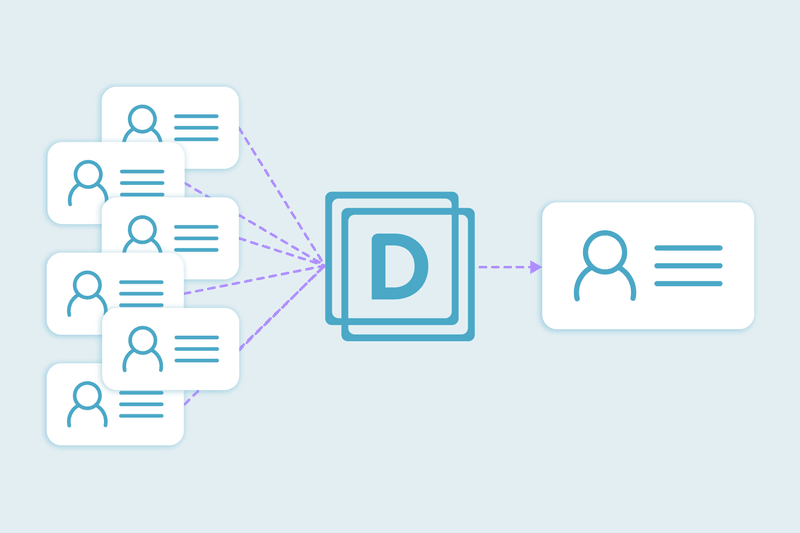
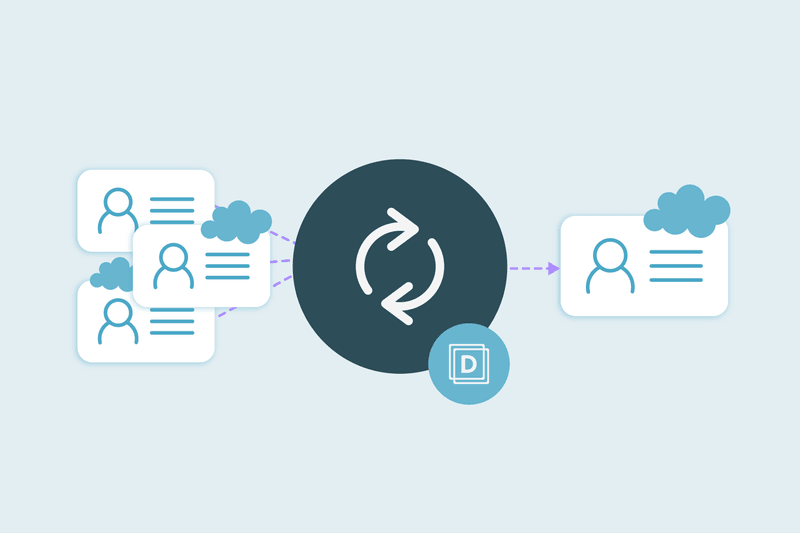
Mass merging duplicate Salesforce Contacts matches on name, phone and company instead of email alone, so a contractor's personal and corporate profiles resolve to one record.
Start free, connect your CRM, and see the duplicates you have before you merge anything. Start here.



 Or sign up with Google
 Pipedrive Marketplace











