 Dedupely Intelligence




TL;DR
- Many companies trade under a brand that's different from their legal, registered name.
- Billing, contracts and finance tools use the legal name; sales and marketing use the brand.
- When both reach the CRM, the same company exists twice, and the names have nothing in common.
- Match them on domain, phone, address or a tax or registration number, not on name.
- In Dedupely, you can match companies on any synced field and keep both names on the merged record.
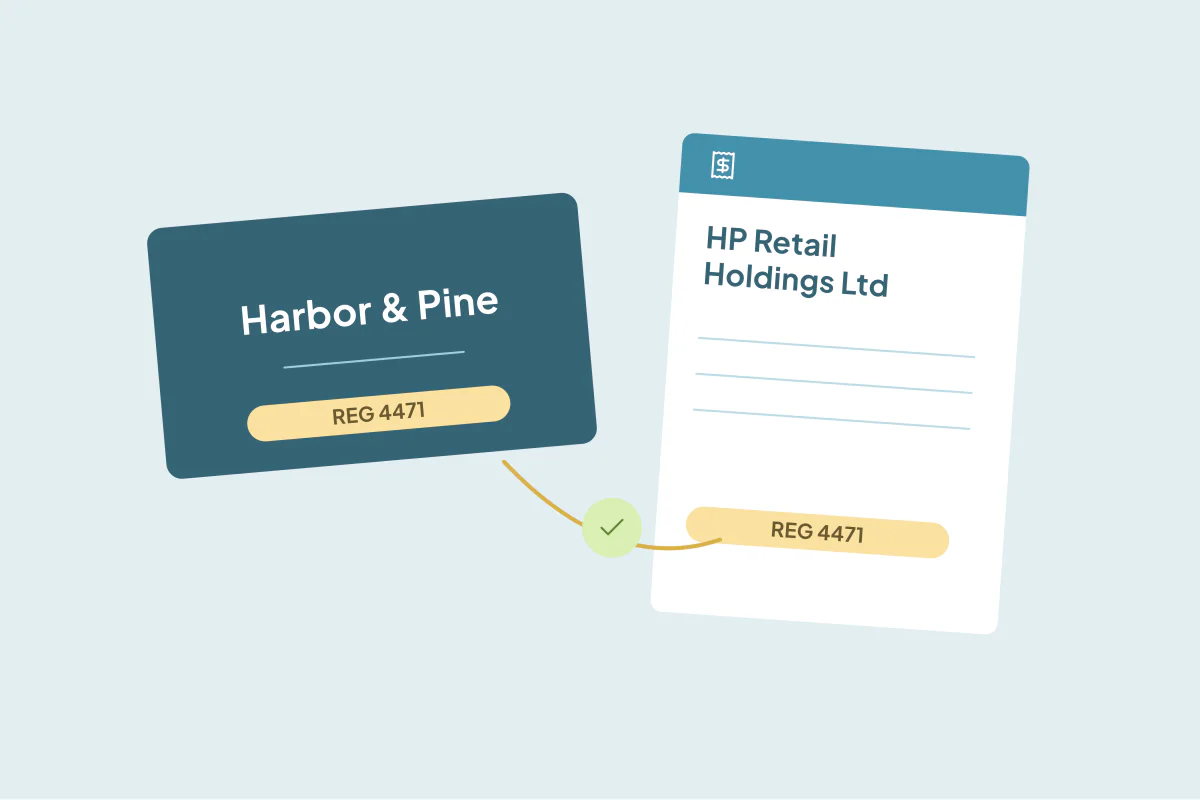
"Harbor & Pine" is the name on the website, the email signatures and every sales call. "HP Retail Holdings Ltd" is the name on the contract and every invoice. In the CRM, they're two companies: one created by a rep, one created by the billing sync.
Legal names and trading names (also called brand names or "doing business as" names) are one of the most common reasons a company exists twice. This post covers how to find these pairs and how to keep both names after merging.
Where the two names come from
| Source | Usually uses |
|---|---|
| Reps, forms, website sign-ups | The trading name |
| Billing, invoicing and ERP syncs | The legal name |
| Contracts and legal reviews | The legal name |
| Enrichment tools | Either, depending on the tool |
| Imports from events | Whatever the attendee typed |
Each source is right on its own terms. The problem is that the CRM gets both.
Why name matching misses them
Name matching, even with tolerance for typos and suffixes, looks for names that are similar. "Harbor & Pine" and "HP Retail Holdings Ltd" share nothing. No amount of name tolerance pairs them, and loosening name matching that far would pair many companies that aren't related.
Match on what the two records share
| Field | Why it works |
|---|---|
| Website domain | Billing records often have it, and it's the same for both names |
| Main phone number | Same office, same number |
| Address | Same registered or billing address |
| Tax, VAT or company registration number | Belongs to the legal entity, whatever it's called |
| A shared contact | The same person in finance or procurement on both records |
A registration or tax number is the strongest, if both records have it. Domain is the most common.
Keep both names
Don't make people choose. After the merge:
- Company name: usually the trading name, because that's what reps and customers say.
- Legal name: in its own field, for billing, contracts and finance.
- Former or other names: in a field or note, so searches by either name still find the company.
If your billing sync matches companies by name, point it at the legal name field, or it will create the duplicate again.
How Dedupely helps
In Dedupely, you can match companies on any synced field, such as website, phone, address or a custom tax ID field, so legal and trading names pair up even when the names differ. Domain Root matches the core domain of a website or email, ignoring www and country variants. Merge Rules decide which name wins in the company name field, Custom rules can set it from another field, and blank values never win, so a legal name stored in its own field is kept on the merged record. Review the sets first and reject any that are separate legal entities.
Two names, one record
A legal name and a trading name are two ways to say one company. Match them on domain, phone, address or a registration number, keep the trading name as the company name and the legal name in its own field, and make sure billing syncs look in the right place.
Frequently asked questions
How do I handle a company with a legal name and a trading name in my CRM?
Keep one record. Use the trading name as the company name and store the legal name in a separate field.
Why doesn't my duplicate search find legal and trading names?
The two names have nothing in common, so name matching can't pair them. Match on domain, phone, address or a registration number.
Which name should the merged company keep?
Usually the trading name, since that's what reps and customers use. Keep the legal name in its own field.
What's the most reliable field to match on?
A tax or company registration number, if both records have it. Otherwise, the website domain.
How do I stop the billing sync from creating the duplicate again?
Make the sync find companies by the legal name field or a shared ID, not by company name.




 Or sign up with Google
 HubSpot Marketplace