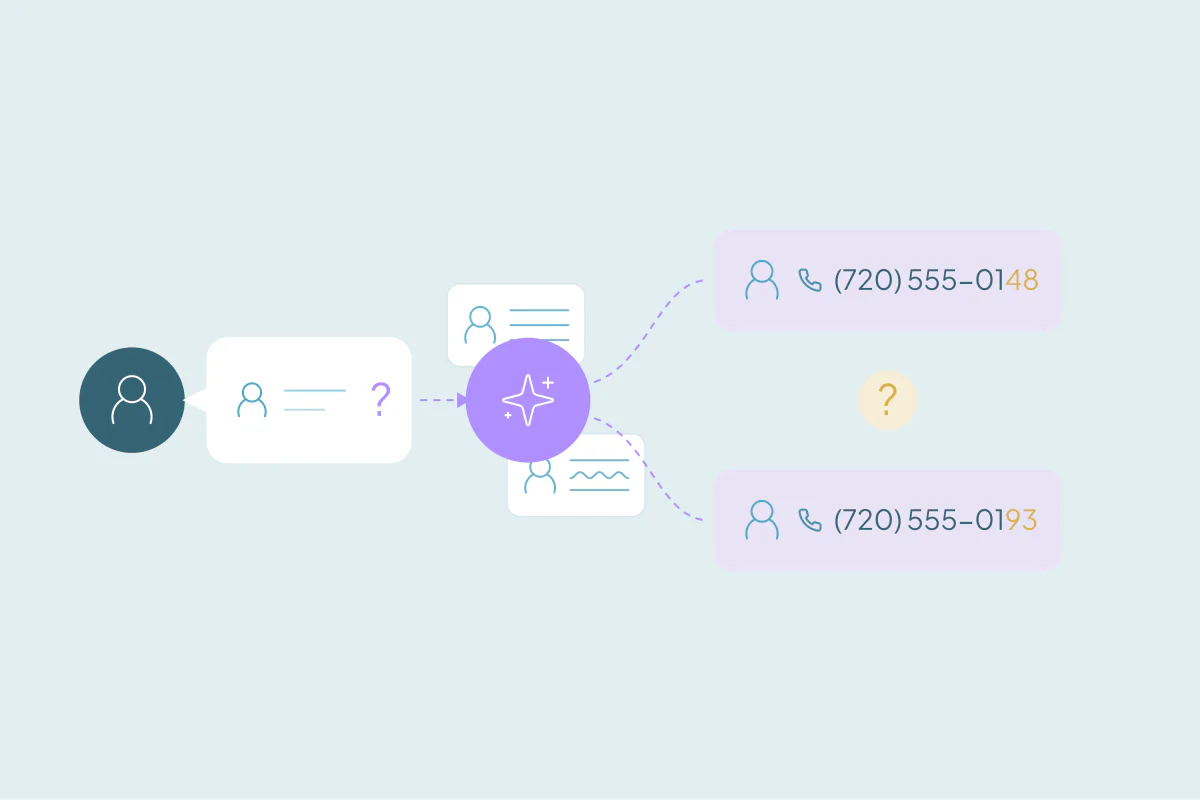


TL;DR
- AI tools in a CRM read your records, so duplicates feed them split data.
- An AI assistant can answer from one duplicate and miss the history stored on another.
- Lead scoring can spread one buyer's activity across records and score each one too low.
- Before an AI rollout, merge the obvious duplicates, usually exact matches on email or domain.
- Dedupely finds duplicates in the records your AI tools read and previews each merge.
Many CRMs offer AI, built in or added on top. Assistants answer questions about accounts, lead scoring ranks who to call, email writers draft follow-ups and agents update records for you.
All of them read the same thing: your records. When one customer lives in two or three records, each tool sees part of the picture and treats it as the whole. The answers look confident, and they're built on split data.
In this post, I go through how duplicates affect each kind of AI tool and how some AI tools create duplicates. Then I cover what to fix first. It's about the AI you already run, and how duplicates get in its way.
What the AI in your CRM reads
AI tools in a CRM work from the records, fields, activities and associations you already have. They don't know two records belong to one person unless something in the data links them.
A person reading the CRM might spot that "Jen" and "Jennifer" with the same last name at the same company are one contact. An AI tool may treat them as two people, each with half the emails, half the calls and half the deals.
That affects every kind of AI that sits in or on top of a CRM:
- Assistants that answer questions about an account or a contact.
- Lead scoring that ranks leads or contacts by fit and activity.
- Email writers that draft messages from a record's history.
- Forecasting that predicts revenue from open deals.
- Agents and enrichment bots that create or update records on their own.
Assistants answer from half the story
Example: A rep asks the assistant when the team last talked to an account. The assistant finds one company record and answers from it. The latest call, the open support issue and the signed contract sit on the duplicate.
The answer is right for that record and wrong for the customer. The rep has no way to tell from the reply.
What to do: Merge duplicate companies and contacts before you rely on an assistant for account summaries. Make sure the merge keeps activities and associations, so the history ends up in one place.
Lead scoring splits one buyer into weak leads
Example: One person downloads a guide with a personal email and books a demo with a work email. The scoring model sees two leads with half the engagement each. Neither crosses the threshold, so nobody calls.
It can go the other way too. The same person counted twice can make a segment look more engaged than it is, and the model learns from that.
What to do: Check how your scoring treats people with more than one record. Merge the ones you're certain of before the model learns from them.
AI email writers and forecasts work from the wrong record
Example: An AI writer drafts a follow-up from the record it was given. If that record holds an old job title or a closed deal, the email mentions them as if they were current. Two records for one person can also get the same AI-written sequence twice.
Forecasting models have the same blind spot. A deal that exists twice adds revenue that isn't there, and deals spread across two company records hide how much one customer is worth.
What to do: Before turning on AI-written emails or forecasts at scale, merge contacts that share an email and review open deals for duplicates. Decide which value wins for job title, owner and email opt-out, since those shape what the AI writes.
AI agents and enrichment bots can create duplicates
Some AI tools don't only read the CRM. They write to it, and that makes them a new source of duplicates.
Example: An enrichment bot can't find a company under a slightly different name, so it creates a new record. An agent logs a meeting and adds a contact for an attendee who already exists with another email.
What to do: Check which field each agent or bot uses to find existing records before it creates one. After you turn one on, watch the new records it adds for the first few weeks.
Why pausing AI costs more than cleaning first
What I see: A team I talked to paused an AI bot until their data was clean. For them, the data had to come first.
Pausing costs time, and trust in the tool is harder to win back than it was to lose. Reps who get one wrong answer start checking every answer by hand, which defeats the purpose.
What to do: Plan a cleanup before the rollout, and give it its own time in the project. It's easier to clean before the AI starts answering than to explain afterward why it got things wrong.
Know what a duplicate is in your own CRM
Example: A team starts an AI project assuming everyone agrees on what a duplicate is. Then sales, marketing and support each answer differently.
Two contacts sharing info@company.com may be one shared inbox, two people or a family. Two companies with the same name may be one business or a parent and its branch. What one team considers a duplicate, another may not.
What to do: Look at where records overlap in your CRM and agree on what makes two of them the same. Then you can decide which fields to match, how strict each one should be and what the merged record should look like.
What to clean before you turn AI on
- List the AI tools that read or write your CRM and the objects each one uses.
- Merge the obvious duplicates first, usually exact matches on email for people and domain for companies.
- Review the less certain matches, such as similar names at the same company, before merging them.
- Check for new duplicates after launch, since forms, imports, integrations and agents keep adding records.
How Dedupely gives your AI tools one record per customer
With Dedupely, you build duplicate searches for the records your AI tools read, starting with exact matches on email or domain. You set rules for which value wins and preview each merge, and activities and associations move to the record that survives. If you're certain two records aren't the same, you reject the false match, and it won't appear in your searches again.
Clean records make AI answers worth trusting
Every AI tool in your CRM works from the records you give it. When one customer is split across several records, assistants answer from part of the history and scores come out too low. Emails go out twice, forecasts count deals that don't exist, and agents can add more duplicates of their own.
The fix starts with knowing what a duplicate is in your own CRM and merging the obvious ones first. With one record per customer, the AI has the full picture, and your team has a reason to trust what it says.
Frequently asked questions
Do duplicate records affect AI in a CRM?
Yes: AI tools read the records in your CRM, so a customer split across several records gives them split data. Assistants can answer from one record and miss history on another. Lead scores can come out too low, and forecasts can count the same deal twice.
How do I prepare CRM data for AI?
Start by agreeing on what counts as a duplicate for each object the AI reads. Merge the obvious duplicates first, usually exact matches on email or domain. Then decide which value wins for key fields like owner and opt-out, and review less certain matches before merging them.
Can duplicate contacts affect lead scoring?
Yes: when one person has two records, their activity is split between them. Each record scores lower than the person should, so a ready buyer may never cross the threshold. Counting one person twice can also make a segment look more engaged than it is.
Should I clean my CRM before or after rolling out AI?
Before, then keep checking after launch. Cleaning first means the AI starts with one record per customer, and your team doesn't lose trust after a few wrong answers. Forms, imports, integrations and AI agents keep adding records, so new duplicates need attention once the AI is running.
Why does my CRM AI assistant give incomplete answers about accounts?
Often because the account's history is spread across duplicate records. The assistant finds one record and answers from it, while recent calls, deals or support issues sit on another. Merging duplicate companies and contacts, with activities and associations kept, puts the history in one place.



 Or sign up with Google