


TL;DR
- AI chat assistants can spot obvious duplicates in small exports, but results can vary.
- Language models can invent matches or miss them, so every result needs checking.
- Uploading CRM data to an outside AI tool sends customer data to a third party.
- Automations and scripts built on AI add cost and upkeep as the database grows.
- Dedupely Intelligence finds complex duplicates without a language model, and keeps CRM data inside Dedupely.
Asking AI to find duplicates sounds like the obvious shortcut. You export your contacts, hand them to an assistant and ask which records are the same person. For a short list, it often works.
The trouble starts with a real CRM: thousands of records, customer data that shouldn't leave your company, and merges that can't be undone. In this post, I compare the three ways teams use AI for deduplication, and what each one means for privacy, accuracy, control and cost.
The four approaches side by side
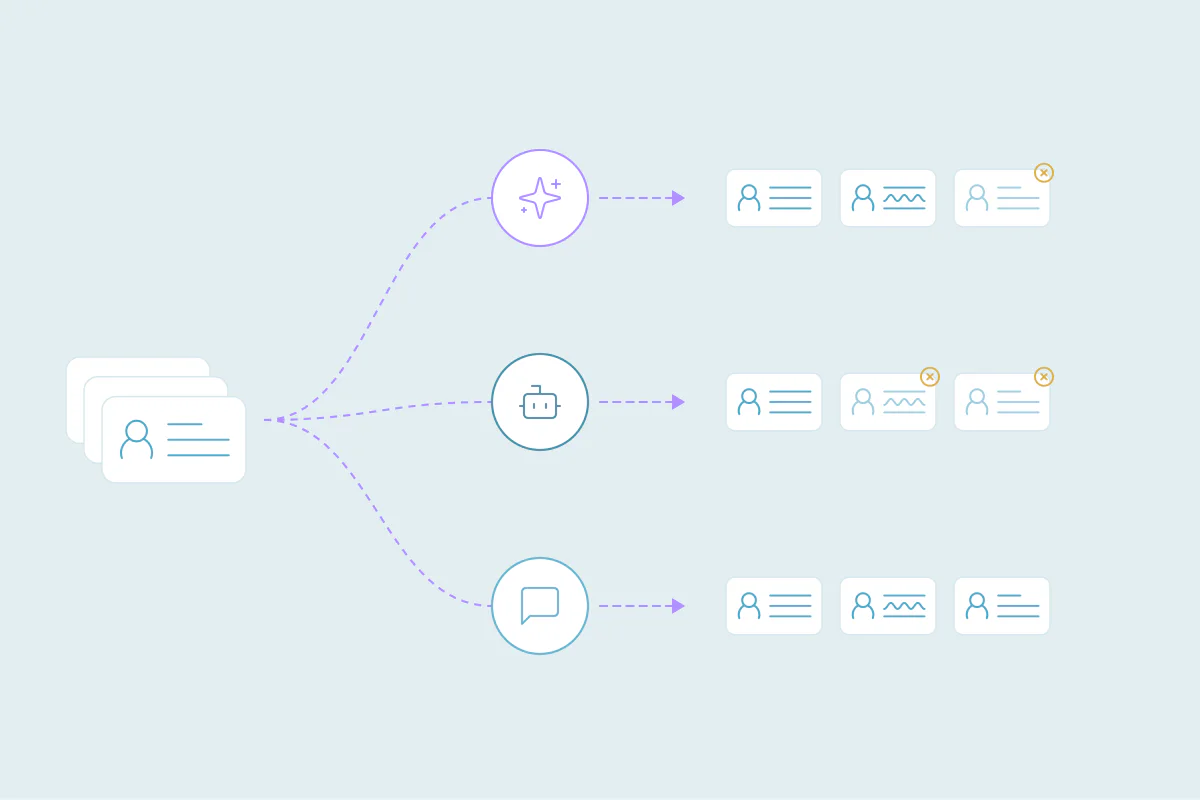
Teams that use AI for deduplication usually take one of three routes: a chat assistant, a no-code automation with an AI step, or a custom script that calls a language model. Here's how they compare with Dedupely Intelligence.
| AI chat assistants | No-code automations with AI | Custom scripts with a language model | Dedupely Intelligence | |
|---|---|---|---|---|
| Data privacy | The export is uploaded to the AI provider. What's kept, and for how long, depends on the plan and settings. | Data passes through the automation platform and an outside AI provider. | CRM data is sent directly to a language model's API. | CRM data stays on Dedupely's infrastructure and is never sent to outside AI models. |
| Invented or missed matches | High risk. Results can change between runs. | High risk. Output needs tuning and checks. | Controlled, with custom safeguards and output checks. | None. Matching runs on fixed code, with no language model inside the app. |
| Setup | Minutes: export, upload, prompt. | 1–4 hours: workflows, webhooks and API steps. | 1–3 days: code, hosting and API keys. | No setup once the CRM is connected. Scans run automatically. |
| Skills needed | None to start; checking results takes CRM knowledge. | Visual builders and CRM logic. | Python, APIs, hosting and debugging. | None. No code or match settings. |
| Who runs it | Anyone, plus someone to check the results. | RevOps or the CRM admin. | A software developer. | Any team member. |
| Groups of duplicates | Limited to the rows one conversation can hold. | Records are processed in pairs; groups take extra steps to review. | Groups are found in code, with no built-in way to review them. | All matched records are shown together in one set. |
| Edge cases | Each exception needs a new prompt. | Each exception needs more prompt logic. | Custom code, often with outside enrichment APIs. | Complex patterns are handled automatically. |
| Merge outcome control | None. Merging happens by hand in the CRM. | Simple defaults; field-level control gets messy. | Whatever logic you write in code. | Choose the primary record and which value wins in each field. |
| Objects covered | Whatever you export. | Whatever your workflow reads. | Whatever the CRM's API exposes. | Contacts, companies and leads for now, with more to come. |
| Pricing | Subscription or usage fees; the checking time is yours. | Pay per task; every operation adds cost. | Pay per token, plus developer time. | Matching included in every plan; unlimited merges on Yearly plans. |
| Growing databases | Large exports have to be split, and duplicates across parts are missed. | Gets expensive fast: more records mean more tasks. | More volume means more compute and maintenance. | Built to scale. |
Dedupely pricing: dedupe.ly/pricing.
Where your CRM data goes
Every AI route except one sends customer records to someone else. With a chat assistant, you upload the export. With a no-code automation, the data passes through the automation platform and then the AI provider. With a script, your code sends it straight to a language model's API.
That matters because CRM data is personal data: names, emails, phone numbers, deal values and notes. Many companies have policies, client contracts or security reviews that limit which outside tools can receive it. What the provider keeps, and whether it's used to improve their models, depends on the plan and settings you use.
Before you upload anything, check your company's data policy and the AI tool's data terms. If the answer isn't clear, treat it as a no.
Why language models invent and miss matches
A language model predicts likely text. It doesn't compare records the way a database does. Most of the time that's close enough, but deduplication needs the same answer every time.
From what I've seen, three problems come up again and again:
- Invented matches: two different people with similar names come back as one, or a field value appears that wasn't in the data.
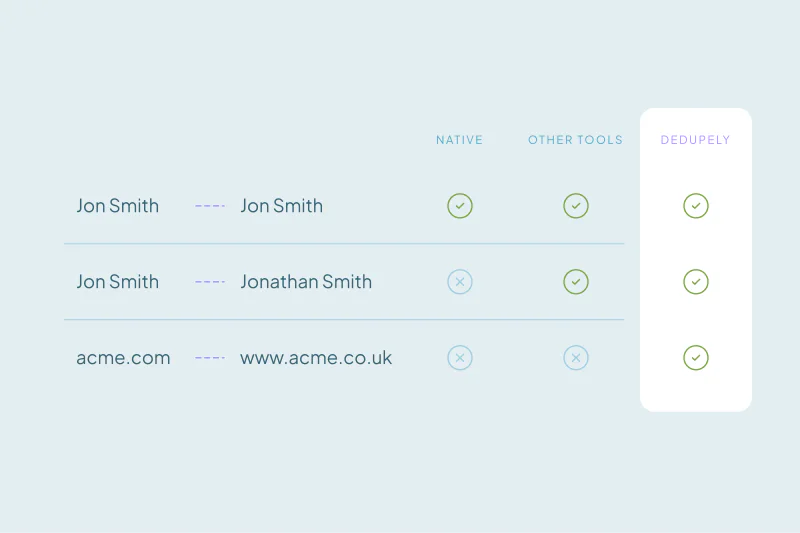
- Missed matches: records that share an email but differ in name or format slip through, often near the end of a long list.
- Different answers each time: run the same file twice and you can get two different sets of duplicates.
None of these is visible until someone checks the results row by row. Since a merge can be permanent, one wrong match can erase the record a rep was working on.
Duplicates come in groups, and AI tools see pairs
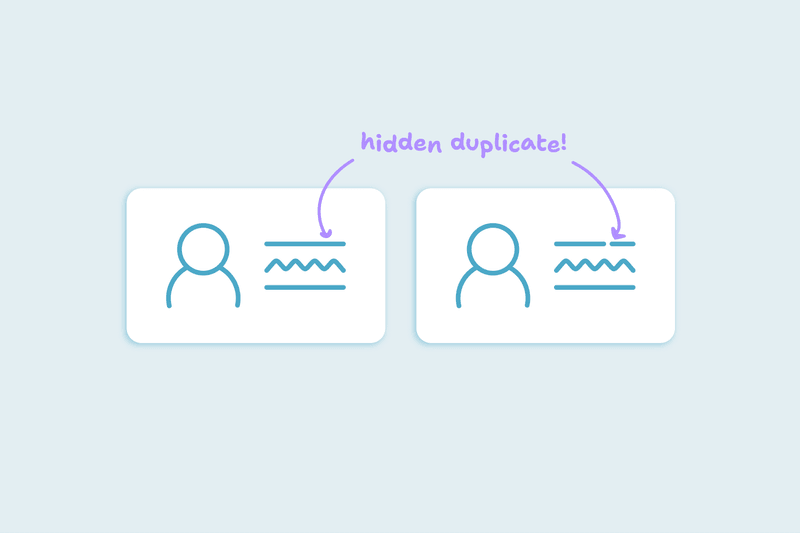
Real duplicates rarely come in twos. The same person can exist four times: once from a form, once from an import, once from a sales tool and once typed by hand.
No-code automations usually check records in pairs, so a group of four turns into six separate comparisons to review. Scripts can find groups, but you need to build a way to review them. A chat assistant only sees the rows that fit in one conversation, so records in another part of the export never meet.
The number of comparisons also grows fast. Checking every record against every other one means about 50 million pairs of records in a database of 10,000.
Edge cases need more than a better prompt
The duplicates that cause the most trouble are the hard ones: nicknames, typos, company suffixes, shared inboxes, people who changed jobs, and records that share a phone number but nothing else.
With prompt-based tools, each new exception becomes another instruction. The prompt grows, results get harder to predict, and someone has to keep testing it. Scripts handle exceptions in code, often with outside enrichment services, and each one adds maintenance.
Who decides what survives the merge
Finding duplicates is half the job. The other half is deciding which record survives and which value wins in each field: the newest phone number, the original owner, the email with the most activity.
A chat assistant gives you a list, and the merging happens by hand in the CRM. No-code automations handle simple defaults, but field-by-field rules get messy fast. Scripts give you full control, as long as someone writes and maintains every rule.
Setup, skills and upkeep
A chat assistant takes minutes to try, which is why most teams start there. The work moves to checking the results.
No-code automations take a few hours to build and someone comfortable with workflows, webhooks and CRM logic. Scripts take days and a developer, plus hosting, API keys and fixes whenever CRM fields or APIs change.
What happens to cost as the database grows
AI tools charge by usage, and deduplication uses a lot. No-code platforms charge per task, so every record or pair adds cost. Scripts pay per token for every record sent to the model, on top of developer time.
Chat assistants hit a different limit: how much one conversation can hold. Large exports have to be split, and duplicates that fall in different parts are never compared.
How to choose an approach
Each route fits a different situation:
- A chat assistant fits a short list with no sensitive data, where you'll check every result yourself.
- A no-code automation fits a team with a CRM admin, low volume and an approved automation platform.
- A custom script fits a team with developer time and rules no tool covers.
- A deduplication tool with built-in matching fits large databases, complex duplicates and data that has to stay private.
Whatever you choose, test on a small set first, review the results before anything merges, and keep a record of the original values.
How Dedupely Intelligence uses AI without sharing your CRM data
Dedupely uses AI only to design its matching logic. Dedupely Intelligence then runs that logic as fixed code on Dedupely's infrastructure, so your CRM data is never sent to outside AI models. It finds complex duplicate patterns without any match settings, shows every matched record together in one set, and lets you preview each merge with your rules for which value wins. It covers contacts, companies and leads for now.
AI can help, as long as you know where it stops
AI tools are useful for quick checks on small lists, and for teams with the skills to build and maintain their own workflows. Their limits show up with real CRM data: customer records leaving the company, matches that change between runs, groups split into pairs and costs that grow with every record.
The safest way to use AI for deduplication is to keep it away from decisions it can't make reliably. Matching your customers and merging their records need the same answer every time, with your team in control of what survives.
Frequently asked questions
Can an AI chat assistant deduplicate my CRM data?
It can spot obvious duplicates in a short export, but it isn't reliable for a full CRM. Results can change between runs, matches can be invented or missed, and large exports have to be split. You'll also need to check every result and merge by hand in the CRM.
Is it safe to upload CRM data to an AI tool?
It depends on your company's data policy and the tool's data terms. Uploading an export sends customer data to a third party, and what's kept depends on the plan and settings. Many companies limit which outside tools can receive personal data, so check before you upload anything.
Why does AI give different duplicate results each time?
Language models predict likely text instead of comparing records with fixed rules. Small changes, or none at all, can produce a different answer from the same file. Deduplication needs the same result every time, so model output needs checking before any merge.
Does AI deduplication work on large databases?
It gets harder as the database grows. Chat assistants can only hold part of a large export, no-code platforms charge per task, and scripts pay per token for every record sent. The number of comparisons also grows fast: about 50 million pairs of records for a database of 10,000.
What's the best way to use AI for CRM deduplication?
Use AI where mistakes are cheap, like a quick check of a short list you'll review yourself. For a full CRM, use matching that gives the same result every time, keeps data private, and lets you review groups of duplicates and choose which values win before anything merges.

 Or sign up with Google