


TL;DR
- By default, a HubSpot merge creates a new record ID and keeps the old ones searchable.
- By default, HubSpot unenrolls both merged records from their active workflows.
- In Salesforce, the main record survives, and the merge fires update and delete events.
- Check tools that store CRM record IDs, like billing systems, before a bulk merge.
- Dedupely previews each merge and records every one, so admins can trace what changed.
For CRM admins, the worry about merging is rarely the merge itself. It's what the merge does to everything connected to the record. That means the workflow it was in, the automation that fires when it changes and the tool that stores its ID.
A merge changes your live CRM, so a broken link to another system is found after the fact, often by someone who doesn't know a merge happened.
In this post, you'll see what HubSpot and Salesforce do to record IDs, workflows and automations when records merge. You'll also see which connected tools to check and how to prepare before a bulk merge.
Why record IDs and automations worry admins most
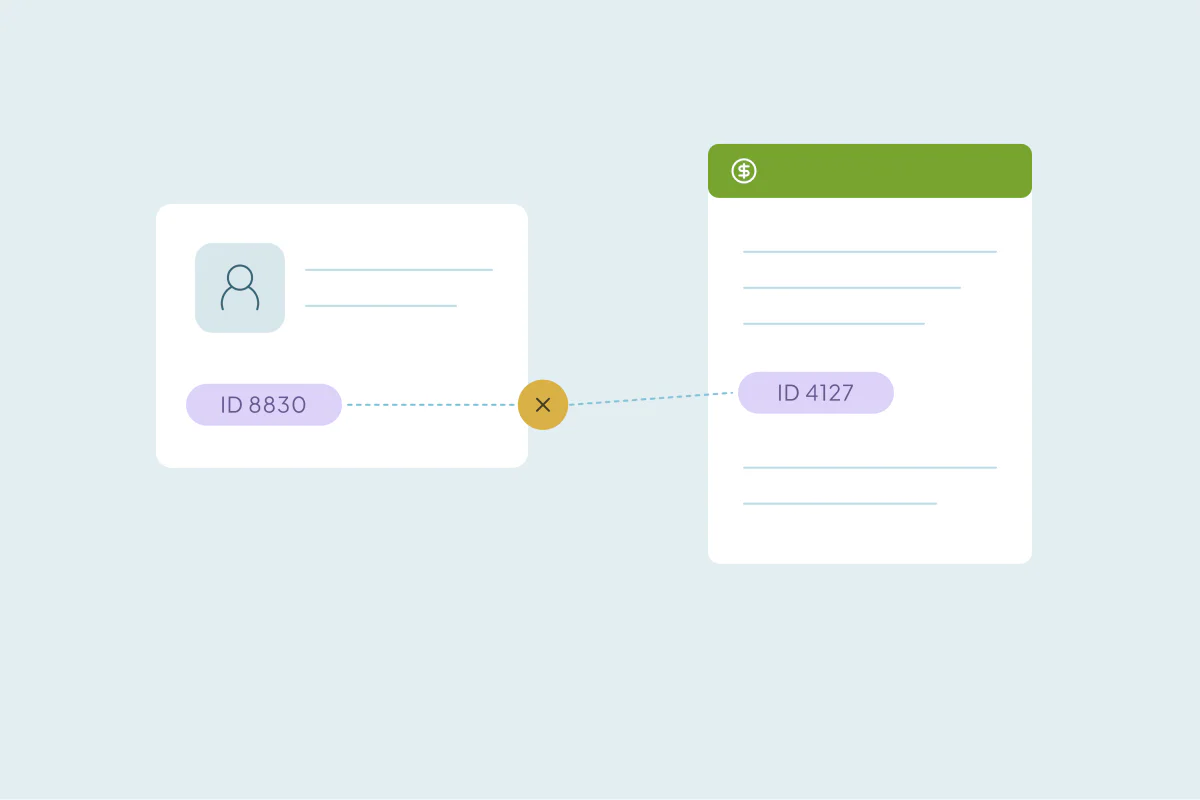
A wrong value in a field is easy to spot and fix. A changed record ID is quieter. The CRM looks fine, while a connected system keeps pointing at an ID that no longer means what it did.
Automations have the same problem in reverse. A bulk merge changes thousands of records at once, and every change can start a workflow, send a notification or update another tool.
Both worries come down to the same thing: the merge reaches beyond the two records you're looking at. Knowing how your CRM handles it is the first step.
What happens in HubSpot
Record IDs in HubSpot
By default, HubSpot creates a new record ID for the merged record. The original IDs stay searchable through the "Merged [record] IDs" property.
HubSpot also offers an opt-in public beta, Primary ID Preservation for Merged Records. In portals enrolled in it, the primary record keeps its ID instead. That's meant to keep APIs and webhooks that rely on record IDs from breaking.
Workflows in HubSpot
According to HubSpot's help page, both records leave the workflows they were active in at the time of the merge. In portals enrolled in the Primary ID Preservation beta, the primary record stays enrolled and only the secondary is unenrolled.
Some workflows matter more than others, like a nurture sequence or a renewal reminder. Check those after the merge, in case the merged record needs to be enrolled again.
Other effects worth knowing
- Associated records and timeline activities from both records appear on the merged record.
- The primary record's property values are generally kept, and the secondary's value fills empty properties.
- For contacts, the lifecycle stage furthest down the funnel is kept.
- The secondary record is removed from static segments, and active segment memberships may change.
- Records can't be merged once they've been part of 250 or more merges combined.
Source, as of October 2026: HubSpot Knowledge Base, Merge records.
What happens in Salesforce
Record IDs in Salesforce
In Salesforce, records merge into one main record, which survives. The other records are deleted, and their related records are reparented to the main record. Each deleted record's MasterRecordId field is set to the ID of the winning record.
So the ID of the record you keep stays the same, while the others stop existing as live records. That makes the choice of main record important: pick the one your integrations already reference.
Triggers and automations
A merge doesn't fire its own trigger event. It fires one delete event for the records merged away and one update event for the winning record. Any automation built on updates or deletes of that object can run during a merge.
That matters for roll-up counts, assignment logic and anything that sends an email on update. Test a merge in a sandbox first if the org has heavy automation.
Sources, as of October 2026: Salesforce Developers, merge() and Triggers and Merge Statements.
Tools that store CRM record IDs
Many tools keep a copy of the CRM record ID to stay in sync. When the ID changes or the record disappears, the link can break without an error anyone sees.
| Tool | What can go wrong |
|---|---|
| Billing or ERP | An account synced both ways with the ERP loses its match once the record the sync points to is merged away |
| Learning platform or member portal | A user's account loses its link to the CRM contact |
| Rewards or loyalty program | Members' sign-ins and program data lose their link to the CRM contact |
| Data warehouse or BI dashboards | A report that joins on an ID stored on the record breaks when the merge keeps only one of the IDs |
| Customer success tool | The account's health data stops syncing with the surviving record |
Ask each tool's owner how it handles a merged or changed ID. Some keep working, some need the new ID mapped by hand, and some records are better left out of the cleanup.
What to check before a bulk merge
A short check before the first large merge saves days of tracing afterward.
- List the tools that store record IDs: ask integration owners, and check the CRM's connected apps.
- Decide which record survives: in a CRM that keeps the main record's ID, keep the one linked tools already use.
- Review active workflows: note which ones the merged-away records are in, and which send emails on change.
- Pause noisy automations: owner notifications and update emails can fire on every merged record.
- Leave linked records out if needed: records synced to billing or support can wait for a separate, slower pass.
- Keep a record of every merge: you'll need the original records and their IDs to trace what each merge replaced.
Our post on deduplicating before a new integration covers the same risk from the other side. For the checks after the merge, see what to check after a large merge.
How Dedupely helps admins merge without losing track of links
In Dedupely, you choose which record survives each merge, preview the result and filter linked records out of a search. Every merge is recorded with the original records, the winning values and a link to the merged record in your CRM. The Merge History CSV keeps the original data and record IDs, and admins can see who ran each merge in the Audit Log.
Know what a merge reaches before you run it
Every CRM handles record IDs and automations in its own way. By default, HubSpot gives the merged record a new ID and unenrolls both records from their workflows. Salesforce keeps the main record and fires update and delete events.
The risk sits in the tools and workflows around the record. List them, pick the surviving record with care and test on a few records first. Then a bulk merge stops being a leap in the dark.
Frequently asked questions
Does merging contacts in HubSpot change the record ID?
Yes, by default HubSpot creates a new record ID for the merged record, as of October 2026. The original IDs stay searchable in the "Merged [record] IDs" property. Portals enrolled in HubSpot's opt-in Primary ID Preservation beta keep the primary record's ID instead, so tools that rely on it don't break.
What happens to workflows when you merge records in HubSpot?
By default, both records leave the workflows they were active in at the time of the merge, according to HubSpot. In portals enrolled in the Primary ID Preservation beta, the primary stays enrolled. Check your most important workflows after a merge.
Which record ID does Salesforce keep after a merge?
The main record's: Salesforce merges up to three records into one main record and deletes the others. Each deleted record's MasterRecordId field points to the winning record, and related records move to it. Keep the record your integrations already reference as the main one.
Do Salesforce triggers run when records are merged?
Yes. A merge fires a delete event for the records merged away and an update event for the winning record, as of October 2026. Automation that runs on updates or deletes of that object can run during a merge, so test in a sandbox first.
Can merging records break an integration?
It can, because tools that store CRM record IDs may keep pointing at a record that was merged away or whose ID changed. Billing systems, data warehouses and learning platforms are common examples. List those tools before a bulk merge and check how each one handles merged records.




 Or sign up with Google

 Pipedrive Marketplace












