Blog
Productivity

How to Dedupe and Blend Spreadsheets for Clean CRM Uploads

Merge lead lists from every source into one row per contact, keep every unique field, and upload the file once.

September 10, 2026
#
min read
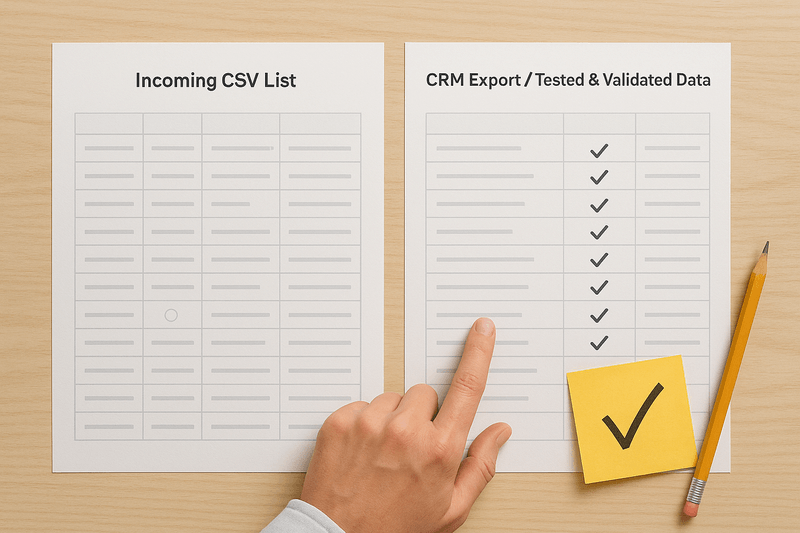
Five files flagged with errors and warnings feed up into one approved file ready to upload.
Gaby Salinas
Gaby Salinas
Marketing

Table of contents

View as Markdown

Lead lists arrive from trade shows, webinars, vendor buys and partner referrals, and each one carries part of the same contact. Blending them into one row per person before the upload is what keeps the records you already have intact.

Existing Limitations of Native Spreadsheet Deduping

Spreadsheets handle exact match row deletions well, but struggle with partial match row logic. If Row A contains a direct phone number and Row B contains an updated title, native deduplication simply deletes one entire row and discards valid data.

Formula-based methods like VLOOKUP or conditional formatting across multiple files are fragile, slow down significantly on large datasets, and introduce human error during manual copy-pasting. Furthermore, standard spreadsheets cannot validate dropdown strings against live CRM picklists, leaving invalid values that trigger rejected rows during upload.

The Main Reasons You Need to Import Spreadsheets to Your CRM

Legacy Data

Legacy data consists of historical archives from deprecated software, acquired customer bases, or old sales databases. Uploading legacy files as-is forces outdated column structures onto your CRM, bypasses validation rules, and overwrites enriched current records with stale data.

Multi-Source Incoming Data

Multi-source data includes recurring lead lists coming from trade show registrations, co-hosted webinars, vendor prospect buys, and partner referrals. Frequently uploading raw files from different channels creates duplicate contact entries, splits target accounts across different sales reps, and triggers duplicate automated campaign emails.

Why You Should Clean and Blend Spreadsheets

Core Wins

  • Complete field retention by merging scattered details across files into one master row per contact
  • Error-free import logs with zero rejected rows or failed property mappings
  • Reliable attribution data and accurate pipeline metrics that leadership can trust
  • High sales team trust in lead assignments and territory boundaries

Issues You'll Avoid

  • Blind overwrites of enriched CRM data by blank spreadsheet cells
  • Duplicate task creation and conflicting outreach by competing sales reps
  • High unsubscribe rates caused by contacts receiving redundant email sequences
  • Dozens of hours spent manually merging record pairs line-by-line inside the CRM post-import

The Recommended Approach

Consolidate all incoming spreadsheets into a single place, standardize column headers to match your CRM property schema, merge overlapping rows to retain all unique details, export a single clean CSV, and execute a single-pass upload.

Standardizing Repeatable Match and Merge Logic

Define fixed matching criteria and field winning logic for recurring list types. Establishing a set operational template eliminates the need to reinvent your deduplication process every time a new event or vendor list arrives.

Managing incoming files will always be part of revenue operations, but preparing spreadsheets shouldn't require endless manual effort or threaten database health. By establishing a clear pre-import workflow that standardizes headers and consolidates duplicate rows before upload, teams protect their production database and keep their systems running smoothly at scale.

Dedupely's free CSV tools merge two lists, dedupe the result and normalize the columns in the browser, before the file reaches your CRM.

Start free, connect your CRM, and see the duplicates you have before you merge anything. Start here.


Contact us

We’d be happy to help you get this set up.

Write us a message

We probably know the answer to your question already

Email copied to your clipboard!

Book a Zoom

Whether you’re getting started or getting intense.
Get in touch!

Get started for free

20 free trial merges and as much free support as you need to get your duplicates under control.

"The data in our CRM is much cleaner thanks to this App. Easy to use and relatively inexpensive."
H Chitty

H Chitty

HubSpot User

HubSpot MarketplaceHubSpot Marketplace
"I do recommend! A++ Pretty easy to use. Adequate reporting. SUPERB CUSTOMER SUCCESS!"
Alina T

Alina T

Sales Operations Specialist, FieldBee

51–100 employees
"Great tool that works as promised. Great customer support - Nestor was super helpful onboarding."

R McNaught

HubSpot User

HubSpot MarketplaceHubSpot Marketplace
"It prioritizes merging while keeping key data. Highly recommended for anyone using Pipedrive integration."
John K

John K

Head of Marketing, David J Anderson School of Management

Pipedrive MarketplacePipedrive user
"The app worked great and helped me a lot with hundreds of duplicates in Pipedrive."
Samo J

Samo J

Founder & CSO, TapHome

Pipedrive MarketplacePipedrive user
"Superior deduping logic with excellent support - highly recommend for cleaning up messy HubSpot records."
M Weppner

M Weppner

"Dedupely was incredibly easy to set up, and the support team replied almost instantly each time I reached out. In just a few

Yuliya

Pipedrive User

Pipedrive MarketplacePipedrive Marketplace
"Incredibly effective at tackling massive duplicate data cleanup - exactly what we needed."

D Wright

HubSpot User

HubSpot MarketplaceHubSpot Marketplace
"The application works great and [...] their customer support was responsive and helped me get on the right track!"

Shawnee K

Salesforce User

Salesforce AppExchangeSalesforce AppExchange
"Worked as expected and Nestor at Customer support was extremely helpful walking me through some nightmare duplicate issues."

DiBlasio S

HubSpot User

HubSpot MarketplaceHubSpot Marketplace
"I was really pleased with Dedupely. It's highly configurable and works well when used manually or for automated deduping."

Laura R

Salesforce User

Salesforce AppExchangeSalesforce AppExchange
"It couldn't have been much easier to connect to HubSpot and run my first dedupe."

Emily K

Mercy Housing

HubSpot MarketplaceHubSpot user
"It did more than I expected. Support is great!"

Paweł S

Pipedrive User

Pipedrive MarketplacePipedrive Marketplace
"Dedupely helped us to quickly de-duplicate hundreds of records, with a level of transparency that gives you confidence..."

Grattan H

Pipedrive User

Pipedrive MarketplacePipedrive Marketplace
"Our customers want to achieve great results fast. Everybody at HubSpot already knows what Dedupely can do..."
Scott B

Scott B

VP Platform Ecosystem, HubSpot

"This tool made a week long project take a few hours. Definitely a go-to for deduplication processes."

Burchard J

HubSpot User

HubSpot MarketplaceHubSpot Marketplace
"It took away the huge headache we had of merging over 27,000 duplicate contacts."
Sean B

Sean B

Managing Director, Legal CPD

"Most of all, our team has been impressed by the way the Dedupely Customer Success team consistently goes above and beyond."

Isaac J

Salesforce User

Salesforce AppExchangeSalesforce AppExchange
"Great support. They are on top of things, and answer questions very quickly."

Larry D

Pipedrive User

Pipedrive MarketplacePipedrive Marketplace
"Works really well, support is A++++++"

Andy G

Pipedrive User

Pipedrive MarketplacePipedrive Marketplace
"We had 300k records in our CRM. Despite the large amount, Dedupely was perfect. The support was especially outstanding."
Simon W

Simon W

Tillhub

~50 employees
"Worked very simply and effectively and suited my budget [...] Very happy to recommend a good app and integration."
Allan R

Allan R

Co-founder & Managing Director, Target3D

11–50 employees
"Dedupely was huge in improving the quality of my CRM database. It saved me hours of manual merging."
Marco S

Marco S

Information Systems Manager, Efecte

~200 employees
"Fantastic time saver with great filters - auto and bulk merging made so much easier!"
A Team

A Team

HubSpot User

HubSpot MarketplaceHubSpot Marketplace
"It helped us clean up a giant mess of duplicates after migrating to HubSpot from our old CRM."

J Eddie

HubSpot User

HubSpot MarketplaceHubSpot Marketplace
"Perfect solution that delivers exactly as promised. Does exactly what we need it to. Great tool."

A Grogan-Crane

HubSpot User

HubSpot MarketplaceHubSpot Marketplace
"In a matter of maybe 30 minutes [...] Dedupely automatically took care of my dupes and merge needs. So happy I found it."

Wasmer D

HubSpot User

HubSpot MarketplaceHubSpot Marketplace

Running CRM cleanup for clients? See the Partner Program

Skip to content