


Choosing whether to clean spreadsheets before uploading or resolve duplicate records inside the CRM afterward is a false choice. Treating this as an either-or decision leaves databases vulnerable, forcing roughly 25% of teams to waste dozens of hours every week manually merging records line-by-line because they rely strictly on one side of the process. Clean databases rely on a two-stage approach: fixing the spreadsheet within itself first, then letting CRM tools match that clean data against existing records.
Clean Your Spreadsheets with Dedupely Before Importing
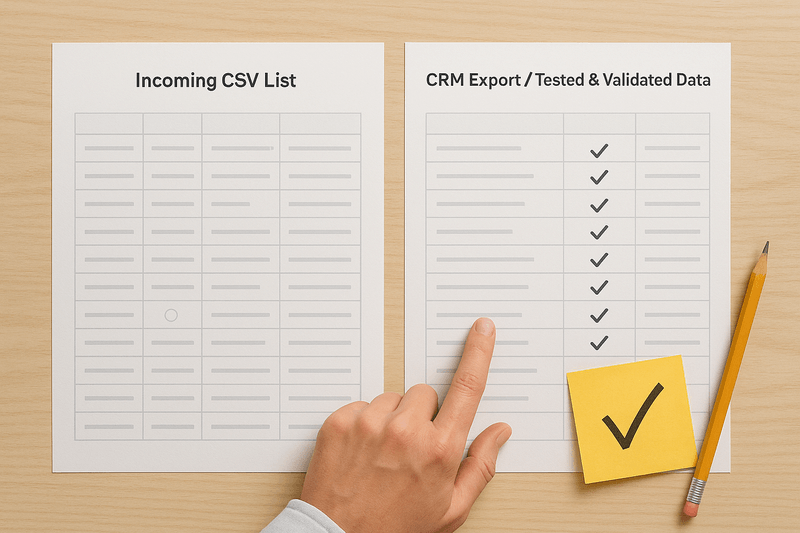
Pre-import cleaning resolves duplicate records within incoming files before any data enters the live database. Standard upload utilities compare incoming rows against existing database entries, but they completely miss duplicate rows sitting across a batch of new spreadsheets. When a file contains multiple entries for the same person, the CRM handles each row as a separate command: it either creates duplicate records or lets a blank cell in a later row wipe out valid details from an earlier one.
Cleaning before upload also stops system triggers before they start. The second uncleaned data touches a live database, active workflows wake up. Automated email sequences send duplicate messages, webhooks push raw entries to connected software, and notifications assign duplicate contacts to competing sales reps. Fixing these issues inside a live CRM means untangling actions that have already executed.
Consider an organization like Kinetix, which manages weekly customer success webinars, monthly regional marketing events, and outbound sales lists. A single prospect might attend a webinar, register for a seminar, and appear on a sales export all in the same month. Cleaning these files together prior to upload merges split details, like direct phone lines from the sales list and attendance tags from the webinar, into a single complete record per person before upload. Conversely, a specialized equipment delivery list from logistics needs to be deduplicated independently as a single file, ensuring shipping records remain separate from general sales outreach pipelines.
Dedupe Your CRM After Importing
Post-import cleaning handles relational mapping, account hierarchies, and historical context that standalone spreadsheets cannot evaluate. A flat file has no historical memory. It physically cannot see whether an incoming prospect belongs to an enterprise account with open deals, assigned account owners, and years of activity logs.
Post-import tools use the relational depth of the database to connect those dots. They evaluate incoming records against historical entries, link new contacts to parent companies, and attach new activity to existing pipeline deals. While pre-import cleaning ensures the file itself is clean, post-import cleaning ensures those new records harmonize with your existing database.
Once that newly deduplicated seminar attendee from Kinetix enters the system, post-import rules take over to match the clean contact against existing historical records. The database identifies that the contact belongs to an existing enterprise account ("Apex Health"), links them to the parent organization, attaches them to an open expansion deal, and preserves past activity logs without creating split account entries.
Operational Team Impact
Establishing a strict two-stage boundary transforms how every department interacts with the central database:
- Marketing: Eliminates duplicate automated email sends that damage sender reputation, cause high unsubscribe rates, or trigger spam complaints, while providing accurate campaign attribution.
- Sales: Stops territory disputes and lead collisions, allowing reps to trust lead assignments instantly without spending time searching for existing account history.
- Customer Success: Ensures account managers have a unified view of client interactions, preventing redundant outreach or conflicting onboarding instructions to key stakeholders.
- RevOps & CRM Admins: Prevents hours of manual line-by-line maintenance, eliminates massive upload error logs, and protects overall system integrity.
- Finance & Leadership: Guarantees reliable pipeline forecasts, prevents inaccurate revenue metrics caused by split company accounts, and protects historical deal reporting.
- IT & Systems: Reduces integration sync errors across downstream tools and eliminates the frustration that drives sales reps to abandon the CRM within 60 days of launch.
Core Wins
- Sales reps calling the correct contact on the first attempt without reaching out to the same person twice
- Clean marketing attribution reports that accurately reflect true campaign return on investment
- Automated email sequences enrolling prospects exactly once without triggering duplicate messages
- Clear territory mapping with zero split accounts assigned to competing sales reps
- Error-free upload logs with no rejected rows or failed Data Loader imports
- Preserved deal histories and accurate pipeline forecasts that management can rely on
- Protected user trust that prevents CRM abandonment within the first 60 days of launch
- Faster onboarding for new team members who don't have to navigate duplicate records
- Zero redundant tasks or calendar invites generated for account managers
- Reliable custom field data and preserved field history across your entire database
- Elimination of duplicate email sends that trigger high spam complaints and unsubscribes
- Bypassing native CRM display caps that limit manual duplicate reviews to a few thousand pairs
Scaling the Process
Scaling clean data across an organization requires establishing an operational framework rather than relying on one-off fixes. As list volumes grow across departments, scaling centers on three strategic operational pillars:
Establishing Pre-Upload Governance
Create mandatory intake protocols for any department introducing bulk spreadsheet data. Marketing, Sales, and Customer Success must route incoming files through a standardized pre-import check to consolidate rows before any file touches the CRM upload utility.
Defining Operational Boundaries
Separate data responsibilities clearly between team owners and database administrators. Departmental teams manage file-level cleanup and row consolidation prior to upload, while CRM administrators manage cross-object associations, account linking, and post-import relational audits.
Systematizing Routine Audits
Pair pre-import file checks with scheduled, automated database reviews. Establishing recurring post-import audits ensures that as new records interact with historical data, relational mappings and account hierarchies remain accurate over time.
Managing a CRM involves complex system architecture, pipeline tracking, and revenue reporting, but working with spreadsheets should not swallow up working hours or demand manual effort. By dividing the work into clear pre-import and post-import responsibilities, organizations eliminate unnecessary labor and keep their core database running cleanly at scale.
Dedupely's free CSV tools dedupe a file, merge two lists and normalize emails in the browser, before any of it reaches your CRM.
Start free, connect your CRM, and see the duplicates you have before you merge anything. Start here.





 Or sign up with Google
 HubSpot Marketplace











