



TL;DR
- Duplicate deals can carry the same value in two currencies.
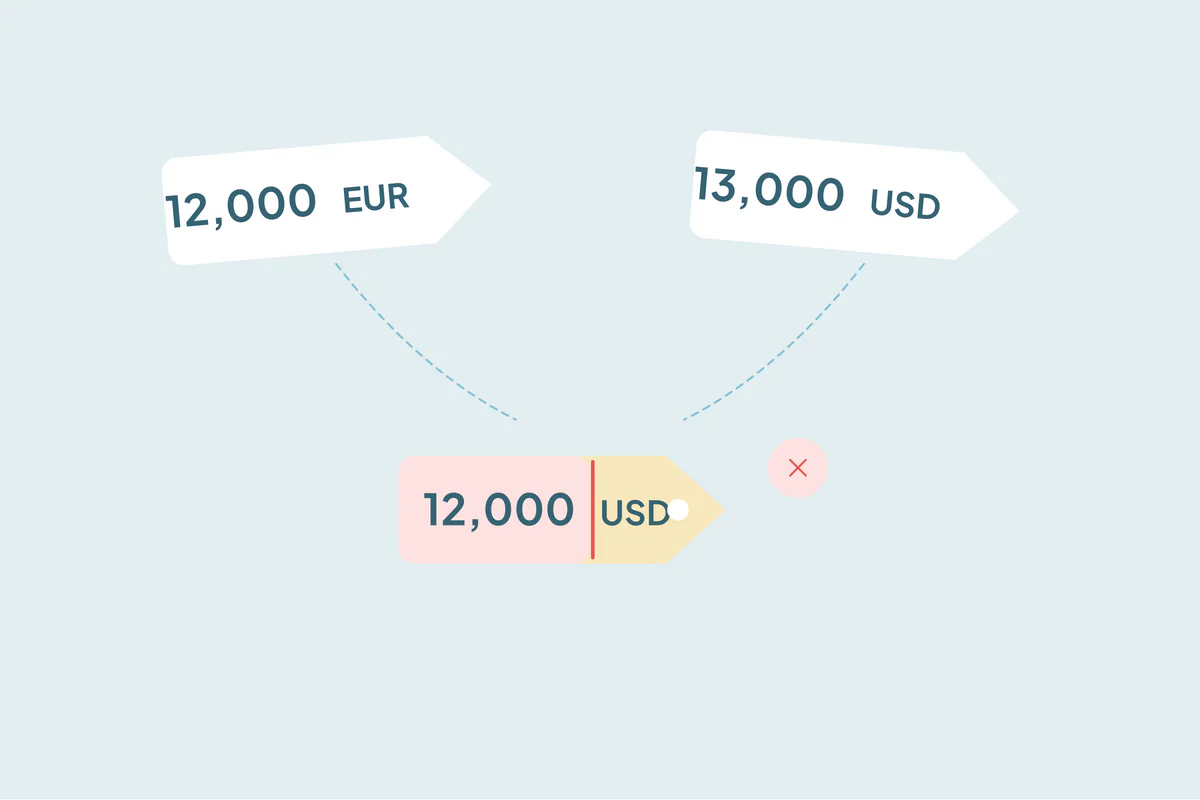
- A merge that picks fields one by one can mix one deal's amount with the other's currency.
- That turns 10,000 euros into 10,000 dollars, and your forecast moves.
- Keep the amount and the currency from the same deal.
- In Dedupely, setting both fields to Primary keeps them together.
A customer in Germany asks for a quote. A rep in the US enters the deal at 10,800 dollars, while the regional team enters the same deal at 10,000 euros. A duplicate search pairs them. The merge needs one amount and one currency, and they have to belong together.
How currency duplicates happen
- Two teams in different regions enter the same opportunity in their own currency.
- An integration creates the deal in the billing system's currency, while the rep's deal uses the company currency.
- A rep changes the currency on a copied deal but forgets the amount, or the other way round.
- An import brings deals in without a currency column, so they default to the company currency.
What can go wrong in the merge
Most merges decide each field separately. Amount and currency are two fields, so they can come from two records:
- Deal A: 10,000 EUR
- Deal B: 10,800 USD
- Merged, fields picked separately: 10,000 USD, or 10,800 EUR
Both results are wrong, and the forecast changes by the difference. Rules that look sensible on their own make it worse: "highest amount wins" compares 10,800 with 10,000 without knowing they're in different currencies.
Keep amount and currency together
- Pick one deal as the source of truth, usually the one the owner works and the customer was quoted in.
- Take amount and currency from that deal, not field by field.
- Don't use "highest" or "longest" rules on amounts when the deals can be in different currencies.
- Check line items or products too, since they carry their own prices.
- Compare the merged amount with the quote or contract before the deal closes.
Different currencies, different CRMs
CRMs handle currency differently. HubSpot can store a currency per deal and convert amounts to the company currency for reports, and Pipedrive stores a value and a currency on each deal. Whatever the CRM, the amount only means something next to its currency, so treat them as one value when merging.
How Dedupely keeps amount and currency together
In Dedupely, Merge Rules are set per field, so you can set the amount and the currency fields both to Primary: they both come from the Primary Record and stay together. A Custom Primary Record rule can choose which deal is primary, for example the one in the currency your team quotes in. The merge preview shows the result before you merge, with the winning values in bold, so you can check the amount and currency side by side. Dedupely merges HubSpot deals, Pipedrive deals and Close opportunities.
One deal's amount, the same deal's currency
Duplicate deals in two currencies are easy to merge wrong, because amount and currency are separate fields. Choose the deal that reflects what the customer was quoted, take both values from it and review mixed-currency pairs by hand.
Frequently asked questions
What happens when you merge deals in different currencies?
The merged deal keeps one amount and one currency. If they come from different deals, the value is wrong.
Which currency should the merged deal keep?
The one the customer was quoted in, usually on the deal the owner works.
Can a "highest amount wins" rule work across currencies?
No. It compares the numbers without the currency, so it can pick the wrong deal.
Do line items need checking too?
Yes. Products or line items carry their own prices and may not match the merged amount.
How do I find deals with mismatched currencies?
Run one search per currency, then a search across currencies, and review the cross-currency sets by hand.





 Or sign up with Google
 HubSpot Marketplace