Überprüfen Sie eine CSV gegen die Importregeln Ihres CRM, bevor Sie sie hochladen.

Kostenlos 10 Durchläufe pro Tag.
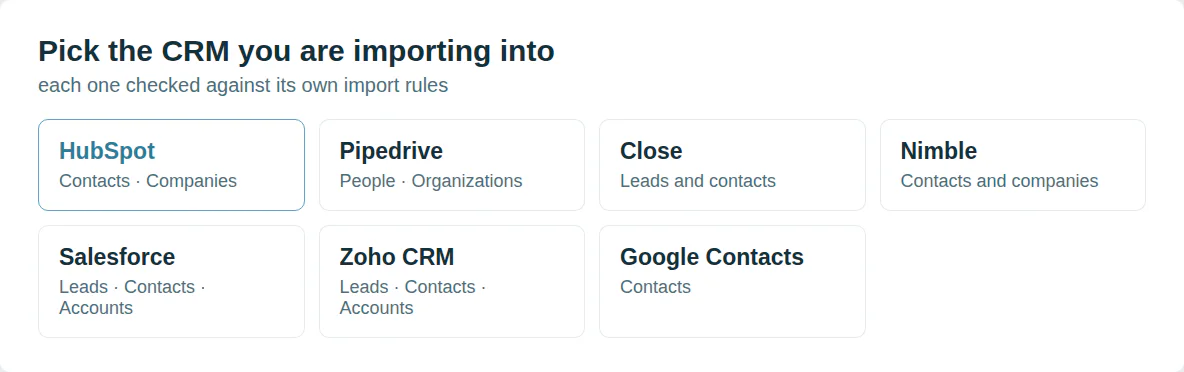
Jedes CRM importiert anders
HubSpot gleicht Kontakte nach E-Mail ab. Pipedrive führt Personen nach Namen und Telefon zusammen. Salesforce liest Daten in Ihrem Gebietsschema.
Dieses Tool liest Ihre Datei nach den Importregeln des von Ihnen gewählten CRM.
Fehler vor dem Import erkennen
Ein Import meldet Erfolg und lässt Felder leer. Zeilen verschwinden ohne Warnung. Duplikate erscheinen eine Woche später.
Dedupely vereinigt die Duplikate, die jeder Import hinterlässt, und speichert jede Zusammenführung in der Merge History.
Wählen Sie Ihr CRM

Aus einem Skript oder von einem KI-Agenten nutzen
MCP  https://dedupe.ly/tools/mcp   every free tool in one connector (this one: check_crm_import)

POST https://dedupe.ly/tools/api/import-checker
{ "crm": "hubspot", "object": "contacts", "csv": "Email,Phone\n..." }

Docs https://dedupe.ly/tools/api/openapi.jsonFragen zum Überprüfen eines Imports

Nein. Die Prüfung läuft im Browser und die Datei verlässt niemals Ihren Computer.
HubSpot, Salesforce, Pipedrive, Zoho CRM, Close, Nimble und Google Contacts. Jede hat eine eigene Seite mit ihrer Importvorlage.
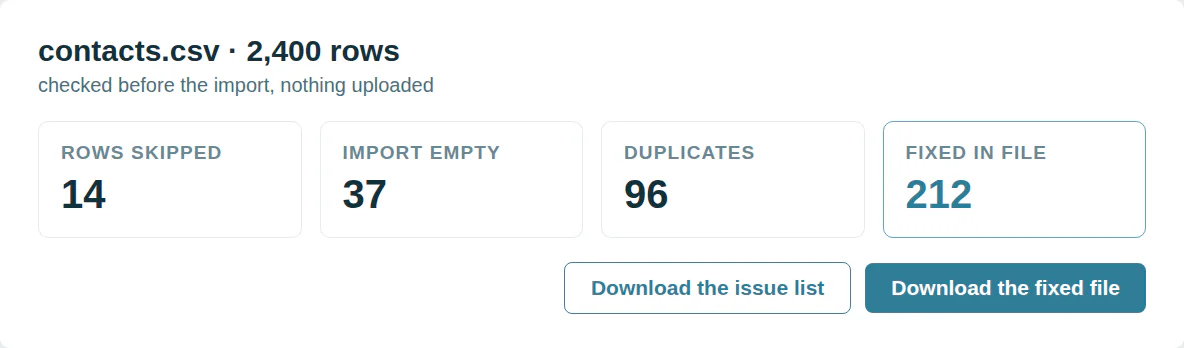
E-Mails, Telefonnummern, Daten, Nummern, Domänen und Optionsnamen. Die korrigierte Datei beibehält jede Spalte und lässt leere Zeilen weg.
Alles in Ihrem Konto: benutzerdefinierte Dropdown-Optionen, Benutzer, Pipelines und die Datensätze, die Sie bereits haben.
Zehn Überprüfungen pro Tag, kostenlos.
Weitere kostenlose Tools


Kostenlos starten
20 kostenlose Test-Merges und so viel kostenlosen Support, wie Sie brauchen, um Ihre Duplikate in den Griff zu bekommen.

 Oder mit Google registrieren

Alina T
Sales Operations Specialist, FieldBee
Bereinigen Sie CRM-Daten für Kunden? Zum Partnerprogramm












