CSV hochladen und Dashboard teilen, ohne etwas zu speichern.
Kostenlos für 10 Links pro Tag.
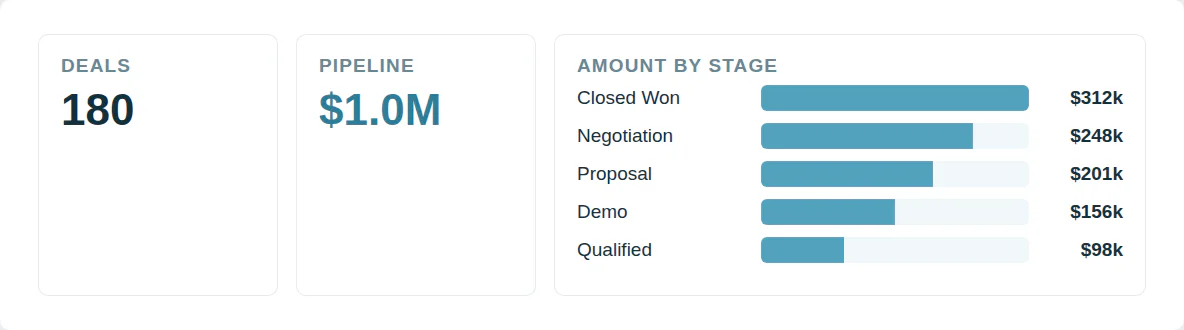
Von CSV zu Diagramm ohne Tabellenkalkulation
Ein CRM-Export wird zu ungelesenen Zeilen. Ein Diagramm braucht einen halben Tag. Der nächste Export heißt Neuaufbau.
Wählen Sie zwei Spalten und das Diagramm erstellt sich automatisch neben Tabellen und Zahlenkarten.
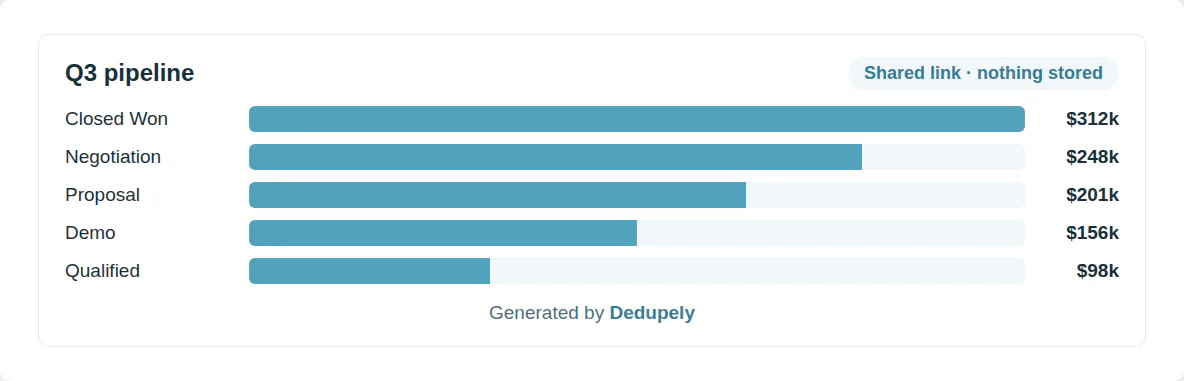
Teilen Sie ein Dashboard ohne Upload
Die meisten Diagramm-Tools speichern eine Kopie Ihrer Daten. Eine Kundenliste sollte nicht auf dem Server eines Fremden gespeichert werden. Ein Screenshot ist am nächsten Tag veraltet.
Das Dashboard und seine Daten sind im Link enthalten und werden nie gespeichert.
Fragen zum Erstellen eines Diagramms aus einer CSV

Wählen Sie die CSV-Datei oder fügen Sie ihre Zeilen ein. Ein Dashboard wird aus Ihren Spalten erstellt und kann geändert oder gelöscht werden.
Balken-, Horizontalbalken-, Stapelbalken-, Linien-, Flächen-, Kreis-, Donut- und Streudiagramme sowie Tabellen, Zahlenkarten und Textnotizen.
Ja. Zählen Sie Zeilen, Summen, Durchschnitt oder Min/Max. Gruppiert nach Spalte oder Monat/Quartal/Jahr.
Das Dashboard und seine Spalten sind im Link selbst komprimiert. Jeder mit dem Link sieht das Dashboard, und nichts wird auf einem Server gespeichert.
Jeder, dem Sie den Link senden. Die Daten sind im Link, teilen Sie ihn wie die Datei.
Dashboard als PDF herunterladen, beliebiges Diagramm als PNG speichern oder Freigabe-Link behalten, um es später zu öffnen.
Nein. Die Diagramme werden in Ihrem Browser gezeichnet und die Datei verlässt Ihren Computer nie.
Ja. Erstellen Sie beliebig viele Diagramme und zehn Freigabelinks pro Tag.
Weitere kostenlose Tools


Kostenlos starten
20 kostenlose Test-Merges und so viel kostenlosen Support, wie Sie brauchen, um Ihre Duplikate in den Griff zu bekommen.

 Oder mit Google registrieren
D Wright
HubSpot Nutzer
 HubSpot Marketplace
 Bereinigen Sie CRM-Daten für Kunden? Zum Partnerprogramm












