


TL;DR
- Advisor CRMs often gain duplicates from referrals, bought prospect lists, events and data imports.
- A client split across two records can hide meetings, notes and referral history from advisors.
- Whether spouses or joint account holders share a record depends on how your firm serves households.
- Many firms run a compliance review before any vendor connects to client data.
- Dedupely finds duplicate clients, prospects and referral partners, and works with your compliance review.
An advisory relationship can run for decades. Clients bring their spouses, then their children, and accountants send new families your way. The CRM is where that history is supposed to live.
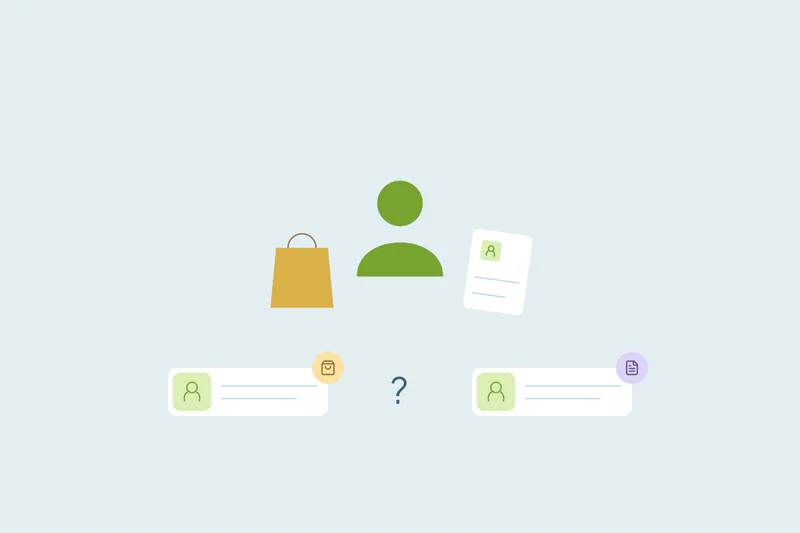
Duplicates break it into pieces. A client sits in two records, one with the last review meeting and one with the referral that brought them in. An advisor preparing for a meeting sees half the story.
In this post, you'll see where duplicates come from in an advisory firm's CRM and what they cost. You'll also see what counts as a duplicate for clients, households and referral partners. Then you'll see how to start a cleanup with compliance on board.
Where duplicates come from in an advisor's CRM
The causes depend on how each firm brings in clients and data. These five are common in advisory and wealth firms.
Referrals from accountants, attorneys and clients
An advisor adds a referred prospect by hand after a call. A week later, the same person fills in a contact form with a different email, and a second record appears. Referral partners can be duplicated too, when several advisors each add the same accountant.
Prospect lists from vendors
Bought lists of prospects overlap with each other and with the people already in your CRM. Each import that can't find an existing record creates a new one. Event and purchased lists bring duplicates in any industry, and advisory firms are no exception.
Seminars, webinars and client events
Registration tools create records for every guest. A client who brings a friend to a seminar can arrive again under a new email, and the friend may already be a prospect.
Imports from other systems
Some firms import client data from planning tools, account data providers or a previous CRM. When an import can't match the person already in the CRM, for example because a name is formatted differently, it adds a new record.
Advisors joining and leaving
An advisor who joins brings relationships that may already be in the CRM under a colleague. When an advisor leaves, the clients they served are reassigned, and some get re-entered by the new advisor.
What duplicates cost an advisory firm
Advisory work depends on knowing the whole relationship. Duplicates take that away in ways that are easy to miss.
- Meetings prepared from half the story: notes, tasks and past reviews sit on one record while the advisor opens the other.
- Lost referral credit: the record that holds the referral source isn't the one the client's activity lands on.
- Two advisors, one client: two people reach out to the same family, or nobody does because each assumes the other will.
- Mixed communication preferences: an opt-out on one record may not stop emails to the other.
- Reports that count people twice: client counts and revenue by advisor stop matching what the firm knows.
The lasting cost is trust in the CRM. Advisors who've been caught out by a split record start keeping private notes, and the firm's shared view of each client gets thinner.
What counts as a duplicate for clients and households
What counts as a duplicate is case by case. What one firm considers a duplicate, another may not, and that's especially true for families.
Individual clients
One person entered twice is the clearest case. Same person, same relationship, two records. Merge these once you're sure the details belong to one person.
Spouses and households
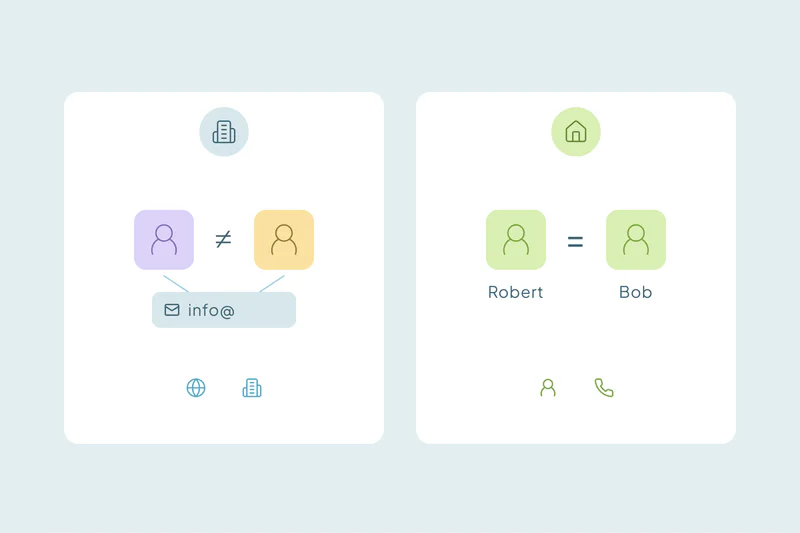
Partners often share an address, a phone number and sometimes an email. Some firms group each partner's record under a household, and others keep one record per couple. Matching people in households works differently from matching business contacts, so decide this before any bulk merge.
Joint account holders
A joint account has distinct holders. A shared address, phone or account does not make them duplicate people. If your firm uses a household record, keep that grouping separate from each holder's identity and communication preferences. Confirm individual duplicates with reliable personal details.
Trusts, businesses and other entities
A client's family trust or business can share a name and address with the client. They're related records that look like duplicates, and merging them would mix two relationships into one.
Referral partners
An accountant entered twice is a duplicate. Two accountants at the same practice are not, even with the same office phone and domain. Match referral partners on personal email or name with company.
Advisor records at a glance
| Record | Where duplicates come from | Match on first | Watch out for |
|---|---|---|---|
| Clients | Referrals, forms, imports | Exact email, then name with phone | Spouses sharing one email |
| Prospects | Vendor lists, seminars, webinars | Exact email, then name with phone | Prospects who are already clients |
| Households | Each partner added separately | Postal address with last name | Partners your firm tracks separately |
| Joint account holders | Account opening, imports | Personal email or mobile number | Shared address and home phone |
| Referral partners | Several advisors adding the same person | Email, then name with company | Colleagues at the same practice |
Bring compliance in before the cleanup
Advisory firms handle sensitive client data, so a cleanup often starts with a review. Planning for it early keeps the project moving.
Expect a vendor review
Many firms review any tool before it connects to client data. Reviewers ask where data is processed, who can access it and how it's used. What security teams ask about a deduplication tool covers those questions in detail.
Agree on what can be merged and deleted
Your compliance team may have rules about which records and communications must be kept, and for how long. Ask before deleting anything, and before merging records that hold client communications. This post isn't legal or compliance advice, so their rules come first.
Keep a record of every merge
Many CRM merges can't be undone. Export the original values before a large merge, so you can show what changed and recreate a record if needed.
Where to start the cleanup
Once compliance is on board, the cleanup itself can start small. Work from the safest matches toward the ones that need judgment.
Start with the obvious duplicates
Exact email matches come first, since few people on your team will argue about them. Sets that share a household email are the exception: look at those before merging.
Then match clients without the same email
Combine name with a field that stays stable, like mobile number or postal address. Review these matches first, since spouses and joint holders can look alike.
Decide which values win
Agree on the advisor of record, the referral source and communication preferences before the first merge. Opt-outs deserve extra care, since losing one means contacting someone who asked you to stop.
Reject only what you're certain of
Spouses you track separately and colleagues at the same practice can keep showing up as matches. Reject a match only when you're certain it isn't a duplicate, since it won't come back in later searches.
How Dedupely helps advisory firms keep one record per client
Dedupely works with CSV files and supported CRM connections, including HubSpot, Salesforce, Pipedrive, Close, Nimble and Google Contacts. Confirm the objects available for your connection, review client and referral-partner matches, and keep distinct household members apart. For security approval, review the current evidence in the Trust Center and agree on the data and records your firm permits the tool to process.
One client, one complete relationship
Advisory duplicates come from the same places that grow the firm: referrals, prospect lists, events and new advisors. A firm that grows well will keep gaining them, so the goal is a CRM where each relationship still adds up to one record.
The fix starts with decisions only your firm can make: how you treat households, which values win and what compliance needs kept. With those agreed, merging the obvious duplicates first gives every advisor a record that shows the whole relationship.
References: Dedupely Trust Center.
Frequently asked questions
How do financial advisors find duplicate client records?
Start with exact email matches, which are usually the safest duplicates to merge. Then match clients on name combined with a stable field, like mobile number or postal address. Review those matches before merging, because spouses, joint account holders and family members often share an address, a home phone or even an email.
Should spouses have separate records in an advisor CRM?
It depends on how your firm serves households. Many firms keep a record for each person, grouped in a household, while others keep one record per couple. Pick one approach, apply it across the CRM and reject matches between spouses you keep apart.
Are joint account holders duplicates in a CRM?
No: sharing a joint account does not make two holders the same person. A household record can group a relationship, but each person's identity and preferences still need to be distinguishable. Review matches on shared addresses, phones and emails before merging individual contacts.
Why do bought prospect lists create duplicates?
Because each list overlaps with earlier lists and with people already in your CRM. When an import can't find an existing record, for example because the email differs, it creates a new one. Clean each list against itself first, then check it against your CRM on email before or right after the import.
Do wealth firms need compliance approval to clean their CRM?
Often, yes: many firms review any vendor before it connects to client data, and compliance may have rules about which records must be kept. Involve them early and agree on what can be merged or deleted. Export the original values before a large merge, since many CRM merges can't be undone.



 Or sign up with Google