Comprueba un archivo de contactos antes de que el asistente de Nimble lo rechace.

Gratis para 10 ejecuciones al día.
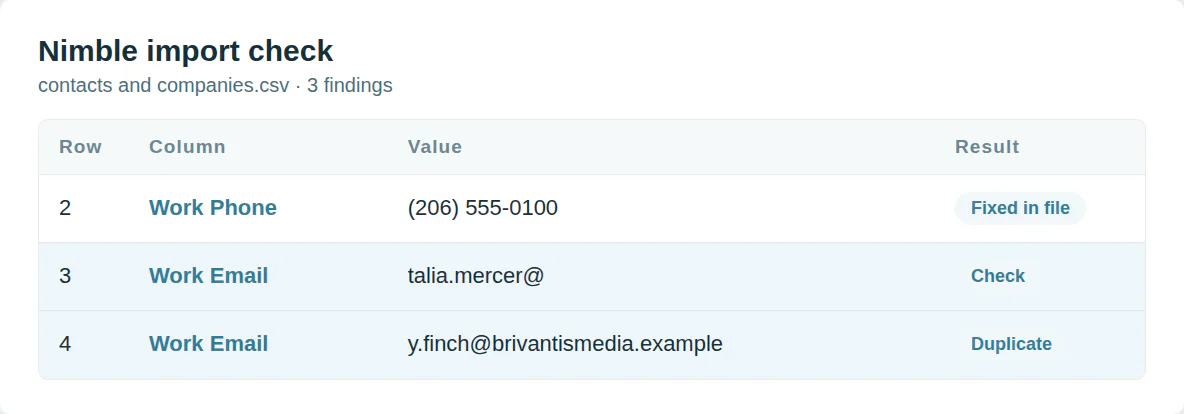
Archivos que Nimble rechaza
Nimble lee solo comas. Una fila en blanco detiene la carga. Un email sin nombre ni empresa no se importa.
Este verificador repara el archivo para que el asistente lo acepte.
Empieza por las columnas que Nimble asigna
Los domicilios necesitan encabezados como Domicilio laboral 1 - Ciudad. Dominios sin http ni www. Etiquetas en Etiqueta 1 y 2.
La plantilla Nimble usa los nombres de columna que detecta su asistente
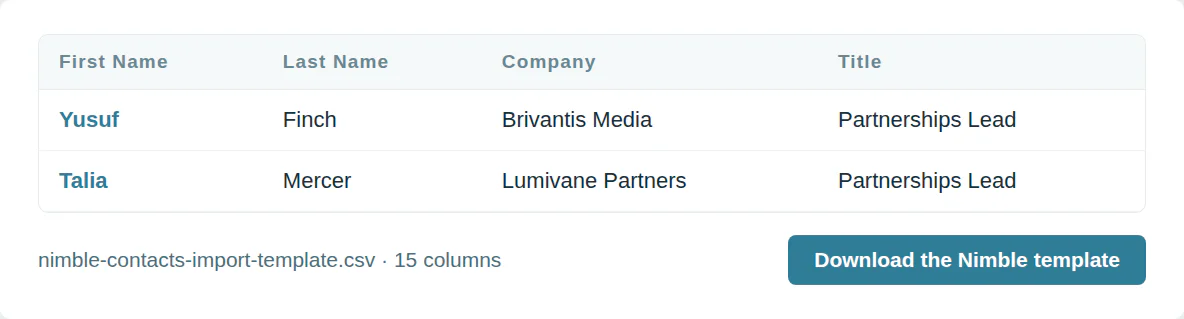
La plantilla de importación de Nimble
Plantilla de contactos y empresas de Nimble
15 columnas, en el orden que descarga la plantilla.
| Columna | Qué va en él | Obligatorio |
|---|---|---|
| First Name | Texto | Una de estas |
| Last Name | Texto | Una de estas |
| Company | Texto | Una de estas |
| Title | Texto | |
| Work Email | Un correo electrónico | |
| Work Phone | Signo más, código de país y número | |
| Mobile Phone | Signo más, código de país y número | |
| Work Address 1 - Street | Texto | |
| Work Address 1 - City | Texto | |
| Work Address 1 - State | Texto | |
| Work Address 1 - Zip | Texto | |
| Work Address 1 - Country | Texto | |
| Domain | Un dominio como example.com | |
| Una dirección web | ||
| Tag 1 | Texto |
Úsalo desde un script o un agente de IA
MCP  https://dedupe.ly/tools/mcp   every free tool in one connector (this one: check_crm_import)

POST https://dedupe.ly/tools/api/import-checker
{ "crm": "nimble", "csv": "..." }

Docs https://dedupe.ly/tools/api/openapi.jsonPreguntas sobre importaciones de Nimble

Un CSV separado por comas sin filas ni columnas en blanco.
Un nombre, un apellido o una empresa. Un correo electrónico por sí solo no se importa.
Los contactos se fusionan por correo electrónico y luego por nombre y apellido. Las empresas se fusionan por dominio, correo electrónico y nombre.
No. Nimble no deshace importaciones, así que valida el archivo primero.
Añade columnas llamadas Etiqueta 1, Etiqueta 2 y sucesivamente.
Más herramientas gratis


Empieza gratis
20 fusiones de prueba gratis y todo el soporte gratuito que necesite para controlar sus duplicados.

 O regístrate con Google
Wasmer D
Usuario de HubSpot
 HubSpot Marketplace
 ¿Limpias el CRM de tus clientes? Ver el programa de partners












