Vérifiez un CSV avec l'Assistant d'importation de données avant de le lancer.

Gratuit pour 10 exécutions par jour.
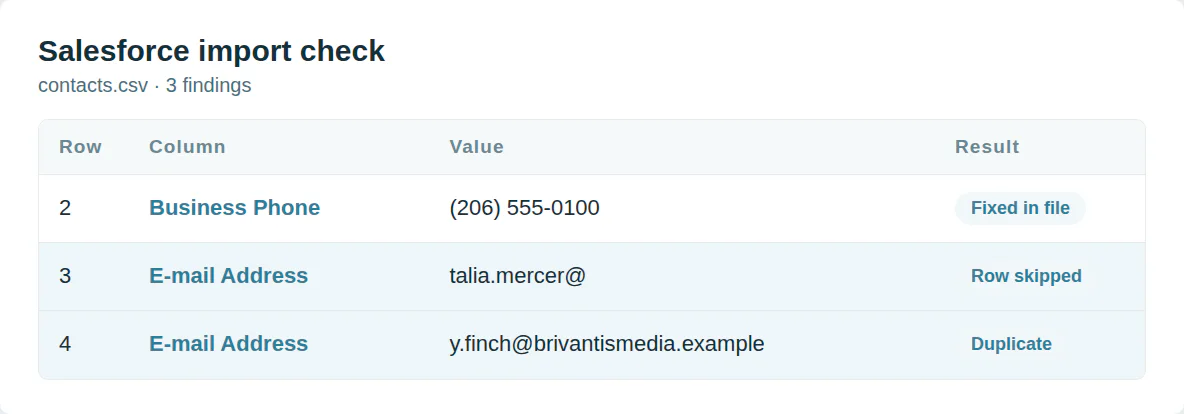
Lignes que l'assistant rejette
Un prospect doit avoir un nom et une entreprise. Un e-mail que l'assistant ne peut pas vérifier bloque l'importation. C'est aussi le cas pour une valeur qui dépasse la longueur du champ.
Ce vérificateur contrôle chaque ligne par rapport à ces règles et corrige ce qu'il peut.
Commencez par les champs que Salesforce mappe
Nom complet à côté de Prénom confond le mappage. Les cases à cocher acceptent 1 et 0. Les dates doivent correspondre à votre région.
Les modèles Salesforce utilisent les intitulés de champ que son guide d'importation répertorie.
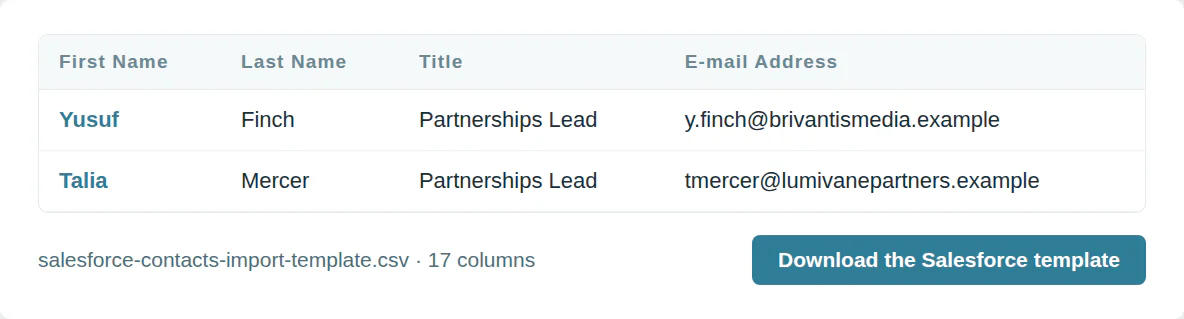
Le modèle d'import Salesforce
Modèle Salesforce pour les prospects
17 colonnes, dans l'ordre du téléchargement du modèle.
| Colonne | Qu'y mettre | Obligatoire |
|---|---|---|
| First Name | Texte | |
| Last Name | Texte | L'une de ces |
| Title | Texte | |
| Company | Texte | Oui |
| Une adresse e-mail | ||
| Phone | Signe plus, indicatif pays et numéro | |
| Mobile Phone | Signe plus, indicatif pays et numéro | |
| Website | Une adresse web | |
| Street 1 | Texte | |
| City | Texte | |
| State | Texte | |
| Postal Code | Texte | |
| Country | Texte | |
| No. of Employees | Un nombre sans symbole monétaire | |
| Annual Revenue | Un nombre sans symbole monétaire | |
| Email Opt Out | Oui ou non | |
| Record Owner | L'email de l'utilisateur |
Modèle Salesforce
17 colonnes, dans l'ordre du téléchargement du modèle.
| Colonne | Qu'y mettre | Obligatoire |
|---|---|---|
| First Name | Texte | |
| Last Name | Texte | L'une de ces |
| Title | Texte | |
| Department | Texte | |
| E-mail Address | Une adresse e-mail | |
| Business Phone | Signe plus, indicatif pays et numéro | |
| Mobile Phone | Signe plus, indicatif pays et numéro | |
| Mailing Street 1 | Texte | |
| Mailing City | Texte | |
| Mailing State | Texte | |
| Mailing Postal Code | Texte | |
| Mailing Country | Texte | |
| Birthdate | Une date, année-mois-jour | |
| Account Name | Texte | |
| Website | Une adresse web | |
| Email Opt Out | Oui ou non | |
| Record Owner | L'email de l'utilisateur |
Modèle de comptes Salesforce
13 colonnes, dans l'ordre du téléchargement du modèle.
| Colonne | Qu'y mettre | Obligatoire |
|---|---|---|
| Account Name | Texte | Oui |
| Account Site | Texte | |
| Account Phone | Signe plus, indicatif pays et numéro | |
| Industry | Texte | |
| Employees | Un nombre sans symbole monétaire | |
| Revenue | Un nombre sans symbole monétaire | |
| Website | Une adresse web | |
| Billing Street 1 | Texte | |
| Billing City | Texte | |
| Billing State | Texte | |
| Billing Postal Code | Texte | |
| Billing Country | Texte | |
| Record Owner | L'email de l'utilisateur |
Utilisez-le depuis un script ou un agent IA
MCP  https://dedupe.ly/tools/mcp   every free tool in one connector (this one: check_crm_import)

POST https://dedupe.ly/tools/api/import-checker
{ "crm": "salesforce", "csv": "..." }

Docs https://dedupe.ly/tools/api/openapi.jsonQuestions sur les imports Salesforce

Jusqu'à 50 000 enregistrements par fichier, 90 champs par enregistrement et 100 Mo, en CSV uniquement.
Une opportunité nécessite un nom de famille et une entreprise. Un contact nécessite un nom de famille. Un compte nécessite un nom de compte.
L'assistant lit les dates au format de votre région. Un fichier écrit jour en premier s'importe à l'envers en région américaine.
Il correspond à ce que vous choisissez : ID Salesforce, nom, e-mail ou ID externe. Choisissez Aucun et chaque ligne devient un nouvel enregistrement.
Utilisez 1 pour coché et 0 pour décoché.
Plus d’outils gratuits


Commencez gratuitement
20 fusions gratuites en essai et autant d’assistance gratuite que nécessaire pour maîtriser vos doublons.

 Ou inscrivez-vous avec Google
A Grogan-Crane
Utilisateur HubSpot
 HubSpot Marketplace
 Vous nettoyez des CRM pour vos clients ? Voir le programme partenaires












